You see what you pay for
The plan counts streams per module and does not count accounts on paid plans. That price is easy to recalculate for your volume.
The simplest way to choose a Telegram service: write down what you do every day and ask every candidate the same questions. The questions are below. Next to them are our panel's answers; we make no claims about other products.
In short
Telegram services are compared by your daily work: where the tool runs, what exactly you pay for, how it checks and assigns proxies, which account formats it accepts and whether you can see what happened in every run. These questions fit any software, TeleTraff included. Run the same small task with each candidate, and the difference shows up on your own data.
TeleTraff editorial teamUpdated: Checked in the panel
The plan counts streams per module and does not count accounts on paid plans. That price is easy to recalculate for your volume.
Accounts and proxies move over in groups. While you test the panel, the previous tool keeps working.
The comparison comes from what you saw in your own run, not from someone else's ranking.
You ran comments from a few accounts, and now mailing, inviting and a second project have been added. Or you left your work computer and the program stayed on it. That is roughly when searches like "GramGPT and TeleTraff", "NeiroGram and TeleTraff" or "NeiroGram or a Telegram web panel" appear.
Two names side by side say little about your task. You need questions that are the same for everyone. We put them in a table: the third column is our panel's answer, and you check the others yourself. There are no ratings of other services here.
Ask every candidate these questions before paying. The right-hand column can be checked in a trial run.
| Question | What to check | In TeleTraff |
|---|---|---|
| Where it runs | Whether anything must be installed, whether it opens on a phone | In the browser, on a computer and a phone, nothing to install |
| What you pay for | Accounts, modules, runs or something else | Streams, per module. Unlimited accounts on paid plans |
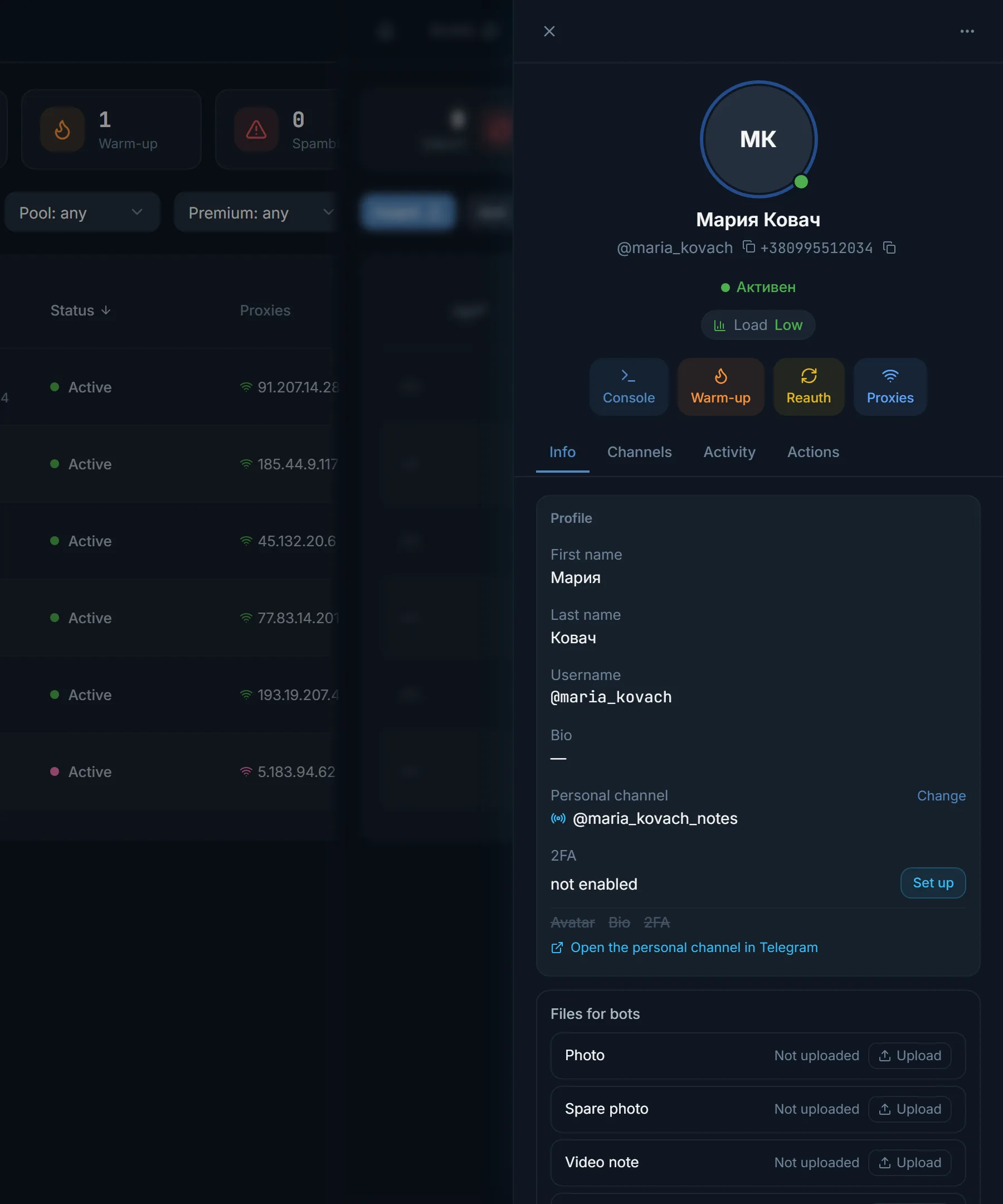
| Account import | Which formats it accepts and when the proxy is assigned | A tdata folder, .session with .json, ZIP and RAR archives. The proxy is assigned in the import wizard, before the first sign-in |
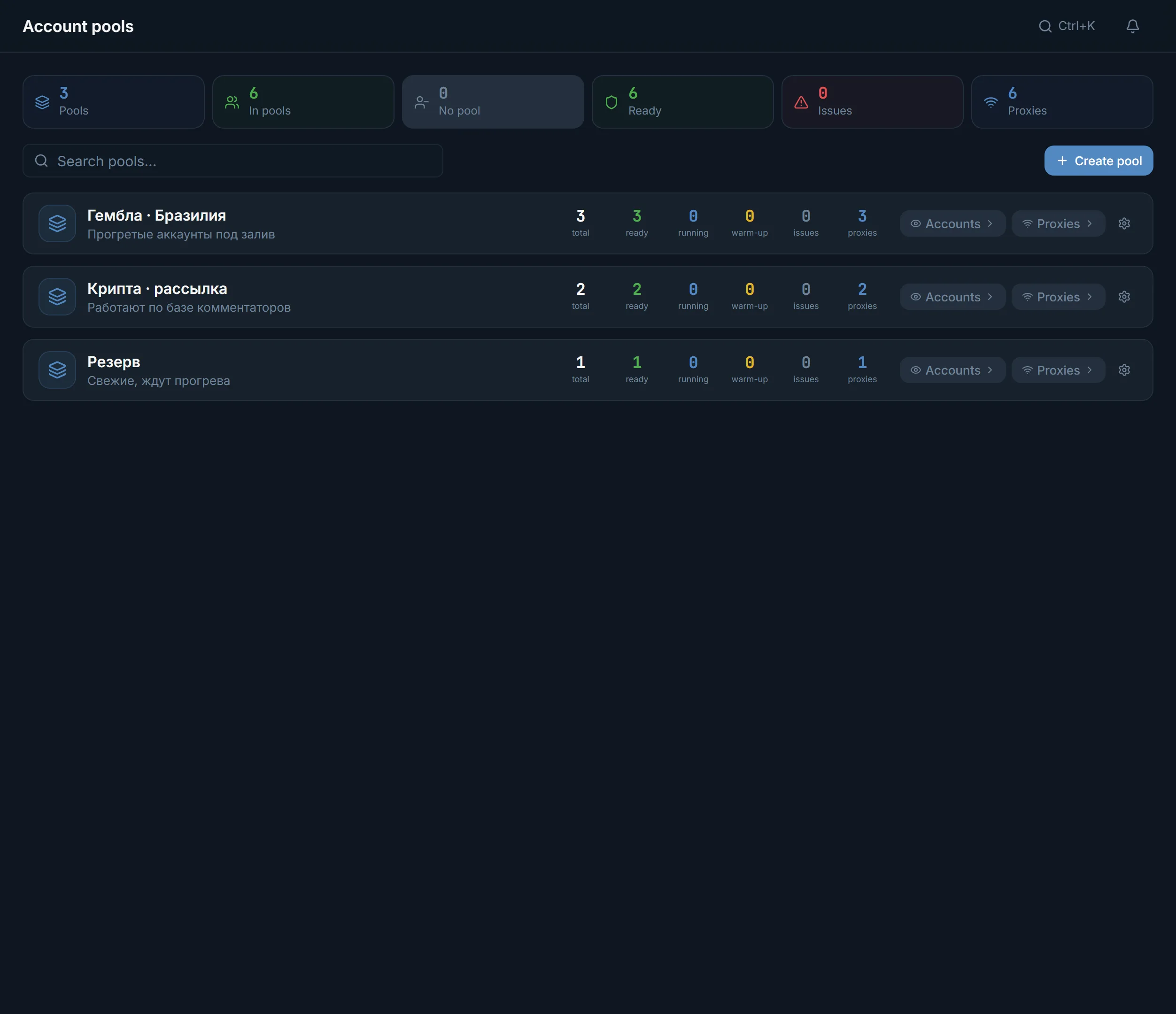
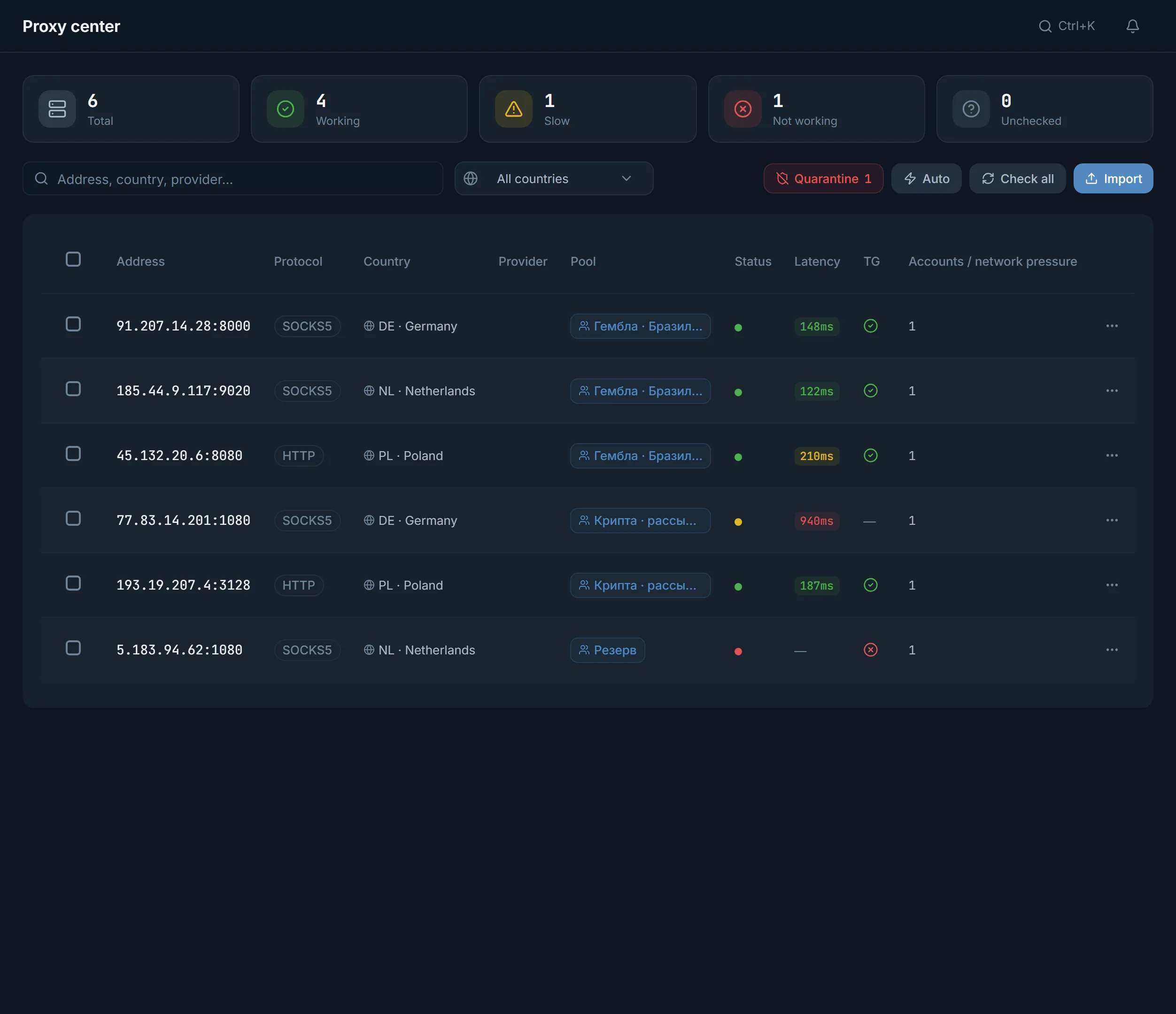
| Proxies | How they are checked and assigned, what happens to dead ones | Proxy center: HTTPS, SOCKS5, HTTP, MTProto, a connection check against Telegram, Assign proxies, Quarantine |
| Comments | Whether AI writes them, whether templates work, whether both can be mixed | AI commenting: AI, templates or a mixed mode |
| What happened in a run | Whether you see what each account did and where it stopped | Run logs in the modules, Run history in Automation |
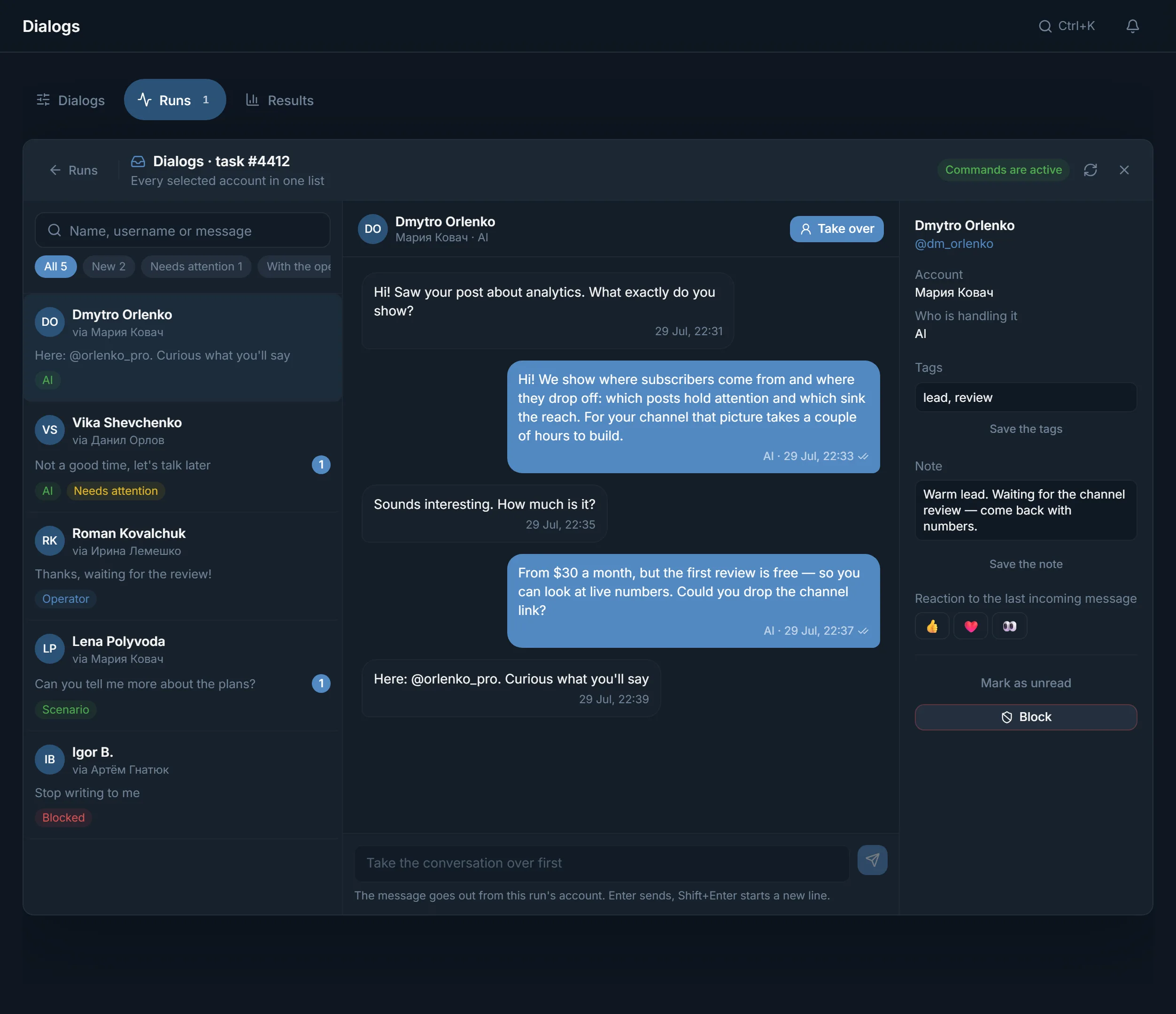
| Replies from people | Where private messages arrive | Dialogs: conversations of the chosen accounts in one list and a Take over button |
This is the first question, because everything else depends on it. A desktop program is installed on one specific computer. A web panel opens in the browser wherever you are: at your desk or on a phone on the road. Ours works exactly like that.
Sessions, proxies and runs live on the server, not on your laptop. Close the tab and the tasks keep going. Open the panel from another device and you see the same log.
One evening and a small group of accounts are enough.
What you launch daily and where you stumble most often. That is your list of requirements.
Find out each candidate's pricing unit and bring the prices to a common denominator. Our terms are on the pricing page.
Importing accounts and proxies says a lot about everyday work.
The same targets, one text, the same number of accounts. Then open the logs and compare where it is clearer what happened.
Decided to switch? Move accounts in groups and let the rest work the old way until the first comparable result.
If one topic matters most, start with it.
What the panel does from preparing accounts to replies from people: panel features and module guides.
What each plan costs and what the trial includes: free trial and pricing.
How AI commenting works and how many streams each plan gives: the AI commenting page.
How many messages, invites and joins a day accounts withstand: the Telegram limits page.
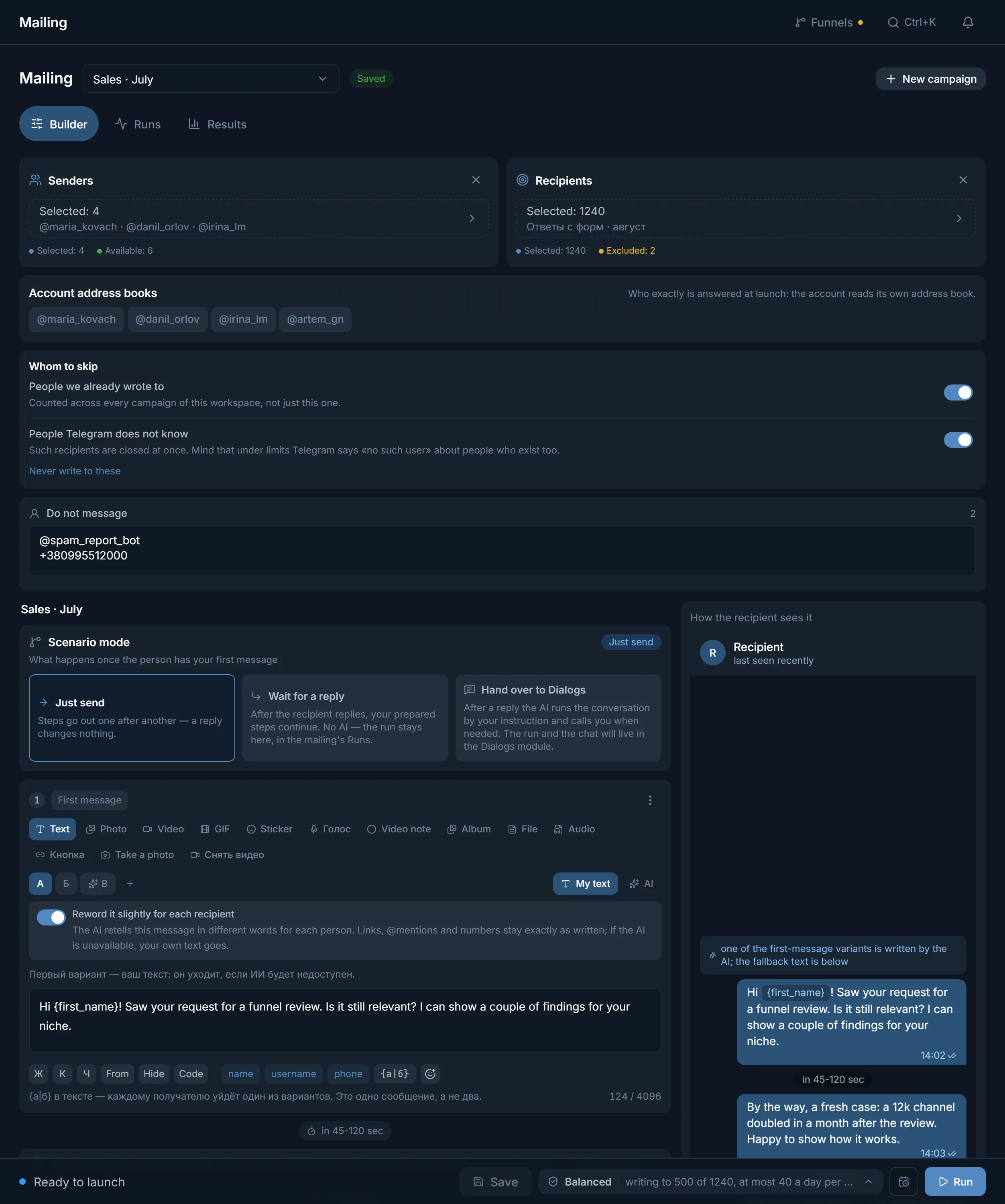
These screens show fastest how the work is organised and how much you control.
Terms on this page
No. We do not write about the features, prices or quality of other products. We give the questions worth asking any service and show our own answers.
It depends on where you work. A web panel opens in the browser on a computer and on a phone. A program has to be installed on a specific machine.
If they are in tdata, .session and .json pairs, or ZIP and RAR archives, yes. Sessions must be in Telethon format. Proxies are uploaded separately through Import in the Proxy center. Move them in parts.
Bring them to your task: how many accounts must work at the same time in one module. TeleTraff's plan sells streams, and their number applies to each module separately.
No. Move a small group of accounts and let the rest work as before. Decide after the first comparable run.
Three days from the first account you add: every module, 3 streams in each and up to 10 accounts. No card needed.
Read next
Other sections
Open the trial: 3 days, every module, no card needed. Move a couple of accounts over and run the same launch you ran in the old tool.