Replies do not get lost
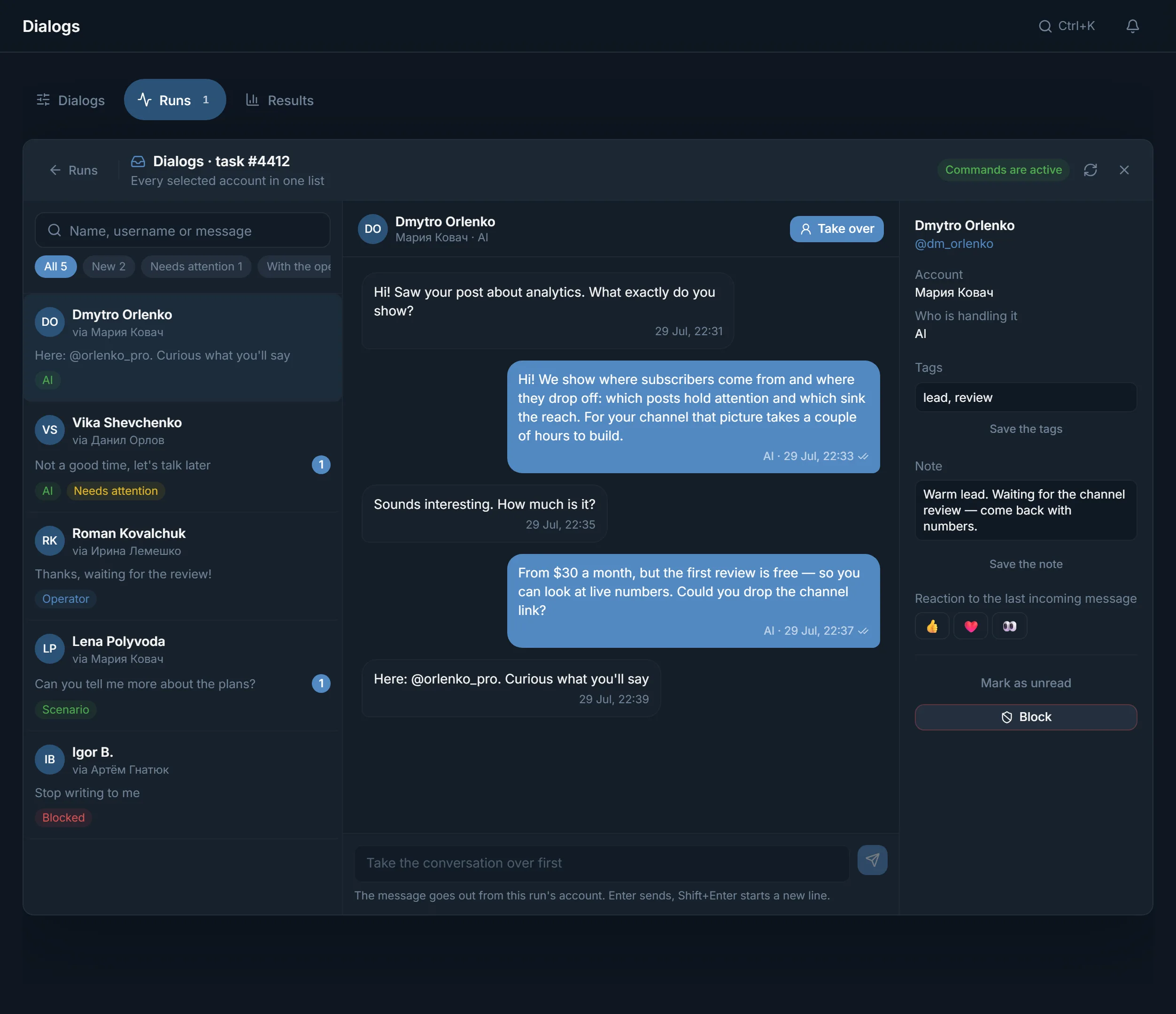
Private conversations of the chosen accounts are collected in Dialogs. New ones and ones that need attention show under a filter.
Telegram traffic comes from four places: under channel posts, in topic chats, in private messages and through invitations to your channel. If the accounts are bought and the offer is chosen, what is left is to link the sources into a chain and see which one brings people to you.
In short
Telegram traffic comes from four sources: comments under channel posts, conversations in topic chats, private messages to a collected base and invitations to your channel or chat. For affiliate work they are combined into a setup: targets, warmed-up accounts, an entry point, an offer. Start with one source and a small test, and decide on scale by the Traffic tab in TeleTraff statistics.
TeleTraff editorial teamUpdated: Checked in the panel
Private conversations of the chosen accounts are collected in Dialogs. New ones and ones that need attention show under a filter.
Comments, chats, private messages and inviting run from one batch of accounts. No moving bases between programs.
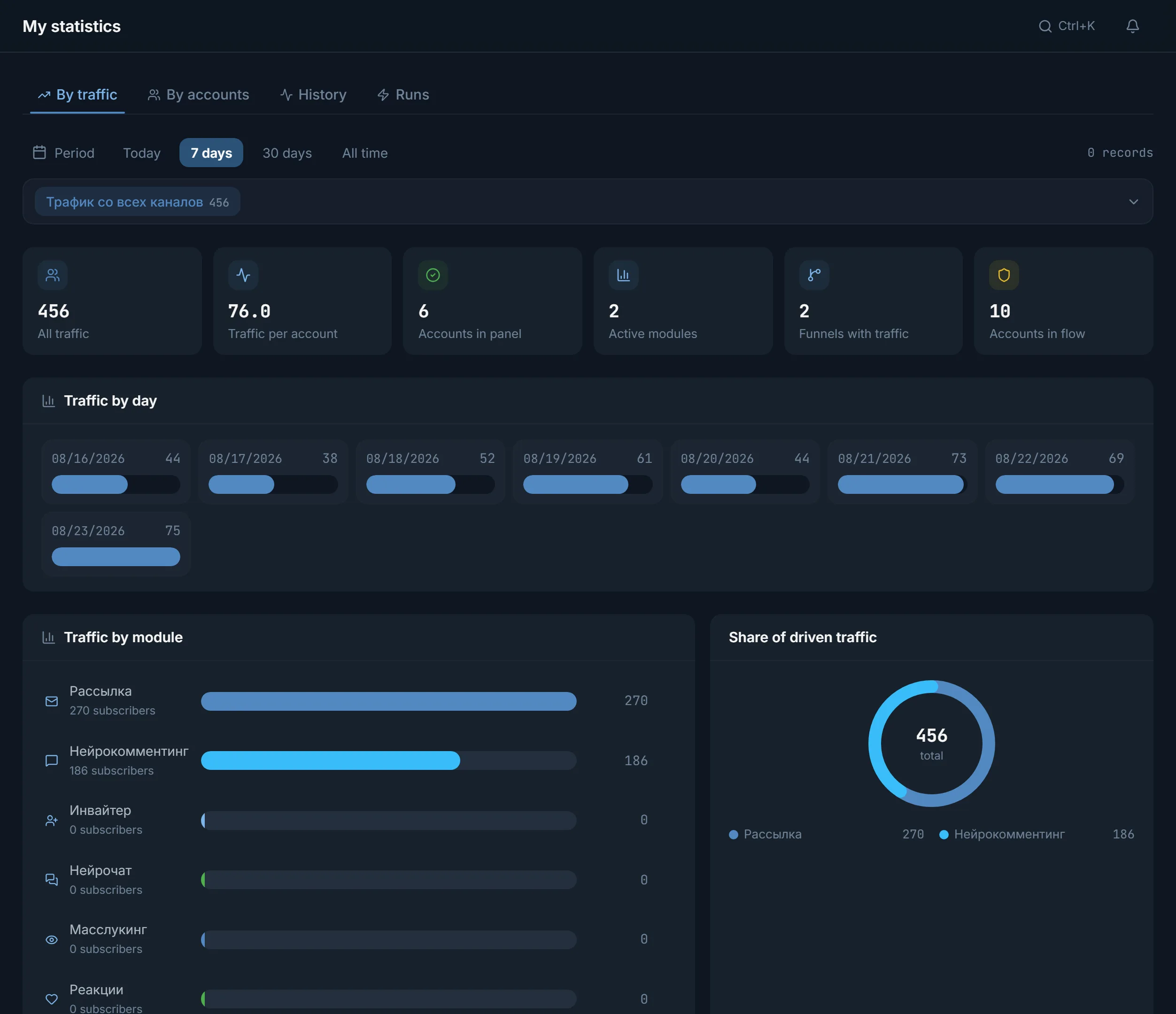
The Traffic tab shows how many subscribers each module brought. You scale what worked for you, not in someone else's case study.
There are four sources, and each behaves differently. A comment gives reach, a chat gives a conversation, private messages work from a ready base, and an invitation brings a person straight to you. The Telegram audience already sits in topic communities; there is no need to find it from scratch.
AI commenting leaves replies under new posts from your accounts. The text is written by AI, taken from templates or a mix of both.
Neurochat keeps your accounts in topic chats as ordinary members: they reply and start topics following your instruction. Whoever gets interested and writes privately is then handled by a Dialogs campaign.
Mailing follows a scenario of steps. In the Hand over to Dialogs mode, the people who reply are then handled in Dialogs.
The inviter takes a collected base and invites people to you. After a run you see how many invitations went through and how many errors there were.
It is tempting to go straight to work. Slow down. The order below is the same for gambling, crypto and info products.
Accounts are imported from tdata, .session and .json pairs or an archive, and the proxy is assigned during import. Look at the statuses: what is alive, what is in spamblock. The whole path is on the Telegram accounts for work page.
A fresh account that goes commenting on day one usually does not last. Auto warmup first, then the task.
The channel and chat parsers find sources on the topic. For comments keep channels with open discussion and drop the rest at once. More on the Telegram parsing page.
A few accounts, a few targets, a couple of texts. The point of the test is to see a reaction, not to gather volume.
Connect a funnel and open the Traffic tab in statistics: it shows how many subscribers each module brought and has Funnel comparison. Give new accounts and targets to the setup that already brings people.
This is a starting point, not a recipe. Texts and targets are still chosen for your offer.
| Vertical | Where you lead the person | What to run in the panel |
|---|---|---|
| Gambling | A bridge channel, then the offer | AI commenting under posts of gaming and sports channels, replies in Dialogs |
| Betting | A predictions channel | Neurochat in fan chats, private messages through Dialogs |
| Crypto | The project channel or a bot | Comments in crypto channels, then inviting the collected commenters |
| Info products | Private messages or a bot with a clear first step | Mailing to a member base in the Hand over to Dialogs mode |
| An agency with several clients | Each project has its own entry point | A separate account pool per project and scheduled runs |
How to map niches to modules in more detail is on the solutions by niche page.
Four screens a setup passes through: from configuration to a conversation with a real person.
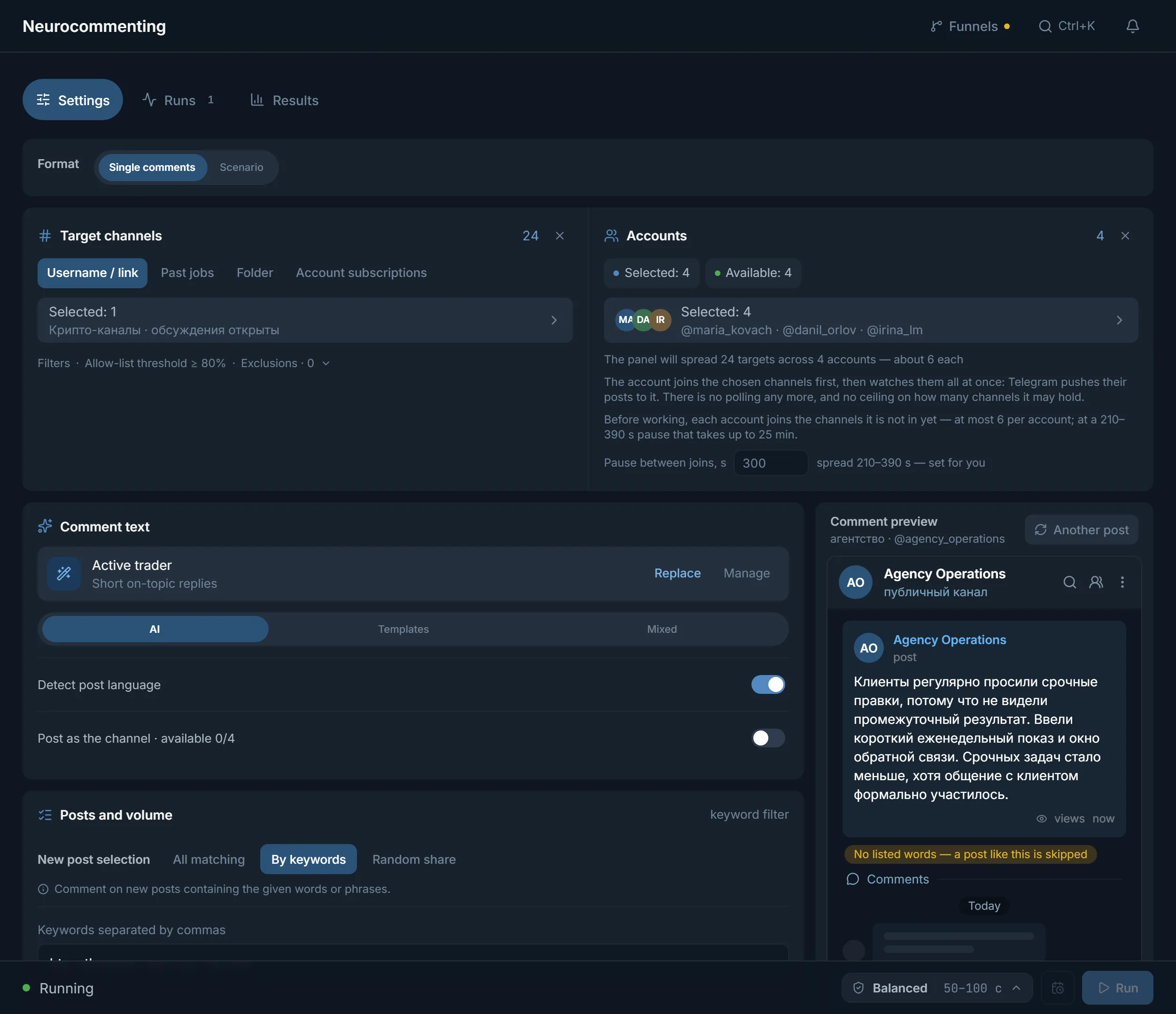
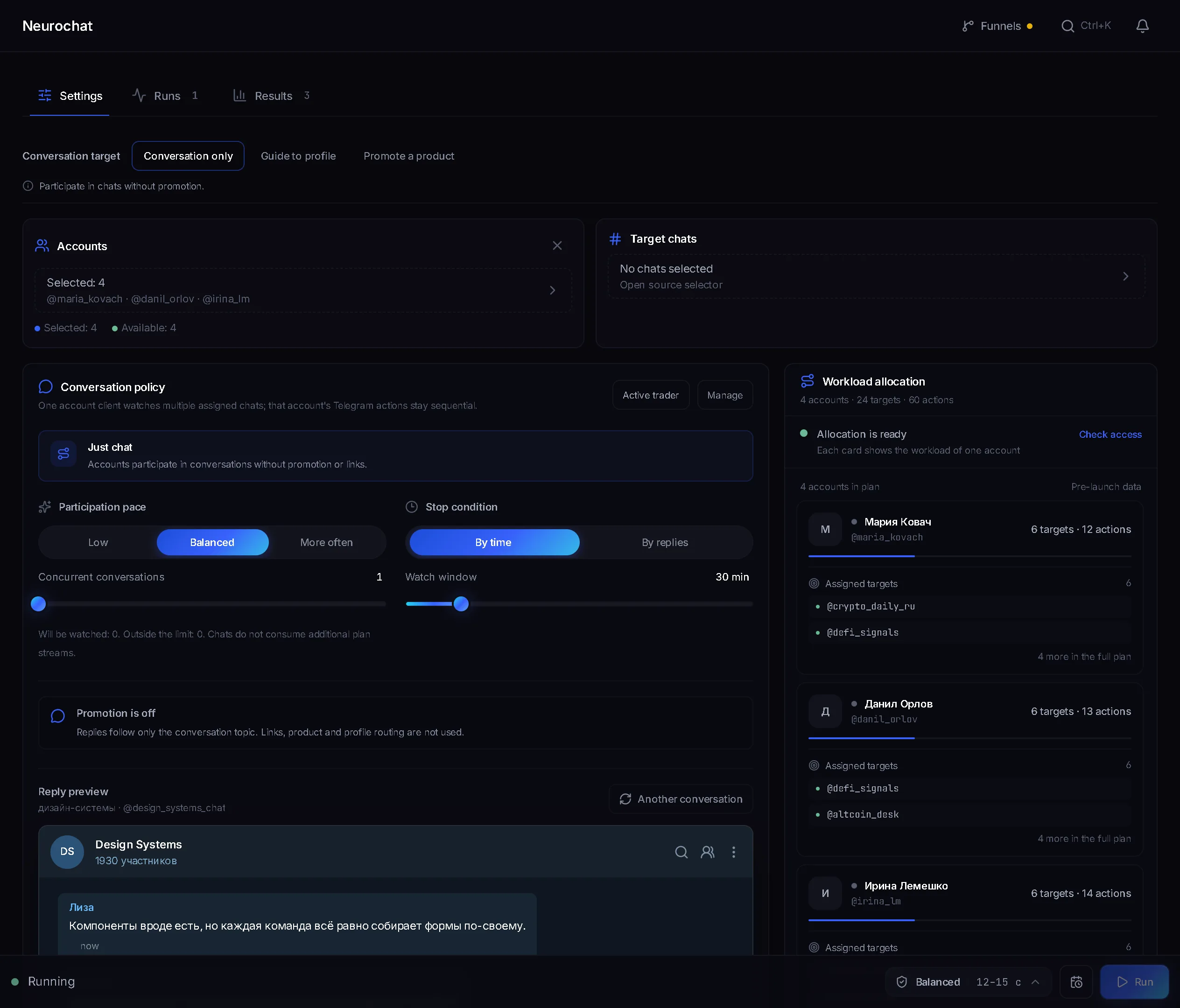
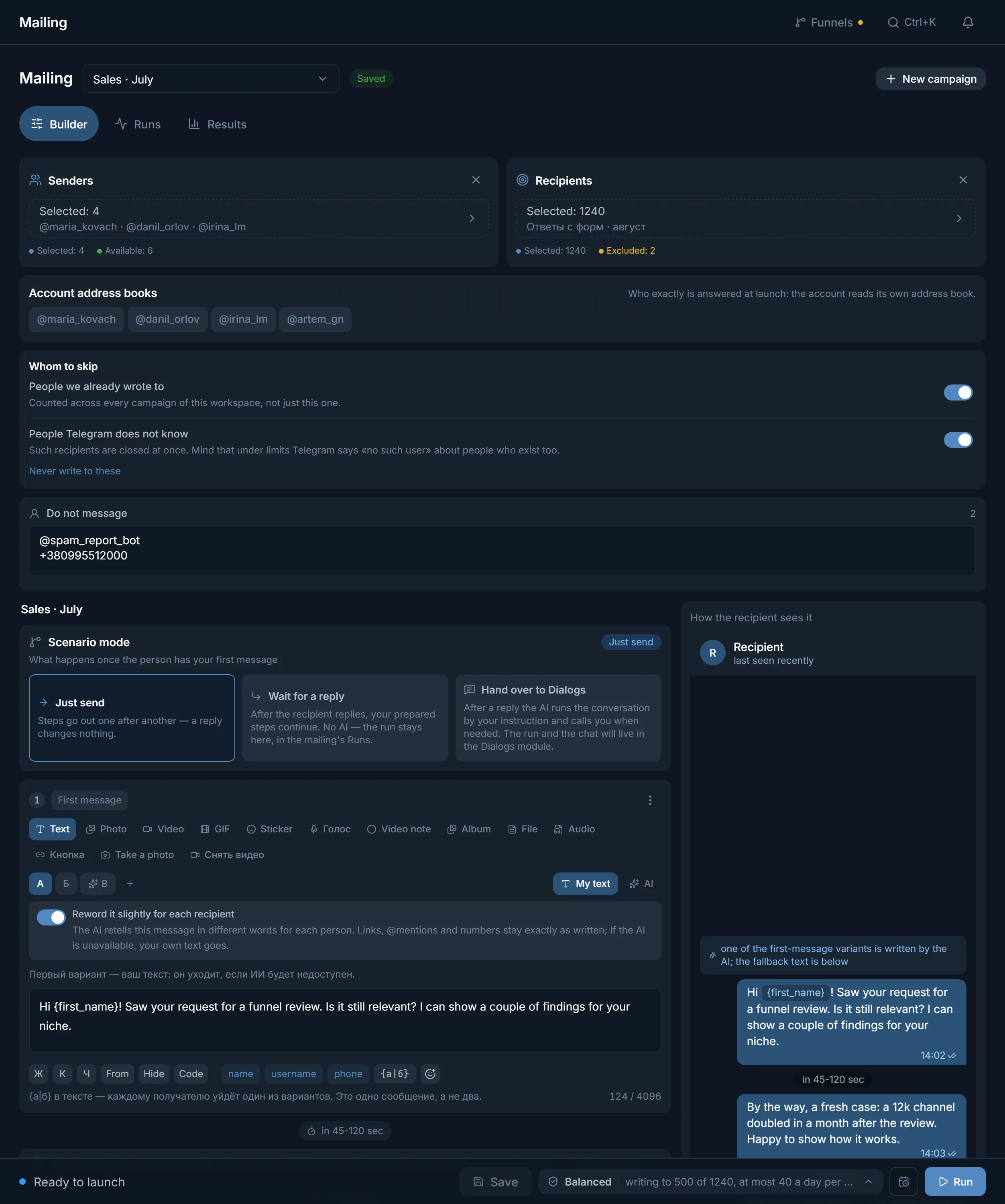
My statistics has two tabs you need. Runs shows what the accounts did in each run. Traffic counts the people modules brought into your funnels, by day and by module, if a funnel is connected.
Traffic does not count people invited by the inviter: see the result of inviting on the inviter's own Results tab. Compare setups with each other on your own data; other people's numbers say little here.
In TeleTraff you pay for streams, not for accounts. A stream is one account doing a task right now. They are counted in each module separately, so comments do not take streams from mailing.
Starter is $24 for 30 days and gives 10 streams in each module. Pro for $59 gives 50, Ultimate for $117 gives 100. A paid plan does not limit how many accounts are imported. The full breakdown is on the pricing page.
Not in the text. Problems usually start earlier: an account goes commenting without warmup, targets are off-topic, or the entry point is empty and a person lands in a channel with no posts. Check these places before launch. Fix texts later.
Terms on this page
The one where your audience already sits. For gambling and crypto people usually start with comments under posts of topic channels, for info products with chats and private messages. Run one source, look at the numbers and only then add a second.
It does if the targets match the topic and the accounts are warmed up. How much you will get is shown only by a test on your targets and your text.
As many as will work at once, plus a reserve for warmup. No more accounts work at once than your plan has streams, and streams are counted in each module separately.
To Dialogs. A Dialogs campaign collects private conversations of the chosen accounts, and new ones show under a filter. Take over the conversation you need with the Take over button.
Connect a funnel and watch the Traffic tab in statistics: subscribers by module and Funnel comparison. What the accounts did is on the Runs tab.
You can bring your own or buy them in the marketplace right in the panel. The plan pays for streams, meaning how many accounts work at once.
Read next
Other sections
A 3-day trial with no card: every module and 3 streams in each. Enough to test a text and targets on a small run.