My statistics
Five tabs on what the accounts do: a summary for the period, runs, account survival, the action log and traffic by module.
- Summary, runs, accounts, log, traffic
- One period for the whole page
- Export the action log to CSV and JSON
'My statistics' answers what your accounts actually did. There are five tabs: a summary for the period, runs, how the accounts are holding up, the action log, and how much traffic the modules brought. If data is still loading or did not refresh, the panel says so above the numbers.
How to use it
- Pick the period on top and the tab you need.
- Read the metrics; if the data did not refresh, the panel shows it.
- In the action log, filter by module and export to CSV or JSON.
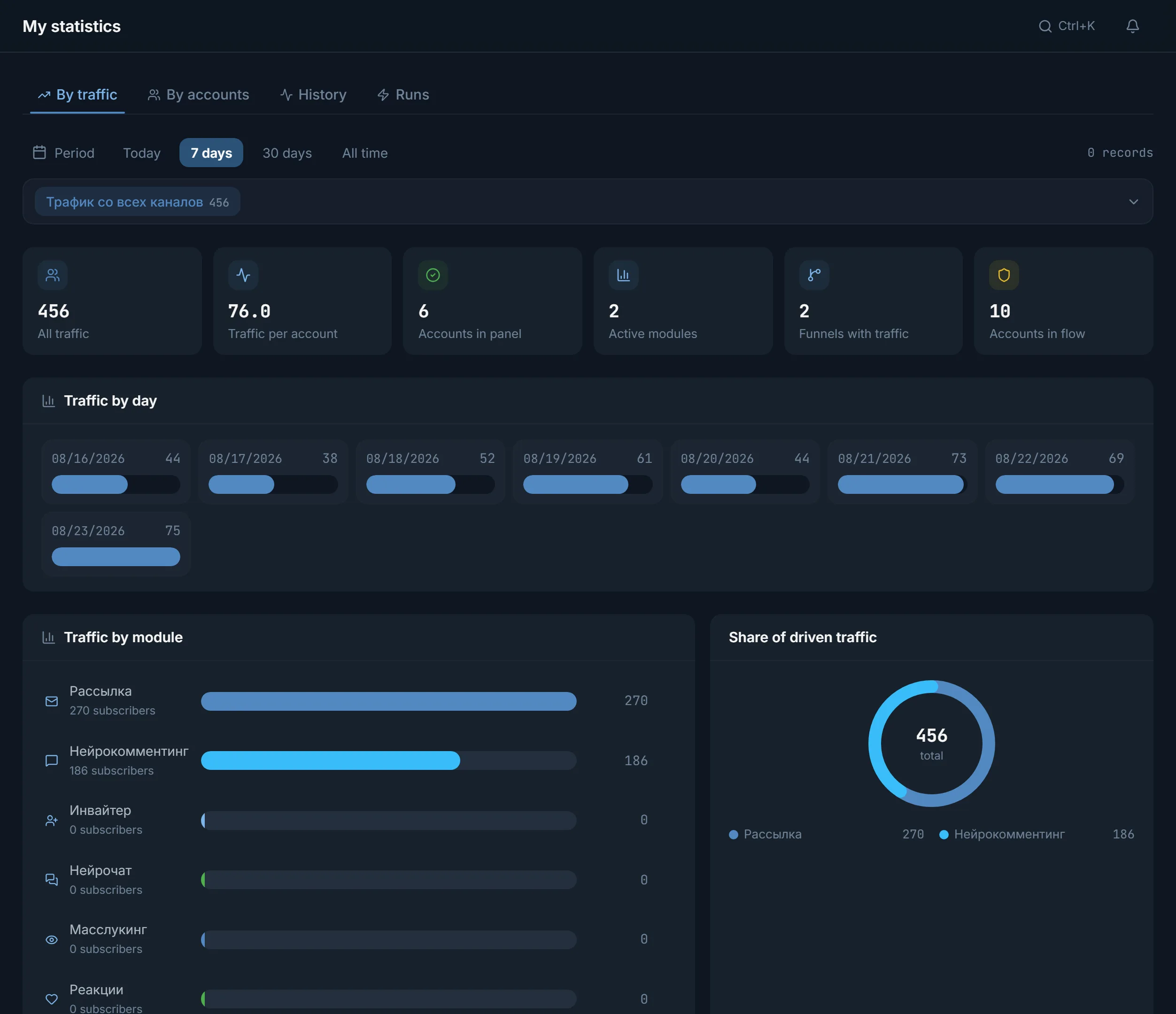
Five tabs
- 'Summary' opens first: total traffic, traffic per account, active modules, the 'Needs attention' block and the 'Modules in period' table with runs, actions, successes and the main failure reason.
- 'Runs': a list of all jobs with outcomes, filtered by module and status.
- 'Accounts': account survival, how long they have been in the panel, survival by country, how many channels were collected. A table shows each account's contribution.
- 'Action log': a detailed log per module, breaking down what went through, what was skipped and why.
- 'Traffic': how many people the modules and funnels brought. At the bottom of the tab you can compare funnels against each other.
The period on top is shared by the whole page, 'Runs' included: Today, 7 days, 30 days, All time or a custom range.
What counts as traffic
Traffic is the people who came into your funnels: subscribed, joined. The modules that actually bring traffic are mailing, mass story views, neurocommenting, AI chat and reactions. The inviter invites people directly, so it shows zero on the 'Traffic' tab. Its work is seen in the action log and in the inviter itself.
Data states
While traffic loads, the panel says 'Loading traffic statistics…'. If the server returned a total but no per-day breakdown, it says so: 'Daily breakdown unavailable'. If traffic did not refresh, a banner reads 'Could not refresh the statistics. The last confirmed data is shown.', and for accounts 'The account data may be out of date. The last confirmed version is shown.', with a 'Retry' button next to it. An empty selection is 'No data'.
Action log and export
The action log is the most detailed section: entries per module with filters by status, account, pool, funnel and dataset. Export lives here too: the CSV and JSON buttons export the filtered rows of the current module. The other tabs have no export: they show aggregates.
Two practical blocks sit nearby: 'Source quality' sorts your sources by confirmed attempts over two weeks, and 'Where we get blocked' gathers account-chat pairs where Telegram refused, so such targets can be sent to the shared blacklist.
FAQ
Why does the inviter show zero traffic?
The 'Traffic' tab counts people who came into funnels. The inviter invites directly, bypassing the funnel, so it shows zero here. Its real work is visible in the 'Action log' and on the inviter's own page.
Can I export statistics to a file?
Yes, on the 'Action log' tab: the CSV and JSON buttons export the filtered rows of the selected module. The other tabs show aggregates and have no export.
What does 'The last confirmed version is shown' mean?
The panel could not get fresh data and shows the last data it received. The numbers are real, as of the last successful update. The 'Retry' button next to it asks for them again.
What does account survival show?
The share of live accounts out of all: lost ones are those that went to a spam block, freeze, ban, disable, or got the 'Session is not valid' status.
Ready to open the panel?
Review the scenario constraints before launch.
Read next

Account manager
The workspace for all your accounts: tdata and session import, live statuses, a card for every account, and bulk actions over hundreds of accounts at once.

Proxy center
Import, check and assign proxies for accounts: four protocols, a Telegram check, a quarantine for failed ones and smart assignment across the accounts.