Clear where to start
For every niche you see which module to launch first and what to add next.
Find your niche: for each one below you see which module to start with and what to add next, so that a person from a channel ends up in a conversation with you.
In short
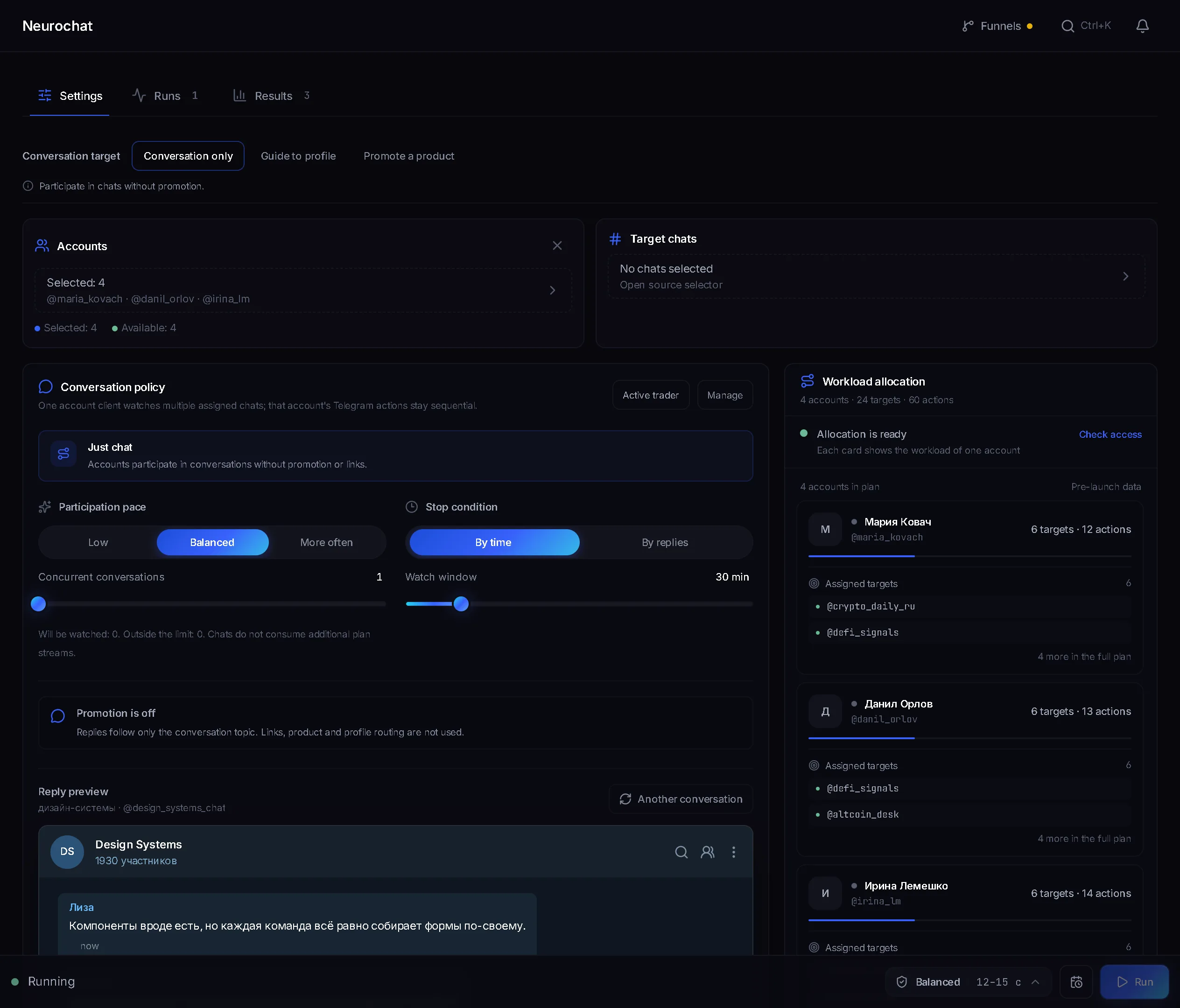
Telegram for business solutions are module combinations for a specific niche: affiliate traffic, crypto, info products, services, agencies, channel owners. The modules are the same in all of them. Parsers find targets and people, AI commenting, Neurochat and mailing start the contact, and private conversations are collected in Dialogs. In TeleTraff, niches differ by launch order and texts, not by features.
TeleTraff editorial teamUpdated: Checked in the panel
For every niche you see which module to launch first and what to add next.
Private messages of the chosen accounts are collected in Dialogs, where any conversation can be taken over.
Each project gets its own pool of accounts with its own proxies.
Each card has the situation people usually come with and where to start.
You need a flow of people from comments, chats and private messages to a channel or bot. Start with AI commenting under posts of topic channels, then add mailing. Combinations by vertical are on the Telegram traffic page.
Collect members of relevant chats and write to them with a first message in mailing. In the Hand over to Dialogs mode, the people who reply are then handled in Dialogs.
Give each client a pool of accounts with its own proxies: that way it is harder to mix up whose accounts go into a task. How it works is in the account pools guide.
The audience sits in topic channels and traders' chats. Pick targets in the open base, run comments and Neurochat in chats of your niche.
A person has to get from a comment to a conversation about buying. Comments and Neurochat give reach, and Dialogs carries the private conversation on, where you can take it over.
Invite people from a collected base with the inviter. Mass reactions and masslooking give people a reason to open the account's profile, and the profile can show your channel.
Niches differ, but the stages are almost always the same. Here is where each lives in the panel.
| Stage | What you do | Where in the panel |
|---|---|---|
| Find where the audience is | Collect channels, chats or members on the topic | Data parsing, the My datasets block |
| Prepare accounts | Give them proxies and warm them up | Proxy center, Account warmup |
| Get noticed | Comments under posts, talking in chats, reactions to people's messages | AI commenting, Neurochat, mass reactions |
| Write personally | A first message to the collected base | Mailing |
| Gather people in a channel or chat | Invite people from the base | Inviter |
| Reply and turn it into a lead | Read the replies and take a conversation over when needed | Dialogs, the Take over button |
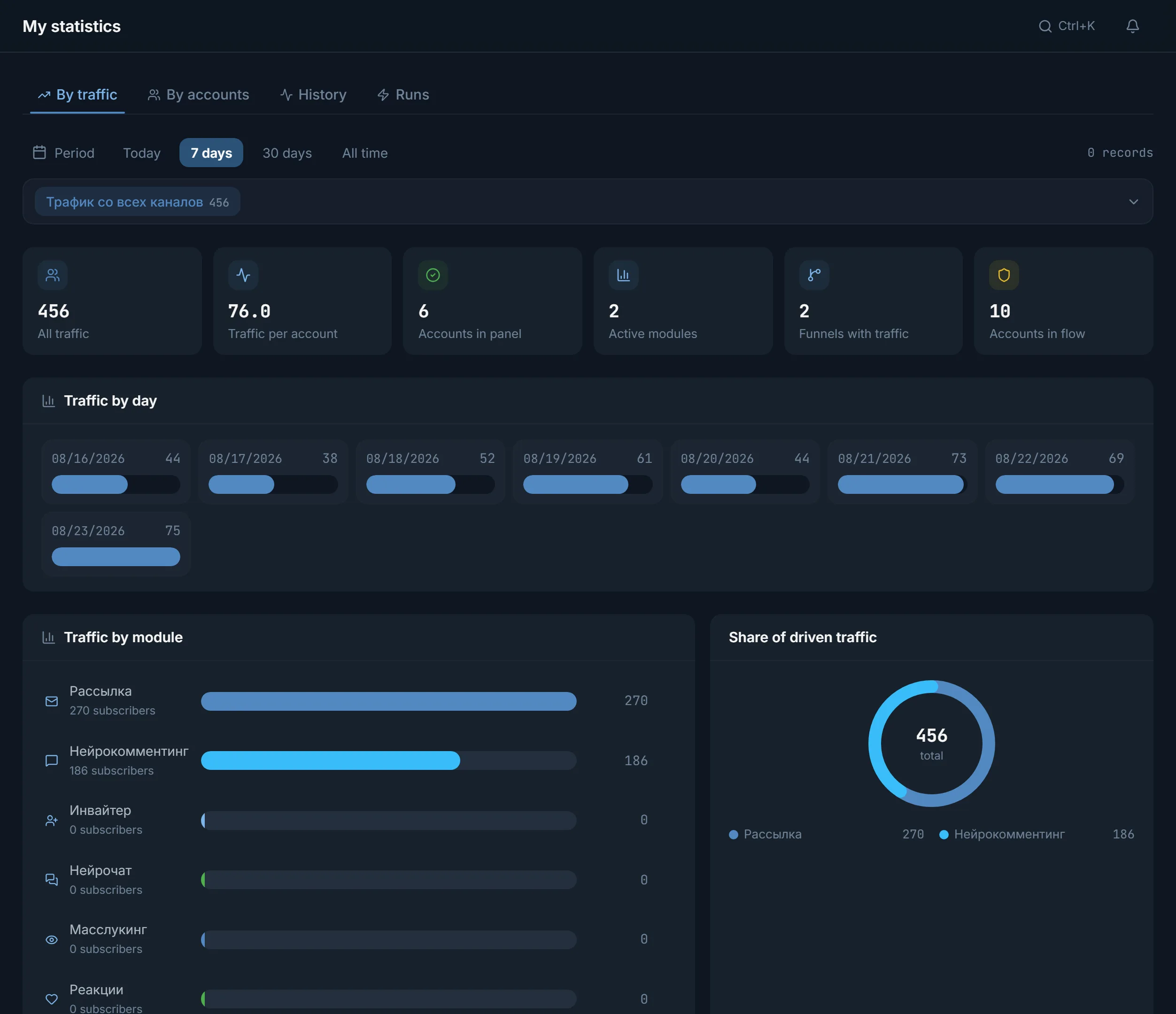
| Check the result | See what the accounts did and how many people came | My statistics, the Runs and Traffic tabs |
A comment under a fresh post is read by the same people who read the channel. If the channel is about your topic, that is your audience. AI commenting writes under new posts by itself: AI-written text, your templates or a mix of both.
The channel list is not made up. It is collected with a parser or taken from the open base. Whoever gets interested and writes to the account privately ends up in Dialogs, where you or the AI, following your instruction, carry the conversation on.
For a sale that is usually not enough without private messages. That is why in most combinations mailing to a base follows the comments.
Works for any niche from the list above.
The cards above suggest which modules to take and in what order. Start with them, not with every module at once.
Channels, chats or members. From the dataset card, the list goes to a module with the Use button.
A few accounts and a short list of targets. That makes it easier to see where replies came from.
If there are replies, add the next module. Once a combination works, it can be repeated on a schedule in Automation.
Four screens almost every combination passes through.
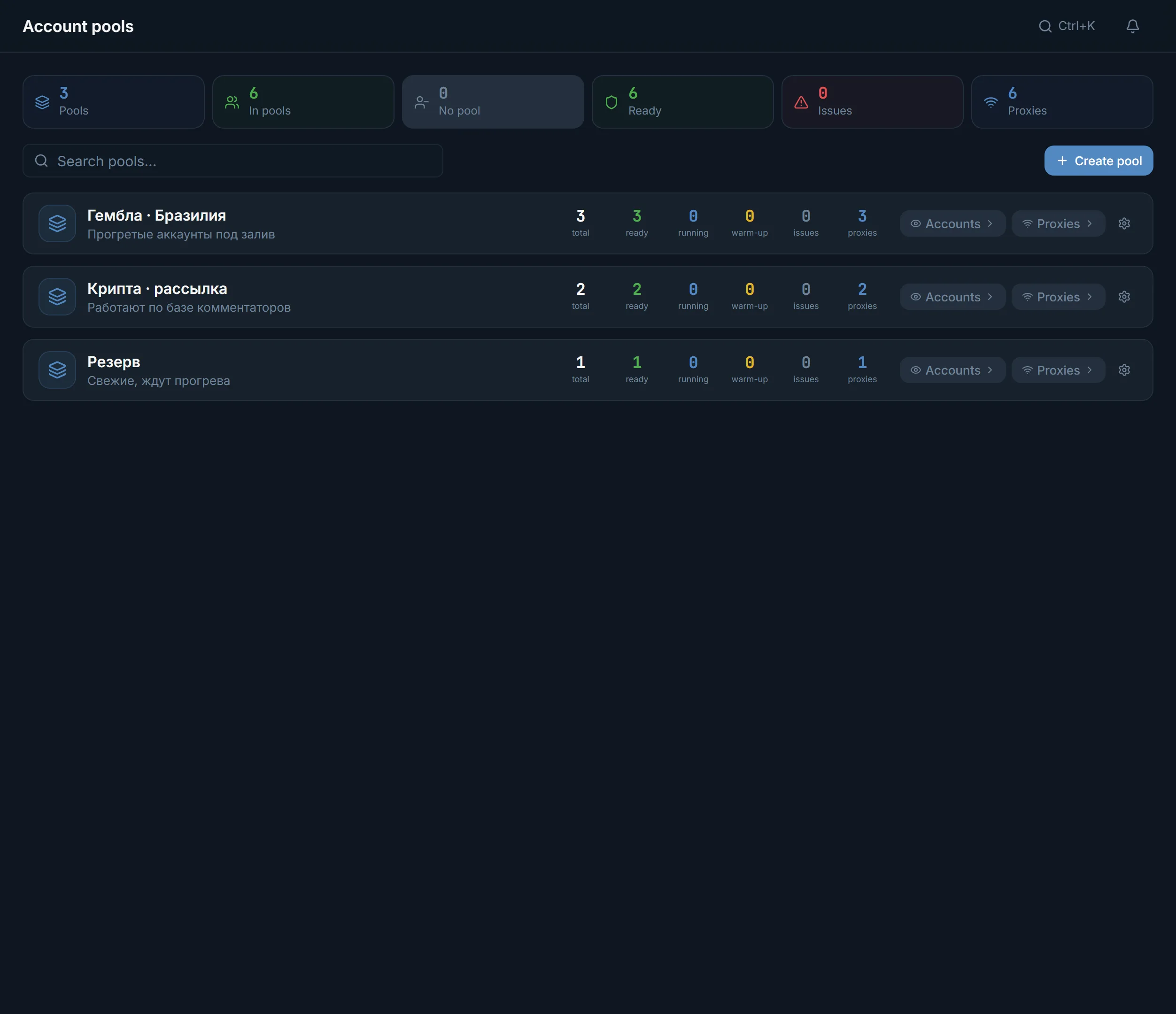
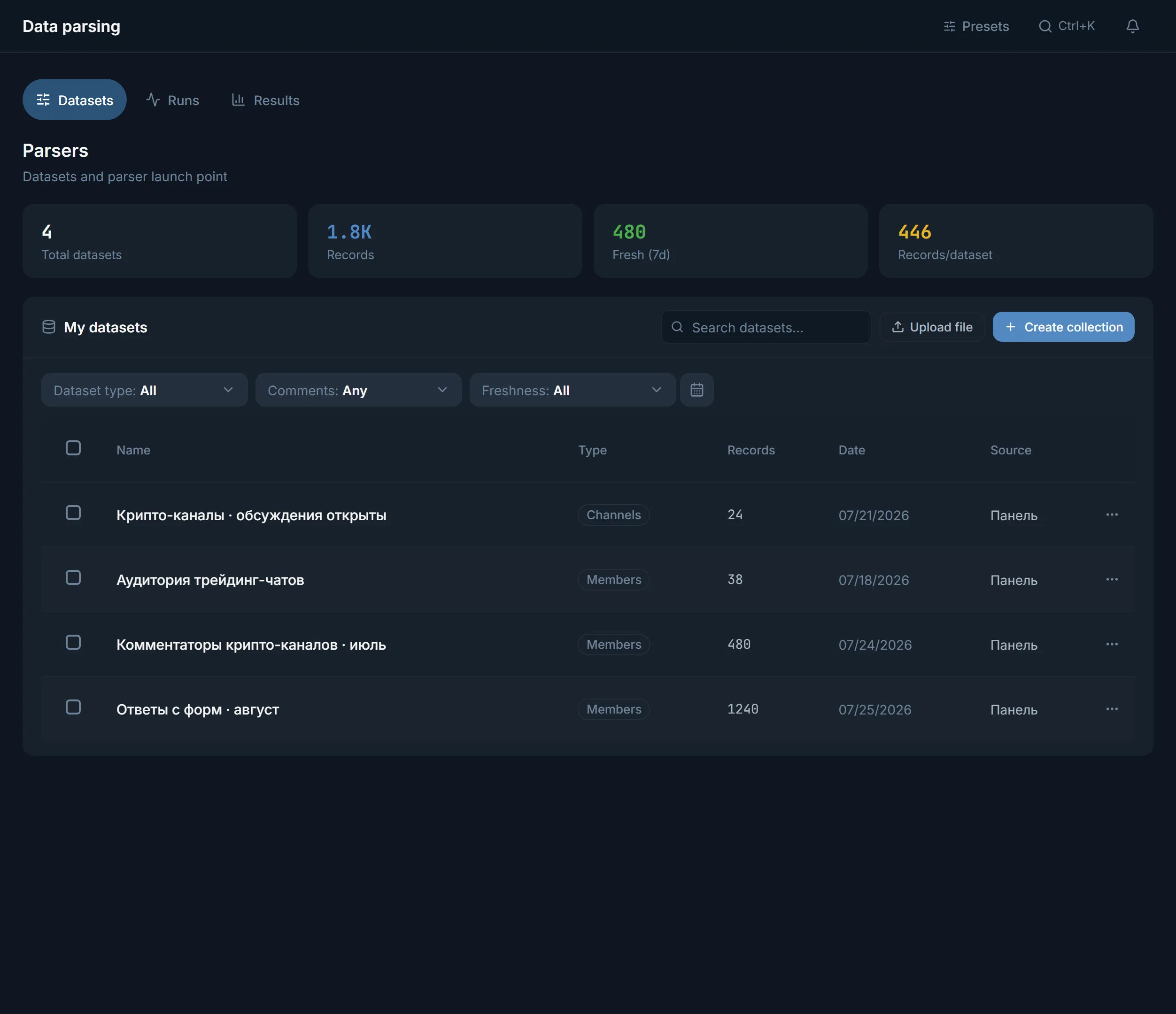
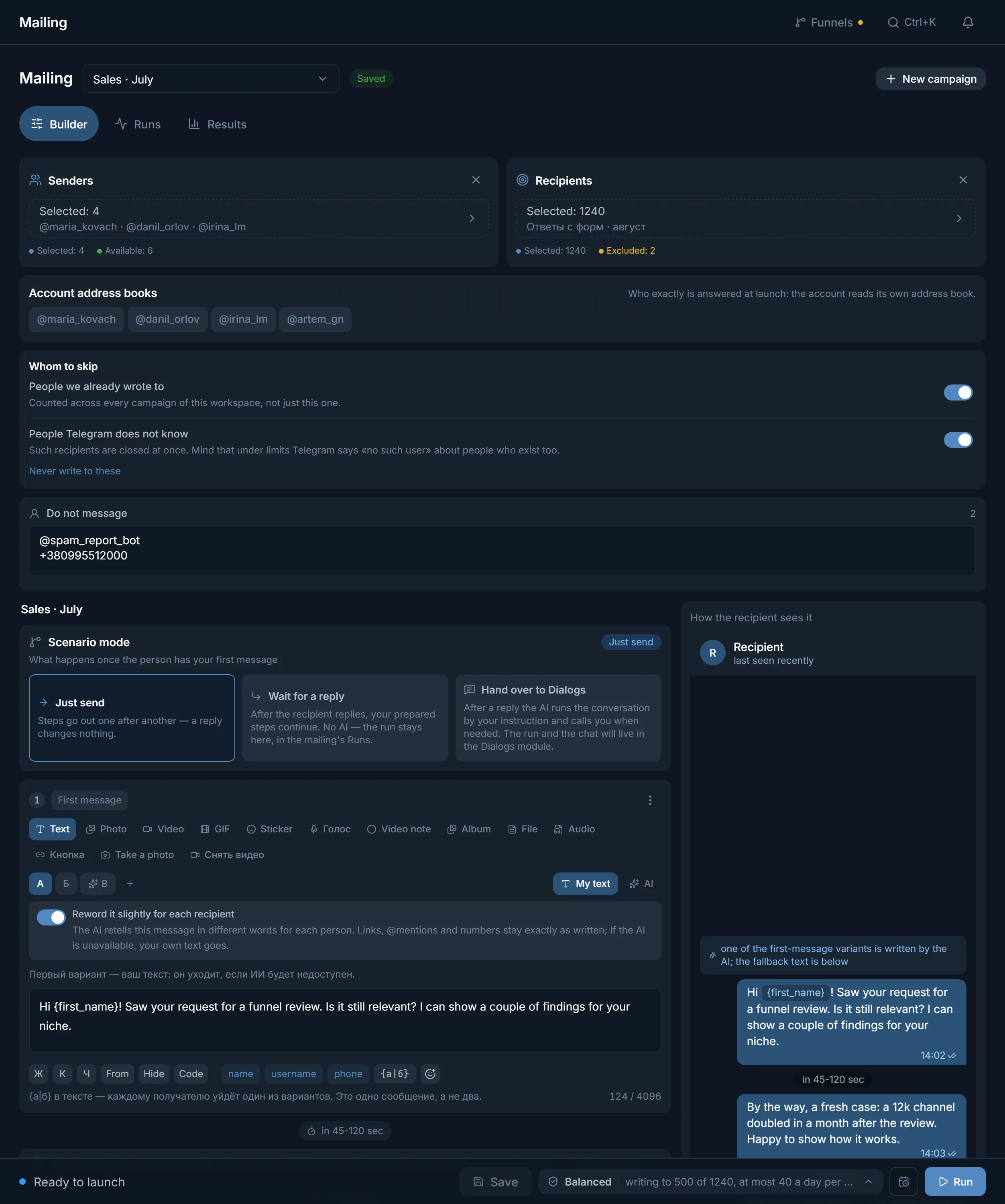
Each client gets a pool. A pool has Accounts and Proxies buttons and counters: how many accounts are ready, working, warming up and with problems. You pick the accounts for a task yourself, and the pool helps keep track of whose they are. There is one sign-in for all clients.
You pay for streams, not for clients: the number of accounts busy in one module at one moment. For 30 days: 10 streams on Starter for $24, 50 on Pro for $59, 100 on Ultimate for $117. A paid plan does not count how many accounts are stored in the panel. Details on the pricing page.
Terms on this page
Yes, see the services card. The modules are the same; the order and texts differ.
No. There is one plan, it counts streams, and every module is open.
Yes. Create a pool of accounts for each one, with its own accounts and proxies. There is still one sign-in to the panel.
Your own or bought in the marketplace inside the panel. They are not included in the plan.
People's private replies are collected in Dialogs. How many subscribers the modules brought is on the Traffic tab in My statistics, if a funnel is connected.
No. AI commenting writes them itself: AI-written text, your templates or a mix of both.
Read next
Other sections
Three trial days with no card and every module. Pick your niche and go through the first steps.