Problem accounts show before a run
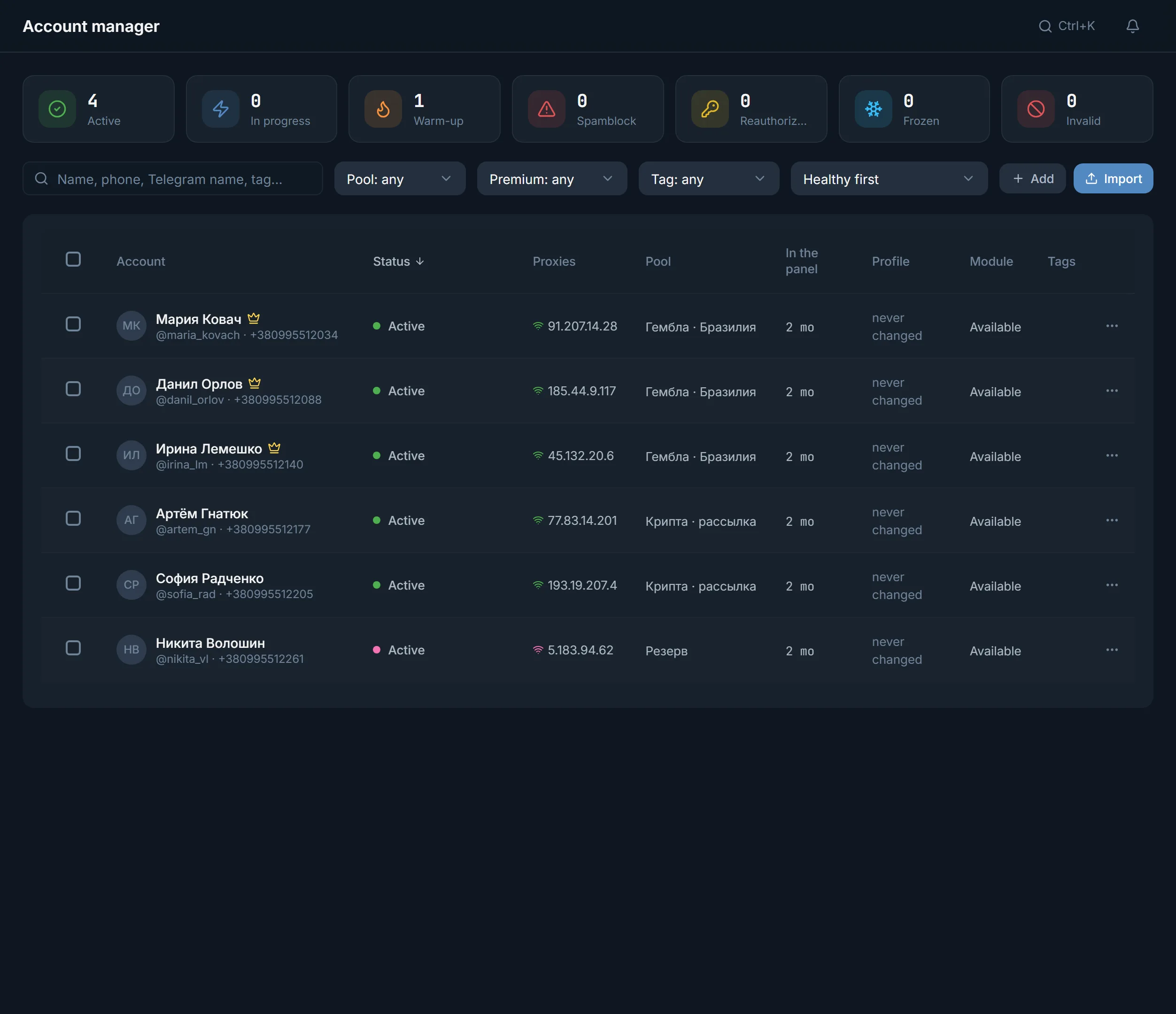
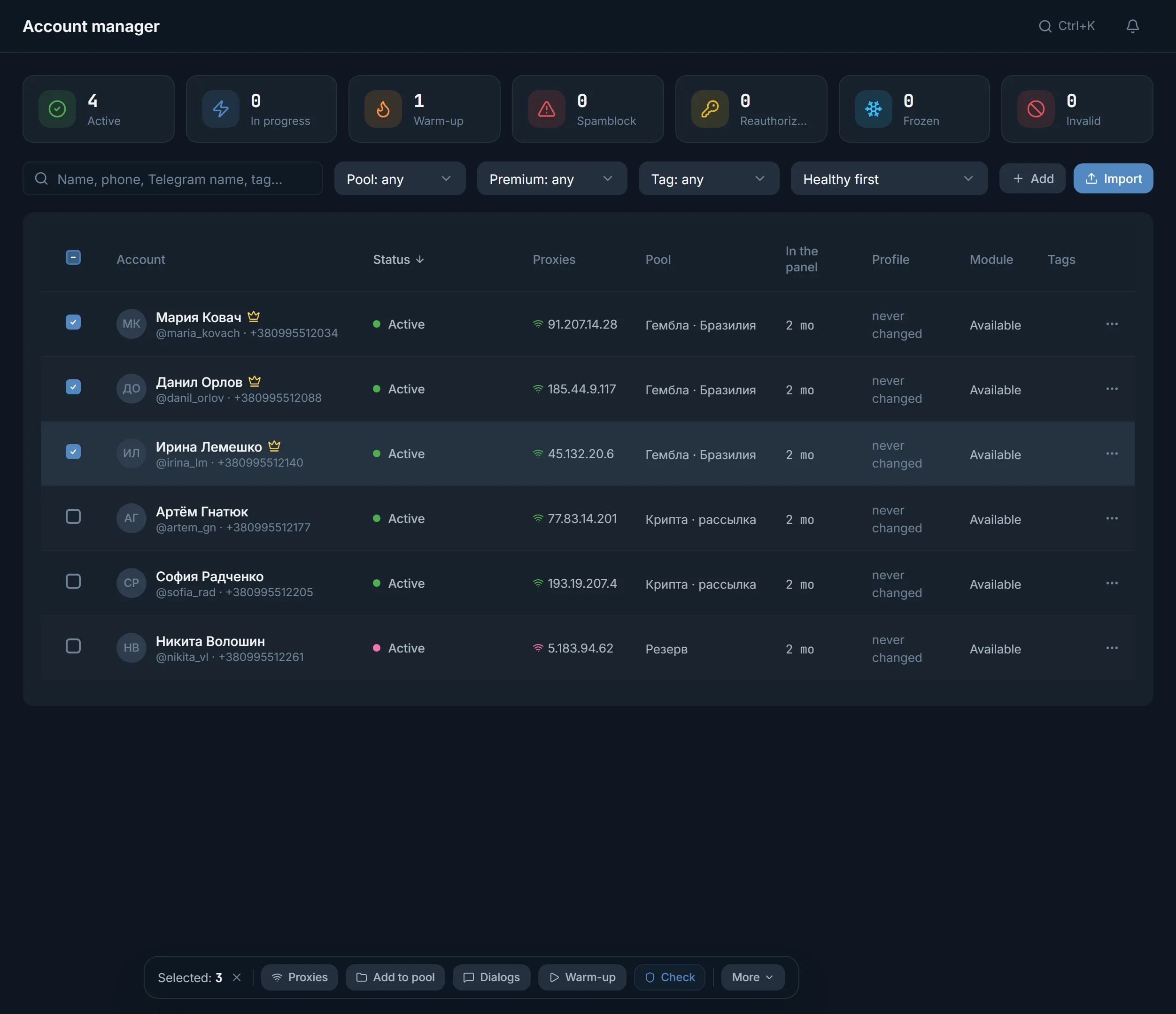
Tiles above the table count accounts in spamblock, frozen and in quarantine. Click a tile and only those stay in the table.
Import accounts in whatever form you have them: a tdata folder, a .session and .json pair or an archive. Then proxies, checks, warmup and roles, so that mailing does not take the accounts you need for comments.
In short
Telegram accounts for work are imported into the TeleTraff account manager as a tdata folder, .session files with their .json, or a ZIP or RAR archive. The proxy is assigned in the import window, before the first request to Telegram. Then accounts are checked for spamblock and freezes, warmed up and assigned to tasks through roles. A paid plan does not limit how many accounts are stored in the panel.
TeleTraff editorial teamUpdated: Checked in the panel
Tiles above the table count accounts in spamblock, frozen and in quarantine. Click a tile and only those stay in the table.
Select the ones you need and a bar appears below: proxies, pool, warmup, check and other bulk actions.
A role ties an account to a module: a module only offers accounts with its role, and Reserve accounts are never taken.
Bought a batch or moving your own from other software? The order is the same.
The free checker works without sign-up: it shows spamblock, freezes and the registration date or an approximate age by ID. It needs a session and a proxy, up to 5 accounts at a time.
The Import accounts button takes tdata, .session with .json and archives. The proxy is assigned and checked in the same window, at the Profile step, so the account never reaches Telegram from the server's address.
After import the account lands in the table with a status. Spamblock, frozen and invalid sessions are gathered in tiles above the table.
Name, photo, bio, personal channel. Profile generation is in the row menu, in the bulk More menu and in the import window.
A fresh account first goes through auto warmup, and only then into mailing or comments. How to plan the first weeks is in the warmup plan.
Four sections of the panel look after accounts. The main one is the account manager; the rest hang off it.
Statuses, proxies, the module an account is busy in, tags. Filters by pool, Premium and tag, search by name and phone.
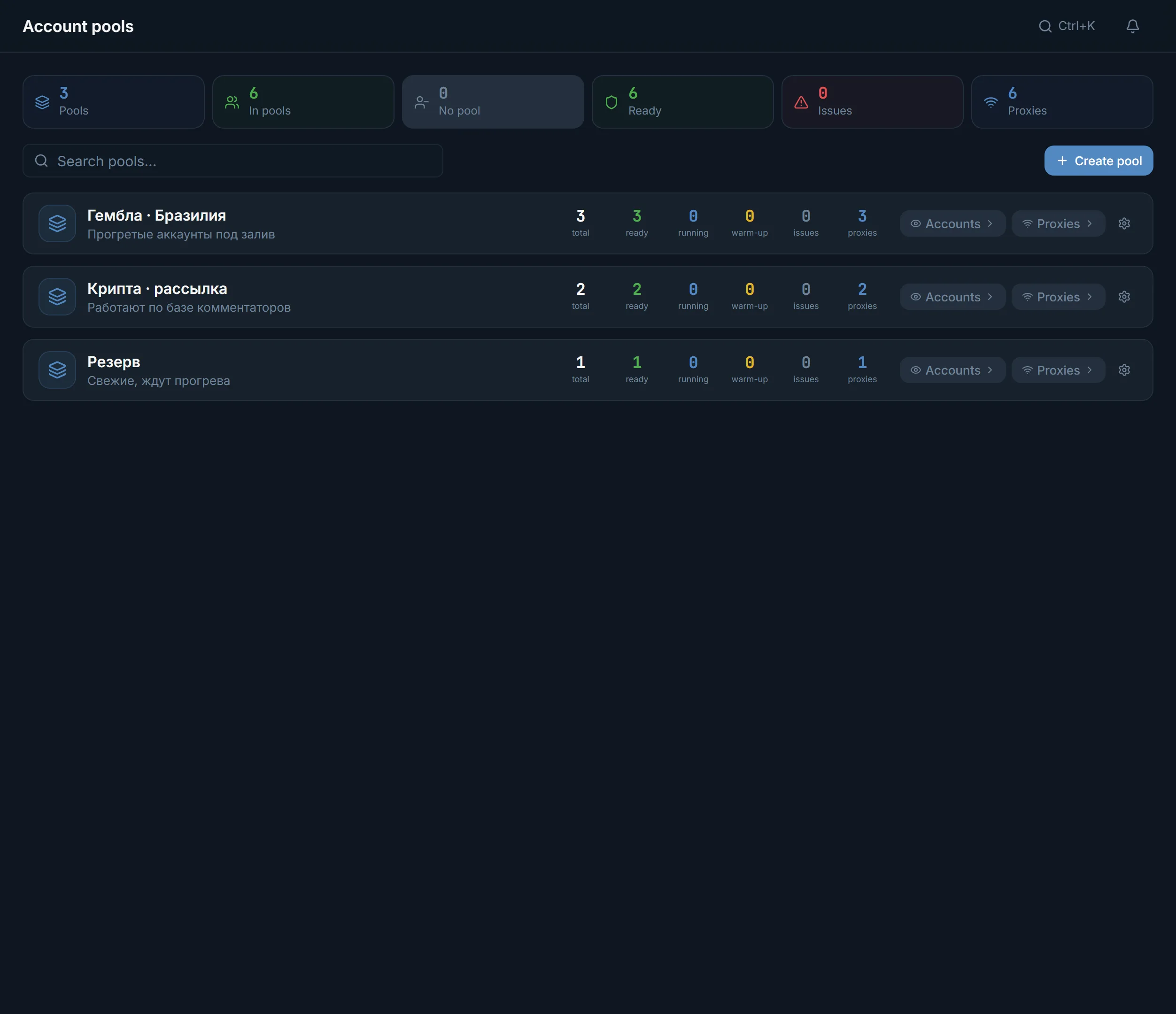
Pools group accounts by niche or client, for example Gambling · Brazil. Each pool shows how many accounts are ready, working and with problems.
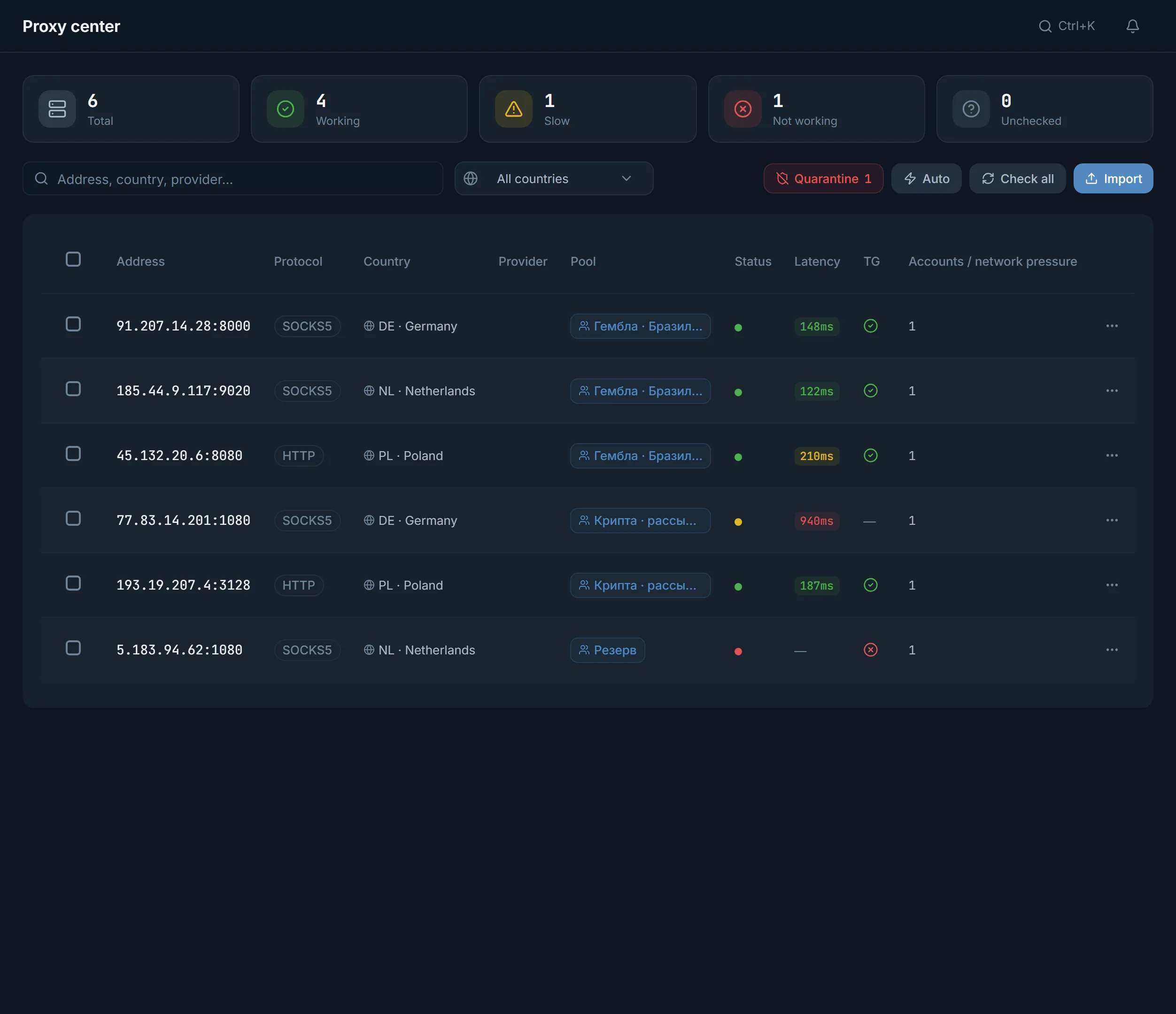
The proxy center takes HTTPS, SOCKS5, HTTP and MTProto, checks them through Telegram and hands them out to accounts with the Assign proxies button.
The marketplace inside the panel sells accounts and proxies. Proxies are added at once, and bought accounts wait in Purchases until you click Import into the panel.
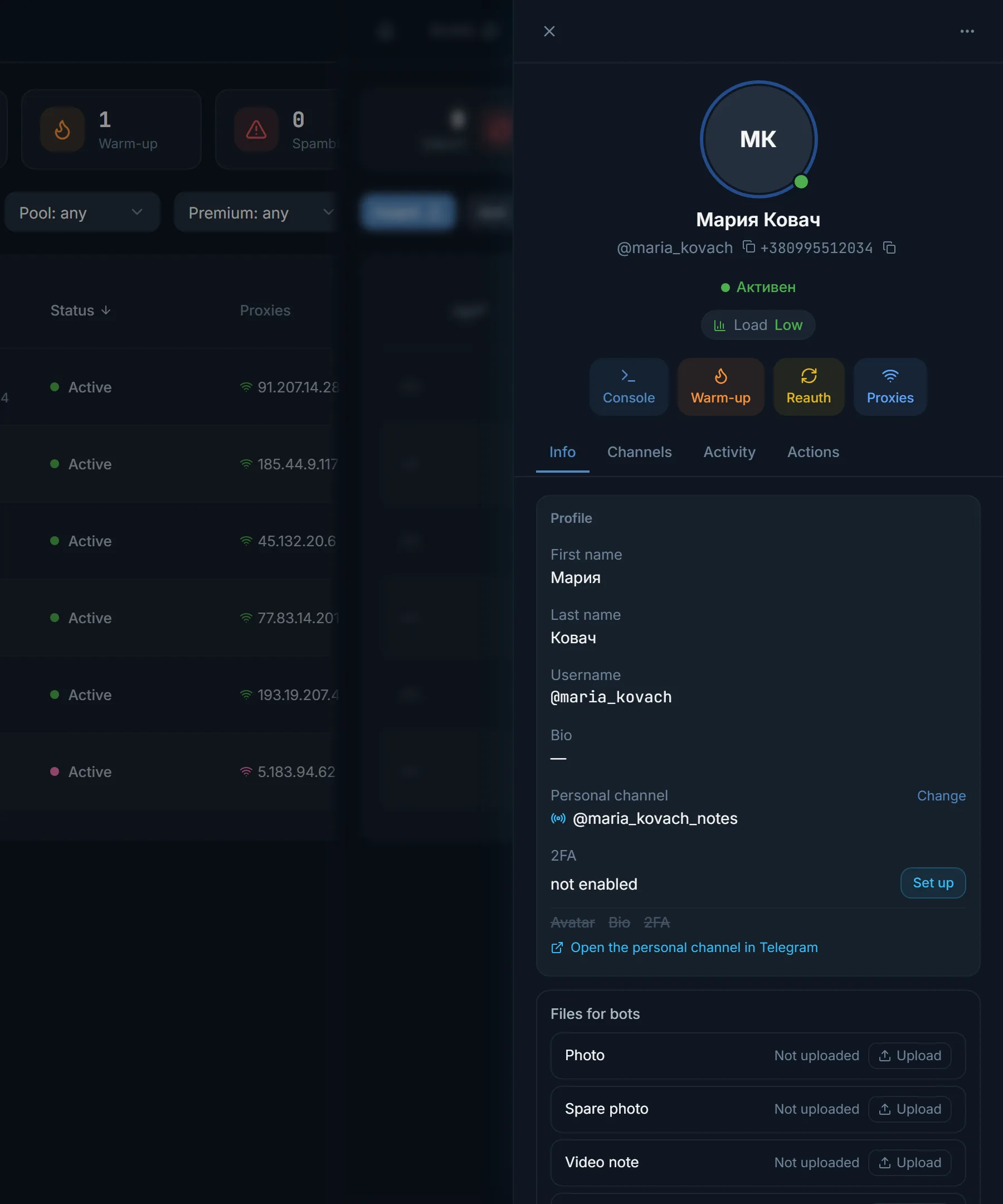
The card opens with a click on a table row. At the top are quick buttons Console, Warmup, Reauthorization and Proxy, below them the Summary, Channels, Activity and Actions tabs.
Summary shows the assigned proxy with a Change button, the pool, the profile and two-factor protection. If 2FA is off, a Set up button sits next to it. Below the profile you see what is missing: an avatar, a bio or 2FA.
An account without a face looks like a bot in comments, and people notice. So start with the profile, then send the account to work.
Pools, proxies, the card and bulk actions: four screens you will open every day.
Start with what you have. What tdata and a session are is explained in the glossary.
| What you have | What it is | How to import |
|---|---|---|
| A tdata folder | Telegram Desktop data that holds the session | Import accounts, as a folder |
| A .session file and a .json file with the same name | A Telethon session and the account description for it | Import accounts, as a pair, as they are |
| A ZIP or RAR archive | A batch of accounts in one file, usually how sellers deliver them | Import accounts, the whole archive |
| Only a phone number | An account you can log into yourself | Add by phone number: a code from Telegram and the 2FA password |
| Nothing yet | Accounts not bought yet | Buy accounts in the panel marketplace |
Bring your own accounts in any of the formats above. If you are buying for the first time, read where to get accounts and proxies first: it covers what to look for in a seller.
Run a batch from a third-party seller through the checker before importing. A batch with half the accounts in spamblock costs more than its price suggests.
Terms on this page
In the account manager click Import accounts and upload the .session together with its .json. If there are many pairs, pack them into a ZIP or RAR and upload the archive. Telethon sessions are supported.
On a paid plan as many as you like: it limits streams, meaning how many accounts work in one module at the same time. The trial allows up to 10 accounts.
Yes, the free checker works without sign-up. It shows spamblock, freezes and the registration date or an approximate age. It needs a proxy, up to 5 accounts at a time and 15 a day.
After a check, dead proxies are listed separately in the proxy center under Quarantine, and the account table marks such a proxy as dead. Give the account another proxy: with the Change button in the card or in bulk.
A pool groups accounts by project and helps pick them quickly in a module. A role ties an account to a module: a module only offers accounts with its role. An account busy in a run is not available to another module.
Yes, the panel runs in a browser, including on a phone. Nothing to install.
Read next
Other sections
A 3-day trial: up to 10 accounts, every module, no card needed. The clock starts with the first account you add.