One table instead of eight searches
Each source lists what you need to start, how much effort it takes and whether the panel runs it. Choosing is easier when the options sit side by side.
Traffic for a channel or a chat comes from eight places. Two are bought: Telegram Ads and ads in other people's channels. Five are run from accounts: inviting, mailing, commenting and neurochat, masslooking and reactions. The eighth is organic. TeleTraff runs the five and counts joins through funnels, but it does not buy ads or move a channel up in search.
In short
Telegram traffic comes from eight sources: Telegram Ads, ads in other channels, inviting, mailing, commenting and neurochat, masslooking, reactions and organic. A subscriber from sponsored posts costs 30–250 RUB in most niches, in Telegram Ads €0.3 to €14.8. The first two are bought outside the panel, five run in TeleTraff from your accounts, and joins are counted on the Traffic tab. In our neurocommenting run a subscriber cost $3.4.
TeleTraff editorial teamUpdated: Checked in the panel
Each source lists what you need to start, how much effort it takes and whether the panel runs it. Choosing is easier when the options sit side by side.
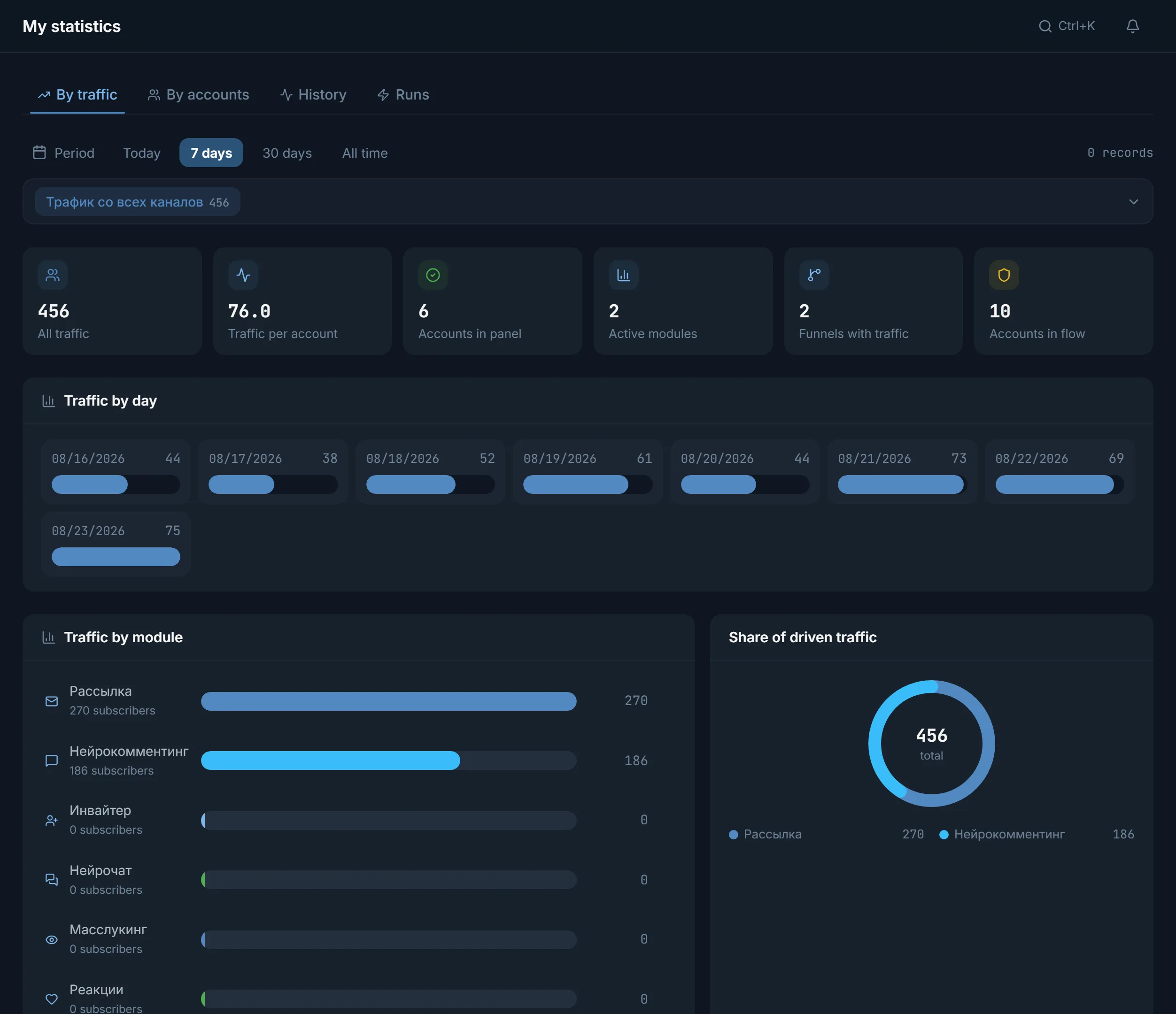
Mailing, masslooking, neurocommenting, neurochat and reactions are counted on the Traffic tab through funnels. You can compare the sources over the same period.
The panel does not buy ads, add bought subscribers or change a channel's position in search. You do not hunt for those functions in the menu or build them into a plan.
The first two sources cost money and need agreements. The next five need accounts, proxies and an audience to take people from. The last needs nothing, but promises no result either. The “From the panel” column says whether TeleTraff runs the source itself.
| Source | What you need to start | Effort and costs | From the panel |
|---|---|---|---|
| Telegram Ads | An ad budget, a channel or a post, the ad text | You pay for impressions, the work is setup and picking texts | No: ads are created in the Telegram cabinet |
| Ads in other channels | A budget and an agreement with the channel owner | You pay the owner, find the placements yourself and check the reach | No: the panel does not buy placements |
| Inviting | Accounts, proxies, a people base, your own channel or chat | Time for the base and for warming accounts, costs for accounts and proxies | Yes: Inviter |
| Mailing to private messages | Accounts, proxies, a base, the first-message text | The same costs plus time for text variants | Yes: Mailing |
| Commenting and neurochat | Accounts, channels with open comments or topic chats, texts | Time to pick placements and to set up texts | Yes: Neurocommenting, Neurochat |
| Masslooking | Accounts, a people base | One run: pick the base, the limits and the pauses | Yes: Masslooking |
| Mass reactions | Accounts, topic chats | One run: pick the chats and the reaction set | Yes: Mass reactions |
| Organic and cross-promotion | A title, a description, a pinned post, agreements with other channels | No ad budget, but the result cannot be predicted | No: the panel does not change search position in Telegram |
The placements and people for the runs come from the open base or are collected with the parser. New accounts go through warm-up first, and while it runs the account counts as Warm-up.
Telegram Ads and placements in other channels give reach at once, but for money and outside TeleTraff. The panel does not create ads, does not negotiate with channel owners and does not sell traffic or subscribers. If your setup has a bought part, it goes on a separate line in your own records.
A paid source and a run from accounts do not exclude each other. A setup can keep both: the purchase gives the first wave, and the accounts then work with the niche audience.
All five runs go through your accounts, but the person sees something different. That decides which one fits whom. Details on each are on the pages about inviting, mailing, neurocommenting, masslooking and mass reactions.
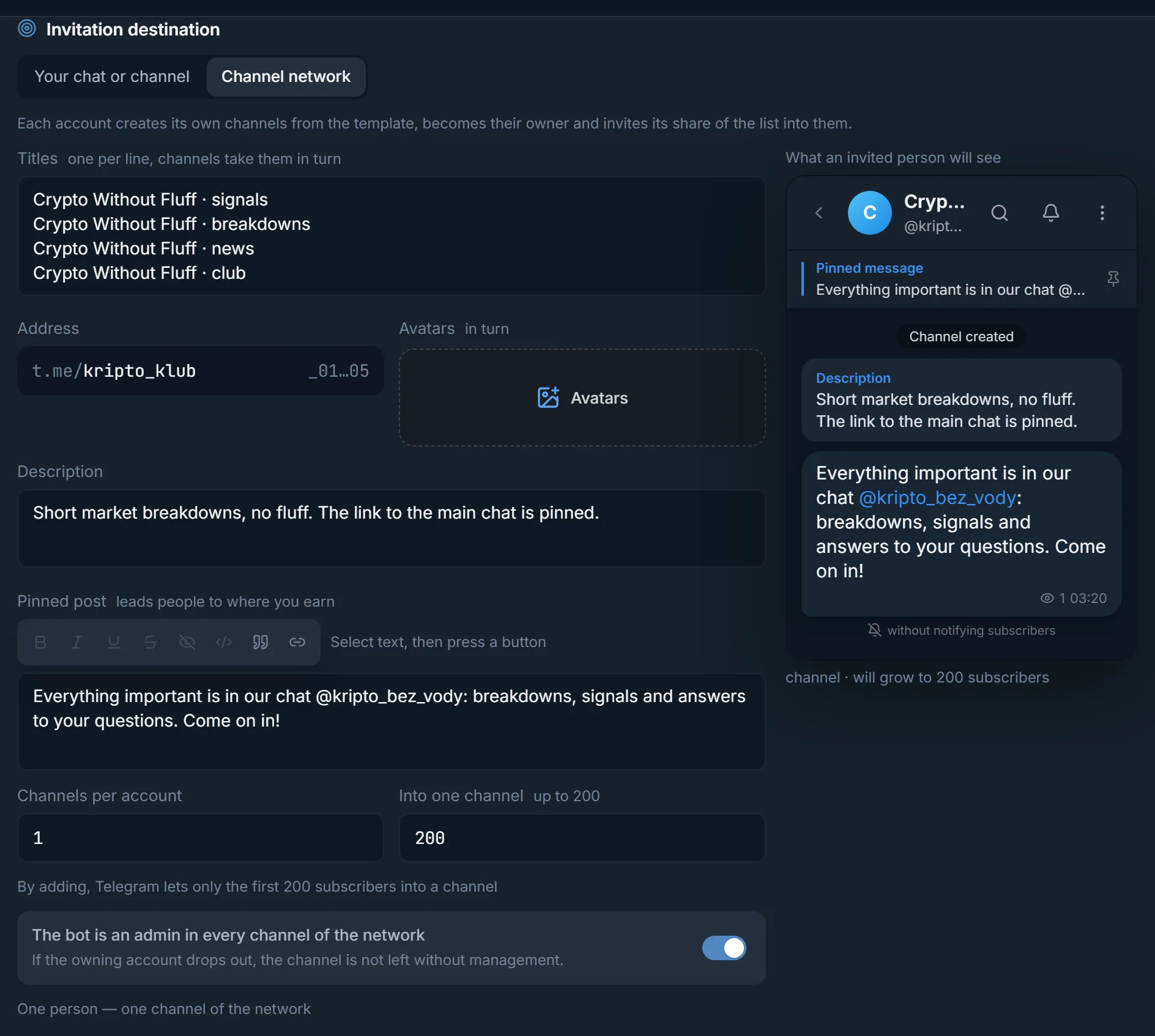
An account invites people to your channel or chat. By adding, Telegram lets only the first 200 subscribers into a channel, so the inviter has a Channel network: each account creates its own channels from a template and invites its share of the base into them.
The person gets a first message in private. It is the most direct touch and the riskiest for accounts: according to the TeleTraff blog's observations, mailing is more dangerous than the other ways of promoting a channel.
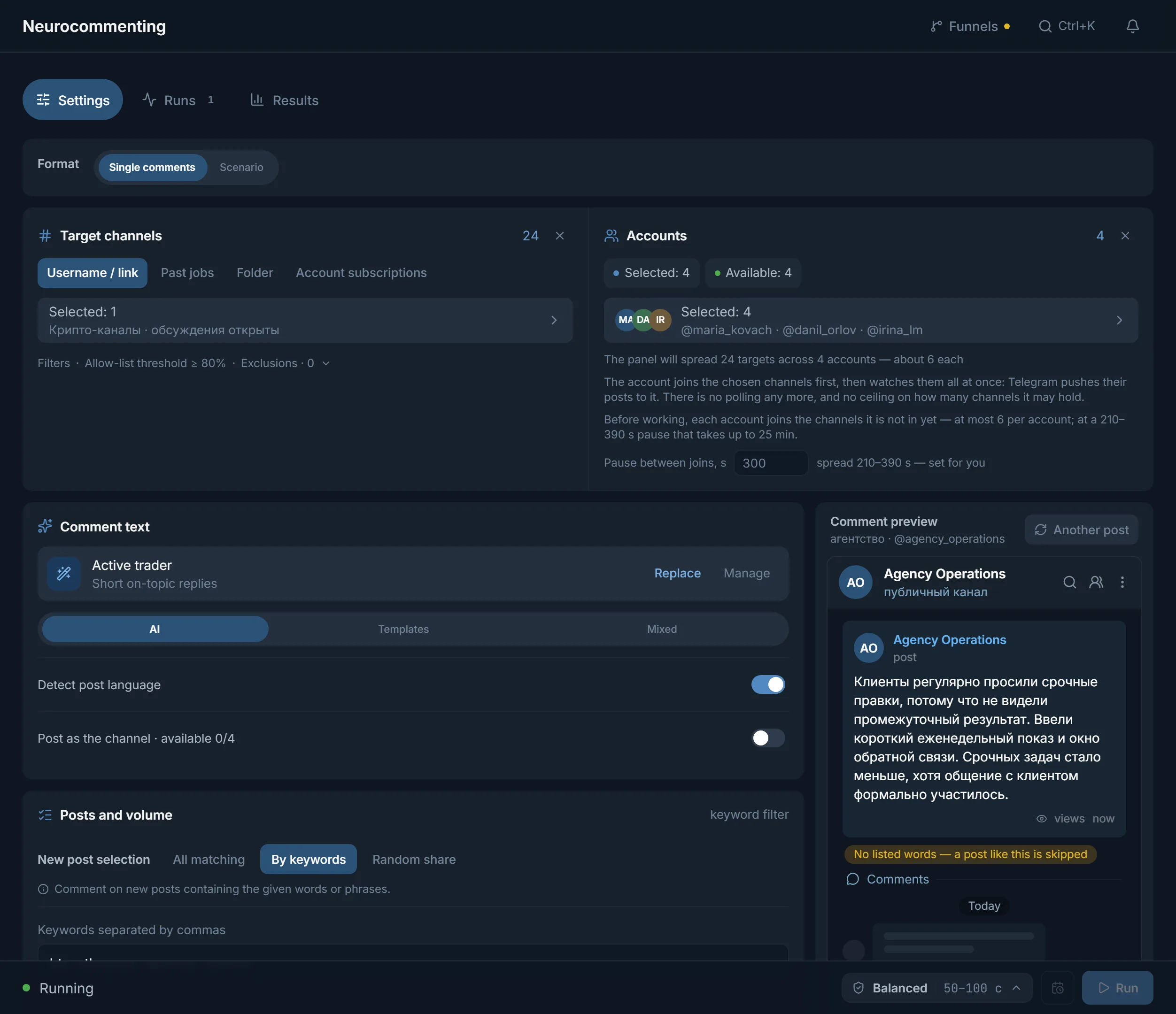
Neurocommenting writes under posts of channels that have discussions turned on. Neurochat keeps a conversation going in topic chats. The person sees the comment in a place where their audience already sits.
An account views the stories of people from the chosen channels and chats. Only those who had stories end up on the list. It is the lightest touch: the person sees your account among the viewers.
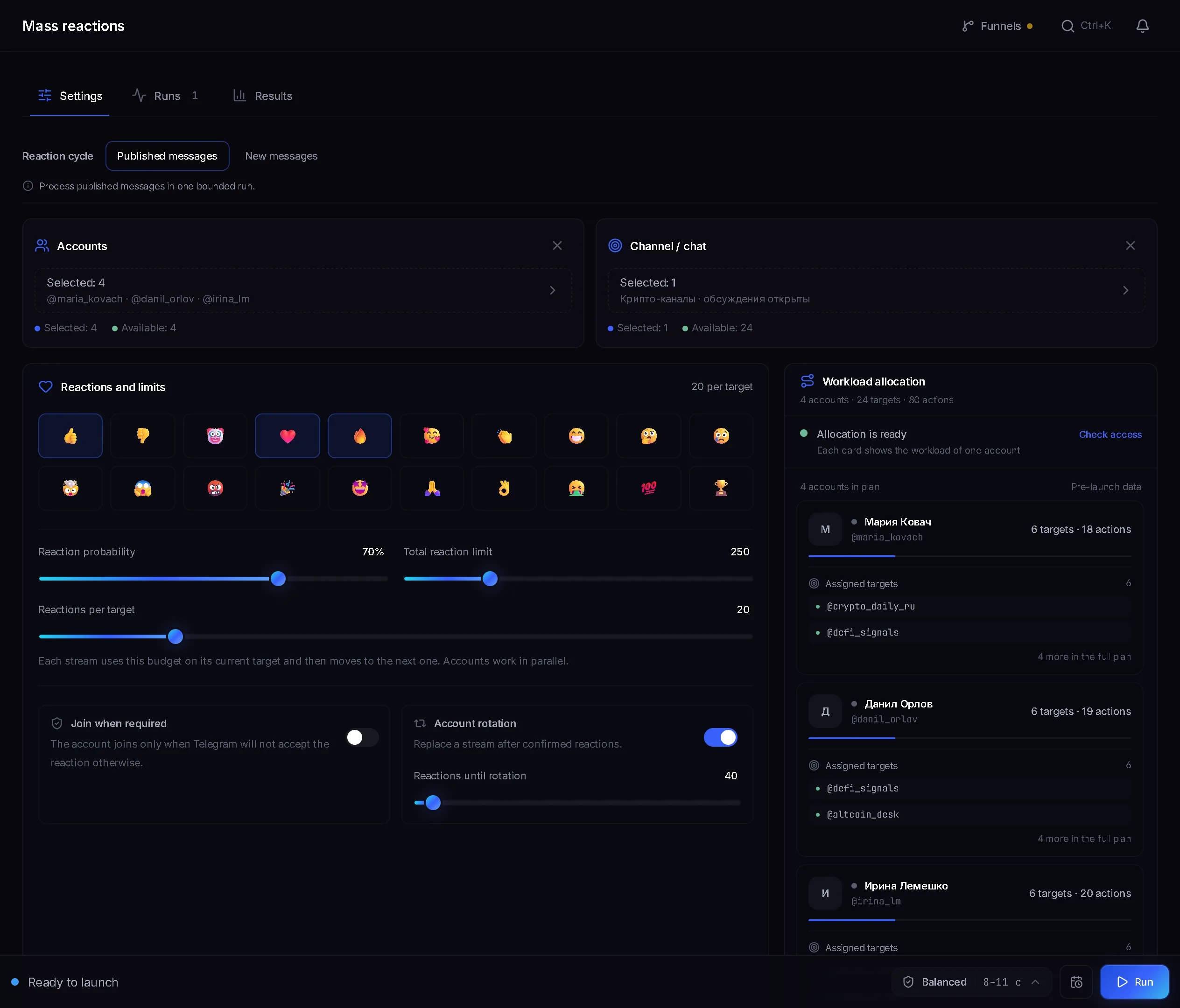
An account puts a reaction on a person's message in a topic chat. It is also a soft touch: the person sees who reacted.
There is no right source for everyone: the choice depends on who your audience is and what you offer it. A few typical tasks are worked through below. They are a guide to the logic of a launch, not a promise of results.
| Task | Where to start | Why |
|---|---|---|
| Arbitrage: collect people into a pre-landing channel for an offer | Neurocommenting in topic channels and mailing to a collected base | Two kinds of touch are needed: visible in the niche and a direct offer |
| Gambling: a channel with tips and a link to a bookmaker | Commenting and reactions in sports chats, masslooking over their members | A place with the right interest already exists, you only have to appear there |
| Crypto: a chat for discussing coins | Neurochat and reactions in topic chats | A chat grows from people who already discuss the topic |
| Infoproduct: a closed channel with a webinar | Mailing to people parsed from topic chats and commenting under niche posts | A cold offer is read by those whose interest in the topic is already visible |
| Services: requests from channel owners | Mailing to owners found with the parser | A direct addressee matters more than reach |
If you are unsure, run two sources on the same audience, each with its own funnel, and compare them after a week. How that works is described in the next section.
The panel bot needs one permission in the channel: creating invite links. In the bot's settings it is the item “Invite users via link”.
A funnel is an invite link to your channel. One funnel per source keeps the joins from mixing.
The module tags joins with the funnel's link. Each time a person joins through this link it is recorded once.
Add from 2 to 5 funnels. The criteria are Traffic, Traffic per account, Accounts running, Account losses, Conversion and Average activity.
The overall picture across all modules is in My statistics, on the Traffic tab. How many accounts work at the same time is set by the number of threads in your plan. Which Conversion counts as good depends on the geo, the offer and the placements, and the panel has no single figure.
Everything on this list is done outside the panel. The result can come back only as a number: for example, write down how many people a purchase gave and compare it with the funnels.
Terms on this page
No. Telegram Ads and channel placements are bought outside the panel. TeleTraff runs actions from your accounts: invitations, mailing, comments, story views and reactions.
Mailing, masslooking, neurocommenting, neurochat and reactions, when the module has a funnel tied to a channel. Paid placements and organic do not enter this count.
The inviter invites people directly, bypassing the funnel, so the Traffic tab does not count it. Its work is read in the action log and in the run results.
The panel names no such number. As many accounts work at once as there are threads in the plan: 10 in Starter, 50 in Pro, 150 in Team.
From the open base, which holds about 2.8 million sources, or from your own list collected with the parser. The modules take people from these lists.
Yes. Create a funnel for each source and the joins will be kept apart. The comparison takes from 2 to 5 funnels for one period.
Read next
More in this section
Other sections
Load your accounts, create a funnel for each of two sources and open the comparison after a week. The numbers for your geo and your offer will say more than any table.