The seller's word apart from the facts
The table shows which part of the “warmed” promise the panel can check and which part stays the seller's word. Your expectations match what you will see after the purchase.
“Warmed” is a seller's word, not a property you can read off the account. Some use it for an account that has simply rested, others for one that was used for something, others for one without a spam block. TeleTraff has no “warmed” status, but you can check age, spam block and freeze, and run a warm-up of your own.
In short
Warmed Telegram accounts are accounts that a seller calls warmed: the word has no single meaning. TeleTraff has no such status. The catalog shows the age and the seller's quality score, and after import the panel checks spam block and freeze and shows the registration date with its source. What the account did before the sale cannot be seen, so check what you bought and warm it up yourself when in doubt.
TeleTraff editorial teamUpdated: Checked in the panel
The table shows which part of the “warmed” promise the panel can check and which part stays the seller's word. Your expectations match what you will see after the purchase.
After import the accounts are checked for spam block and freeze, and the card shows the registration date and where it came from. A mismatch with the promise shows at once.
The choice table compares three paths: rested accounts, fresh ones with warm-up and warming your own. After that the launch date and what you know about the account decide.
Sellers call different things warmed, and the account itself does not tell you which. Usually the word stands for one of three things, sometimes for all of them at once.
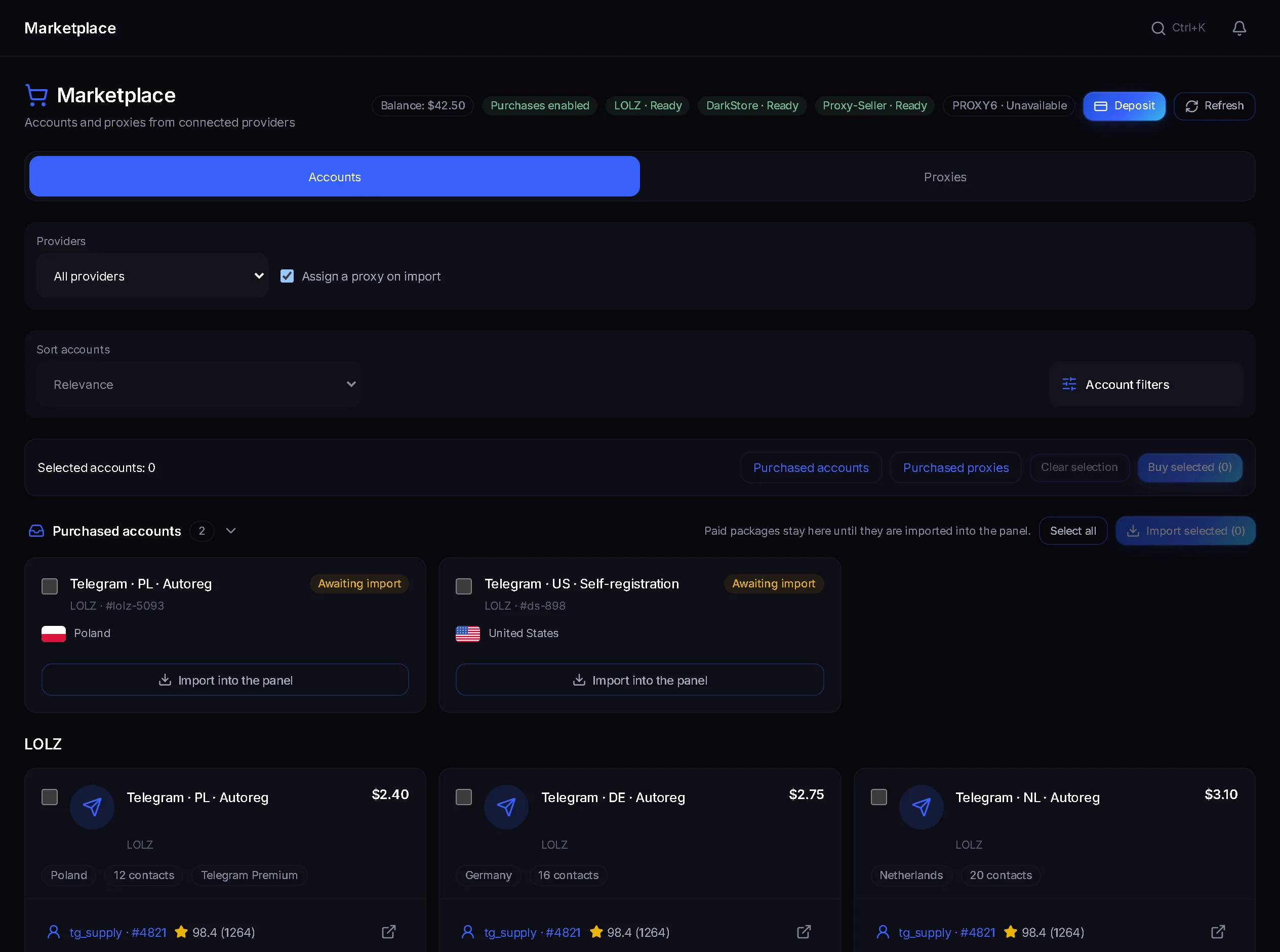
The account existed for a while without actions. The marketplace shows it as “Age” and lets you filter lots by “Minimum account age (days)”. The number comes from the seller and the marketplace; when it is missing it stays unknown and does not turn into zero.
Channels were read, reactions left, subscriptions made. What exactly and how many times is not stated on the lot card: it has no field for it.
No spam block and no freeze. This is not warm-up, but a seller sometimes folds it into the word “warmed” along with the rest.
Dormancy and warm-up are different things: dormancy is time without actions after purchase or registration, and warm-up starts after it. The purchase itself, the catalog filters and the import are covered on the page about buying accounts.
| The seller's promise | Can it be checked | Where to look |
|---|---|---|
| The account is several months old | Partly | The “Registered in Telegram” line on the account card; the source of the date is in the tooltip. A date “from the seller's data” reads as “no later than” |
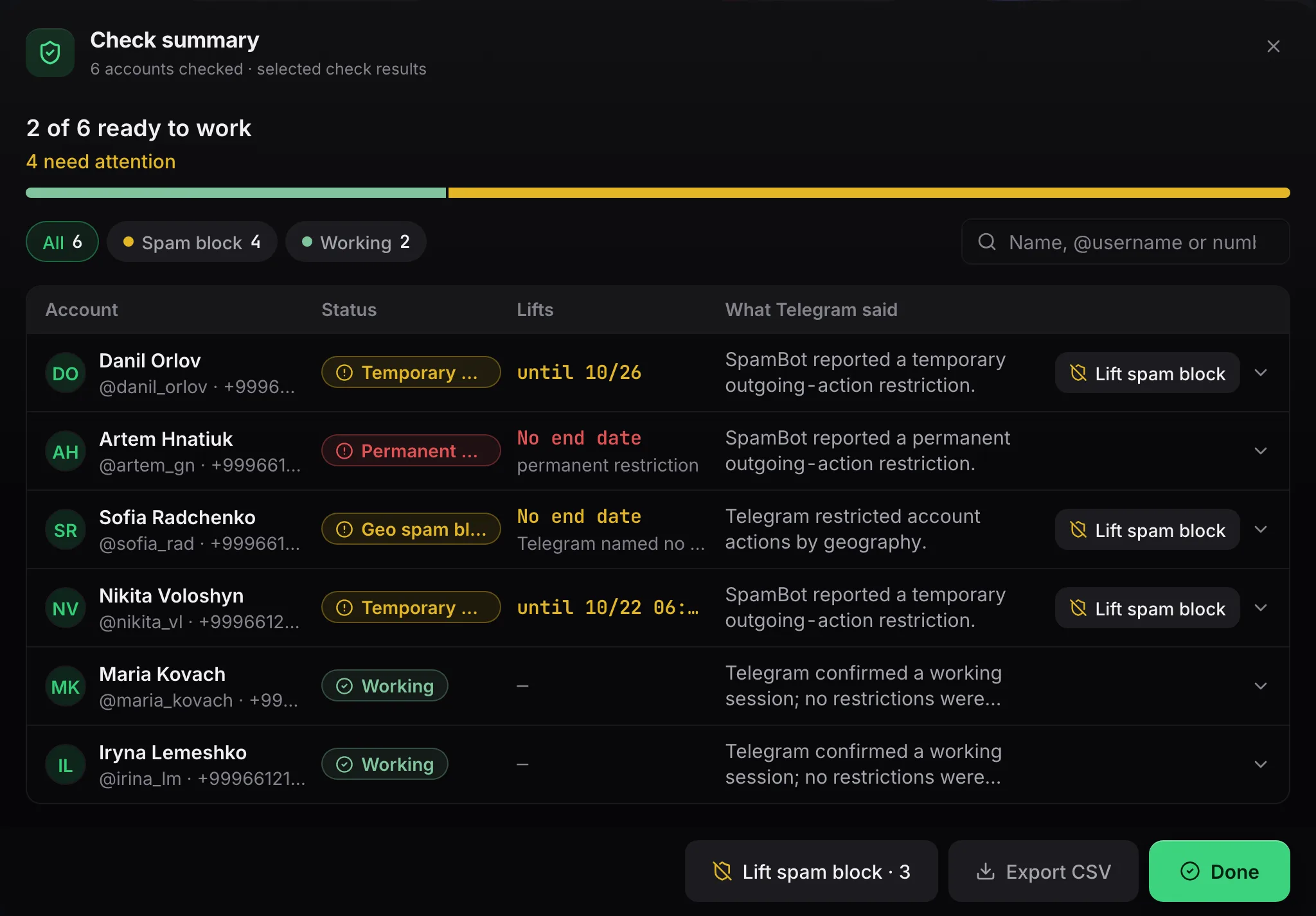
| No spam block | Yes | The account check, the column “What Telegram said”; before buying, the catalog has a “No spam block” filter |
| Not frozen | Yes | The same check: the account lands in the status “Frozen” |
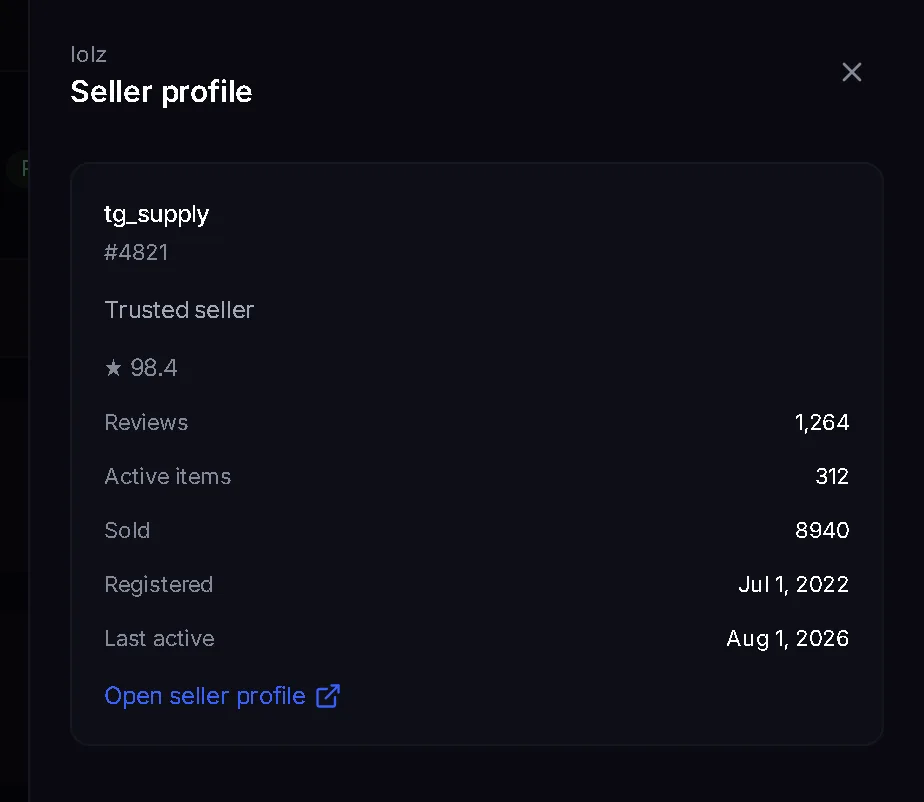
| The seller is reliable | Partly | “Quality” from 0 to 100 based on the marketplace's test purchases, plus the rating and the number of reviews in “Seller profile” |
| The account is warmed with actions | No | The panel has no “warmed” status, and actions before the sale are not visible |
The free account checker on the site does the same from a session file: spam block, freeze and age. Age there is the earliest of three dates: the first message from Telegram, the seller's data and the month estimated from neighbouring IDs. When nothing else is certain, the page says “no later than”.
In the marketplace open the “Purchases” tab and press “Import into the panel”. The accounts arrive with panel proxies.
Run the check: the “Check summary” shows how many accounts are ready to work and sorts the rest by spam block and freeze.
Open the account card and compare “Registered in Telegram” with the age from the lot. If the source is “from the seller's data”, it is an upper bound, not an exact date.
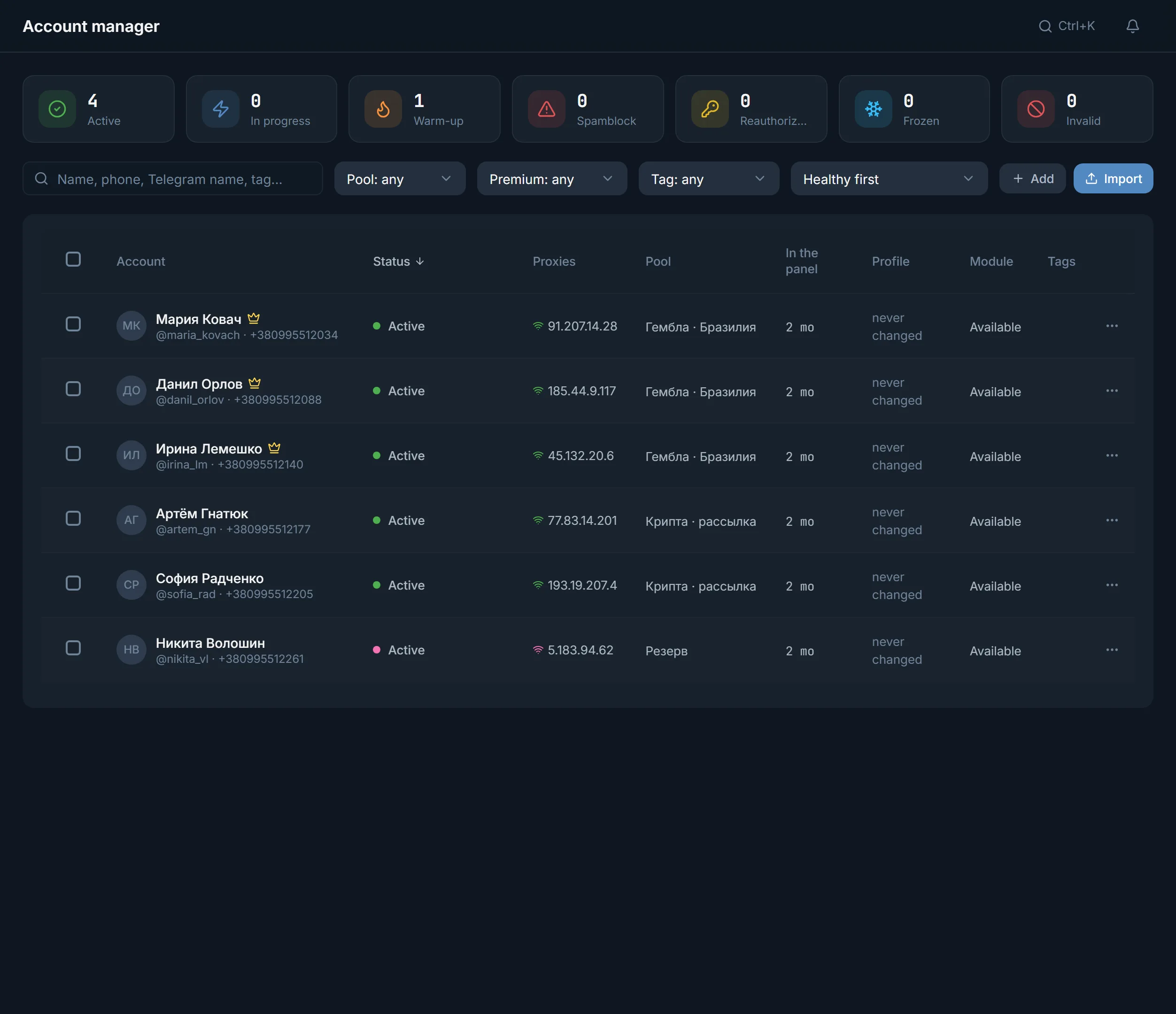
If the age is lower than expected or the actions before the sale are unknown, put the accounts on auto warm-up. While it runs, the account counts as “Warm-up”.
The choice depends on the deadline and on what costs you more: time or lost accounts. The table below is choice logic, not measurements: the panel has no figures on results.
| Situation | What to take | Why |
|---|---|---|
| Arbitrage: mailing is needed within days | Lots with age and a short warm-up on top | The time without actions has already passed at the seller, and the warm-up can be shortened |
| Gambling or crypto: a week before commenting | Fresh accounts without a spam block and a 7-day warm-up | You know what was done with the account from day one |
| Infoproduct: your own accounts have sat idle for long | Auto warm-up of your own | Nothing to buy, and the status and spam block show in the list |
| A lot where the age is unknown | A fresh account and a full warm-up | An unknown value stays unknown: there is nothing to count on |
The week-long warm-up plan and the order of actions are described in the warm-up plan and are not repeated here. Where to send ready accounts is covered in the overview of traffic sources.
Auto warm-up walks an account through a programme: seven modes from 30 minutes to 7 days, each account has its own visit plan at different times of day, and confirmed activity goes to the journal. The whole module is described on the page about account warm-up.
Check the accounts again before a big launch: the Telegram reply received at the check may be out of date.
Terms on this page
No. While the programme runs, the account counts as “Warm-up”, and the rest of the time it has the usual statuses: “Ready”, “Busy”, “Spam block”, “Frozen”. There is no separate “warmed” mark.
Yes. On the card the line “Registered in Telegram” shows the earliest date found, and the tooltip says where it came from. If the source is the seller's data or the bounds of neighbouring IDs, the date reads as “no later than”. When nothing is found it says “unknown”: the date the account was added to the panel is never put in its place.
It is a filter on the number of days stated on the lot. The value comes from the seller and the marketplace, and the panel does not measure it. If a lot has no number, it stays unknown and is not counted as zero.
Yes, the site has a free check from a session file: spam block, freeze and age. Up to 5 accounts at a time, up to 15 a day from one address, and only through your proxy. The panel checks accounts in tens and shows the status in the list.
No. Warm-up adds actions, and the registration date stays the same. That is why dormancy and warm-up are different things, and one cannot replace the other.
A number from 0 to 100 based on the test purchases the marketplace makes from the seller. The tooltip shows the number of purchases and how many accounts passed the 30-day check. “Not rated” means there have been no test purchases yet.
Read next
More in this section
Other sections
Import the bought accounts, run the check and compare the registration date with the seller's promise. Put whatever does not match on auto warm-up.