Telegram inviting: how to prepare the chat, where to start and how not to burn your accounts
How to prepare the chat for inviting, how to ramp the volume up week by week, which method to pick, why you need your own rights bot, a channel network instead of one channel, and what to do about people who closed invitations.
- Warm the chat up for at least a month and start with 200–300 boosted members
- Ramp inviting up week by week: 3 a day per account, then +2 every week
- You cannot add more than 200 to a channel: that is what a channel network is for
Inviting usually breaks on the chat, not on the accounts. A fresh empty chat that got a thousand people poured into it in one evening gets restricted by Telegram together with the accounts. The order is: prepare the chat, prepare the accounts, start small and ramp up week by week.
Prepare the chat in advance
You do not invite into a chat created yesterday. Before the first invitations the chat needs age, members and at least some history.
- Age. Warm the chat up for at least a month before inviting. The older the chat, the calmer Telegram is about new members.
- Members. Before inviting, the chat needs boosted members, and 200–300 is a good start.
- Message history. The chat should have at least some message history. You can delete it later and leave only your own ad. Neurochat helps build that history.
- Pace depends on chat size. The usual advice is to add no more than 5–20% of the chat size per day. A small chat gets a small pace.
- Visibility in search. If the chat no longer shows up in search from an outside account, that is a sign of a shadow ban. There is no point inviting people into such a chat.
Part of this the panel checks itself: after you press “Check”, the chat passport shows the age, members and the share of the chat you will add per day, admin seats and “In Telegram search”. Where Telegram does not give the exact creation date, the age is marked “at least”.
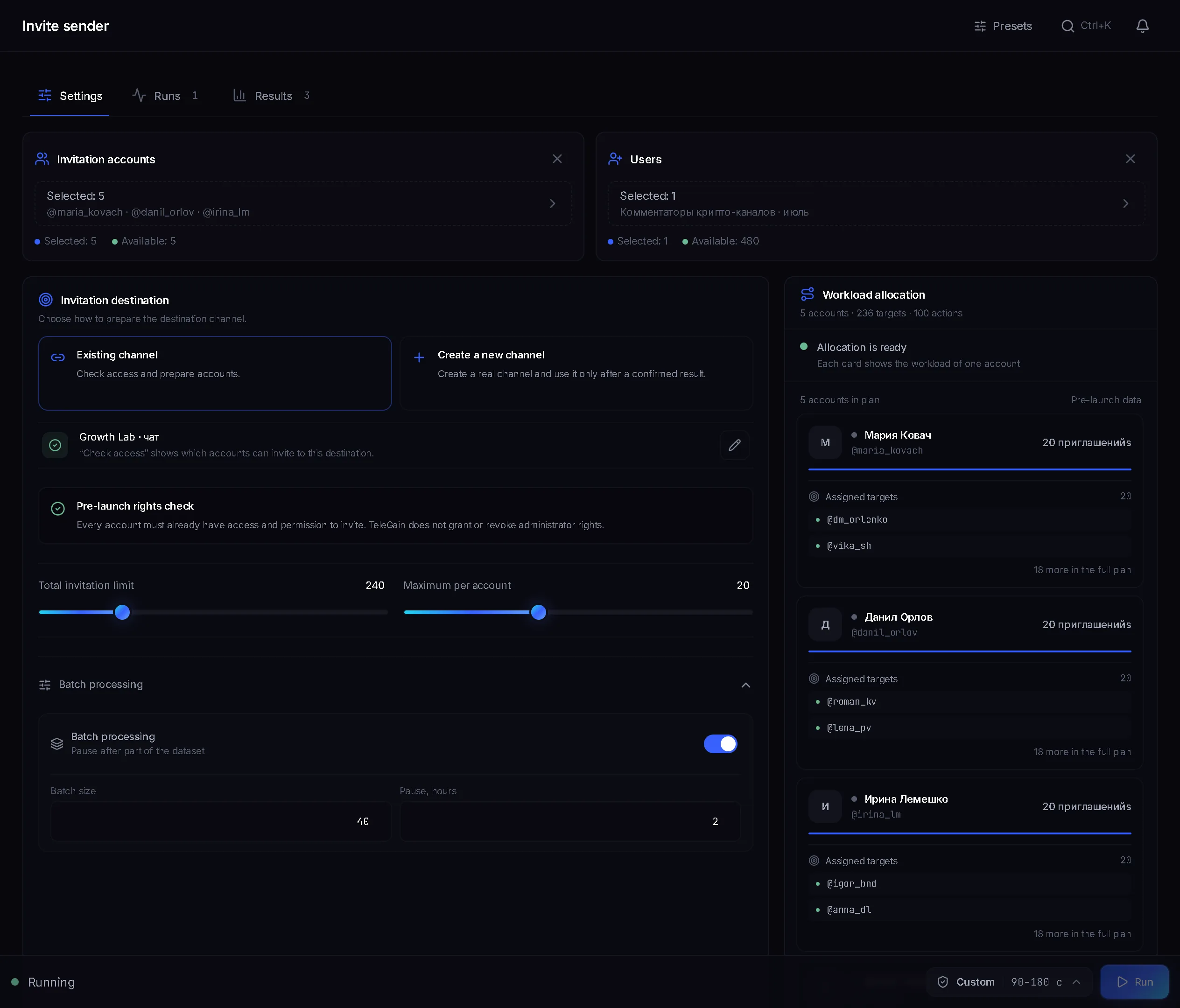
Channel or group
You can keep adding to a group for a long time if you hold the pace. Into a channel, Telegram lets in only the first 200 subscribers by adding, after that invitations do not go through. So for a big base you build not one channel but a network: several channels, up to 200 each, with a pinned post that sends people where you make money. In the panel this is the “Channel network” option: each account creates its own channels from a template and invites into them itself.
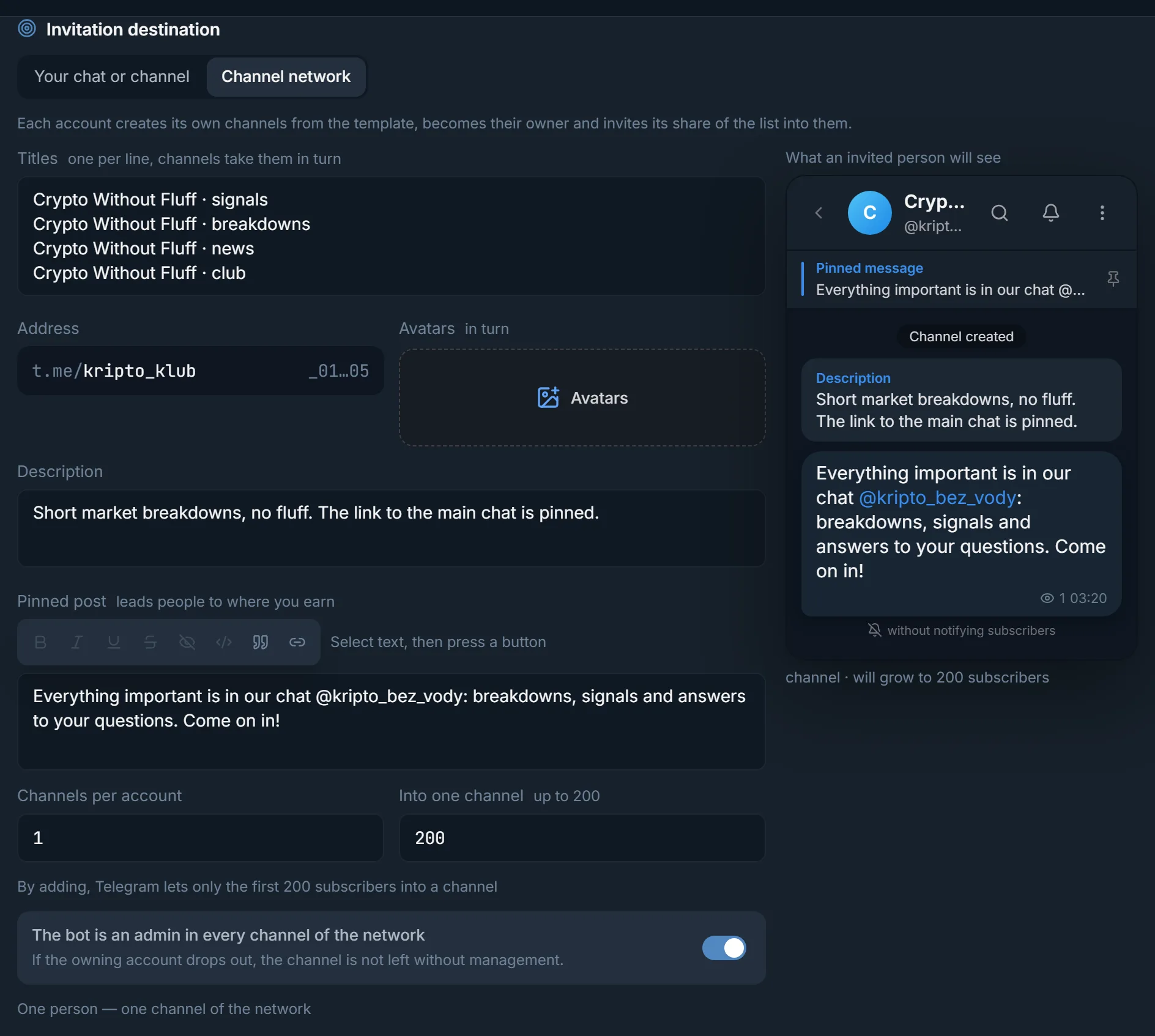
Accounts for inviting
- Only warmed-up, aged accounts. A fresh account is the first to burn out on inviting.
- For inviting, pick a long warm-up program with messaging: an account that has never written to anyone comes to inviting from zero.
- Ideally the accounts sit for a while in the chat you will later invite into.
- After work the accounts can leave the chat: the “Leave the destination chat” toggle does this. If inviting is a long job with a ramp-up, there is no point joining and leaving over and over: every new join spends a join again, and it only makes things worse.
Ramp up week by week
The main mistake is setting a big volume on day one. Inviting is ramped up in steps:
- First week: 3 invitations a day per account.
- Every next week: +2 a day. Week two is 5, week three is 7 and so on.
- Watch the result of every run and the state of the accounts.
- Problems started, such as PeerFlood or account restrictions: go back one step.
- Look not at the number of invitations sent but at how many people actually ended up in the chat.
The volume is set in the “Per account per day” field. It counts all runs together, so two runs in a row will not double the load on an account. The launch plan shows which accounts have no invite history yet.
Direct invite or via admin promotion
- “Direct invite”: the account adds the person itself. A simple method with no rights needed, if the chat lets members add people. The usual advice is 5–10 a day per account.
- “Invite via admin promotion”: the account promotes the person to admin and takes the admin rights away right away. More invitations get through this way: the usual advice is up to 10–15 a day per account. It needs rights, and someone has to grant them.
- Admin promotion is not magic and not a Telegram bug: the accounts for it need warming up just like the chats.
Bot or main account
Rights are granted to the accounts either by your bot or by the main account. The rights live only while the account works, then they are taken back.
- A bot is more convenient: you do not mind losing it, and it also cleans up the service “… added …” messages. Create it from a separate account, not the one the chat depends on: over time Telegram restricts bots that promote and demote admins in bulk, and it can hit the account that created the bot.
- Keep a spare bot. If Telegram restricts the one you use, the panel will tell you, and you just pick another one.
- For the main account, use not the chat's creator but a separate admin with the right to add admins. It does not invite itself, it only hands out rights.
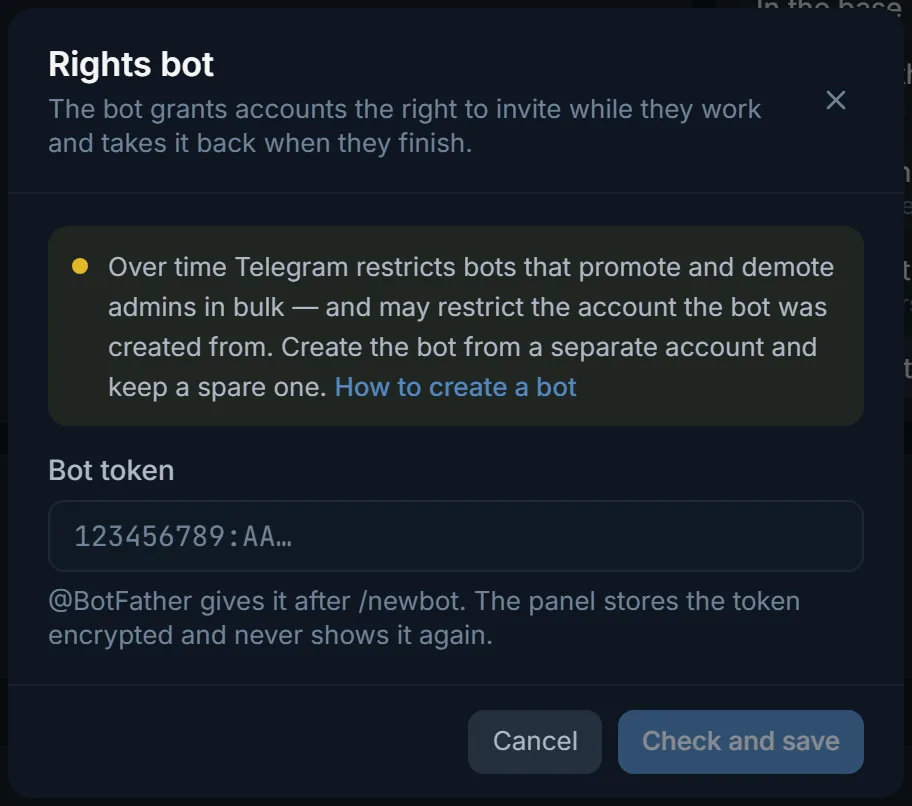
People who closed invitations
Part of the base will not get into the chat by any method: these people have forbidden adding them to groups in their privacy settings. Admin promotion does not get around this. The panel remembers such people and no longer spends attempts on them in any of your chats. The fresher and more on-topic the base, the fewer such people in it: collect it from active members and commenters, not from old exports.
Base memory and the rest
- Before launch check the “Who we skip from the base” block: how many are already in the chat, who was invited before, who closed invitations and how many will actually go into work.
- A run stopped or hit the daily ceiling: “Retry errors” in the run window invites only those it did not reach.
- Run one base into one chat with one run at a time. If another run is already going into the chat, the panel will warn you.
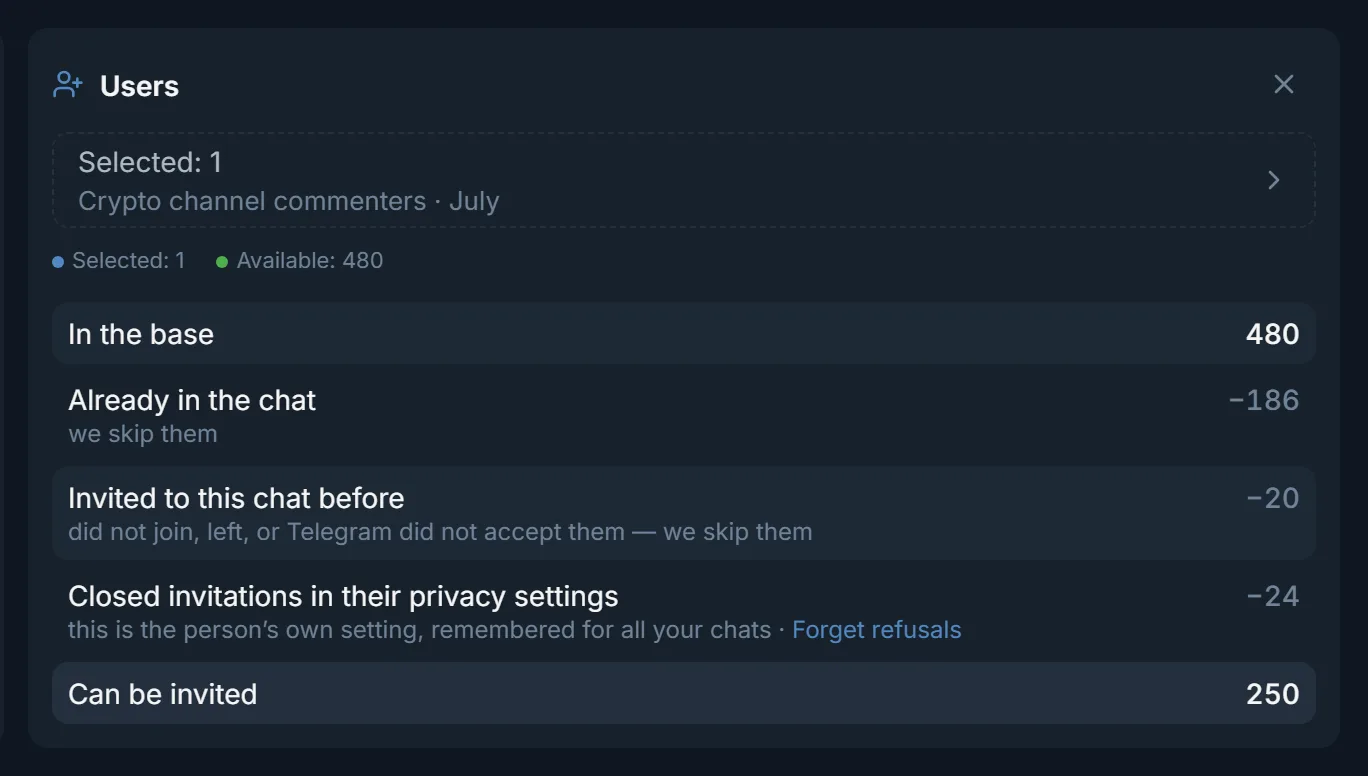
Launch order
- 1
Prepare the chat
At least a month of age, 200–300 boosted members, at least some message history. Check that the chat shows up in search from an outside account.
- 2
Prepare the accounts
Warm-up with messaging. Ideally, put the accounts into the destination chat in advance.
- 3
Collect the base
Members and commenters of topic chats and channels, from parsing. The closer the base's topic is to the chat, the more people will stay in it.
- 4
Check the chat in the panel
“Check” fills in the passport and tells you whether rights are needed and who grants them.
- 5
Pick the method and rights
For admin promotion, add the bot by its token and give it rights with the “Add the bot to the chat” button.
- 6
Set a small volume
“Per account per day”: 3 in the first week and a careful speed. As a safety net, turn on “Auto-stop”: the run stops if Telegram restricts as many accounts as you set.
- 7
Check the result and ramp up
The run result, skip reasons, the state of the accounts. Add 2 a day once a week, and step back when problems start.
Common mistakes
- Inviting into a fresh empty chat with no members and no history.
- A big volume on day one on new accounts.
- Accounts that are not warmed up and not aged.
- A bot created from the account the chat depends on.
- Trying to add more than 200 people to a channel instead of using a channel network.
- Joining and leaving the chat on every run when inviting is a long job.
FAQ
How many people a day can I add to a chat?
The usual advice is no more than 5–20% of the chat size per day. The chat passport in the panel shows what percentage your numbers give.
How many invitations a day should one account send?
With direct invites the usual advice is 5–10, via admin promotion up to 10–15. A new account starts at 3 a day and adds 2 a week.
Can I invite people who closed invitations?
No, not by any method, admin promotion included. The panel remembers such people and skips them in all your chats.
Do I need to prepare the chat if it is mine and old?
Its age already works for you. Check the rest: whether there are enough members to start and whether the chat has at least some message history. If there is no history, build it, for example with Neurochat, and launch inviting small.
Why did only 200 people get into the channel?
By adding, Telegram lets only the first 200 subscribers into a channel. For a big base, build a “Channel network”: the accounts create several channels and fill each one.
Ready to open the panel?
Review the scenario constraints before launch.
Read next

Inviter: invites into a chat, a channel or your own channel network
Direct invites or invites via admin promotion, rights from your bot or main account only while the run works, a chat passport, dataset memory between runs and a channel network for large datasets.

Telegram account warmup
Run a warmup profile for selected accounts with observable results.

Neurochat: accounts talk in group chats
Accounts sit in topic chats as ordinary members: they reply on topic, keep the conversation going and start new topics by your instructions. After the chat, a Dialogs campaign can handle the DMs.