Every bound is known
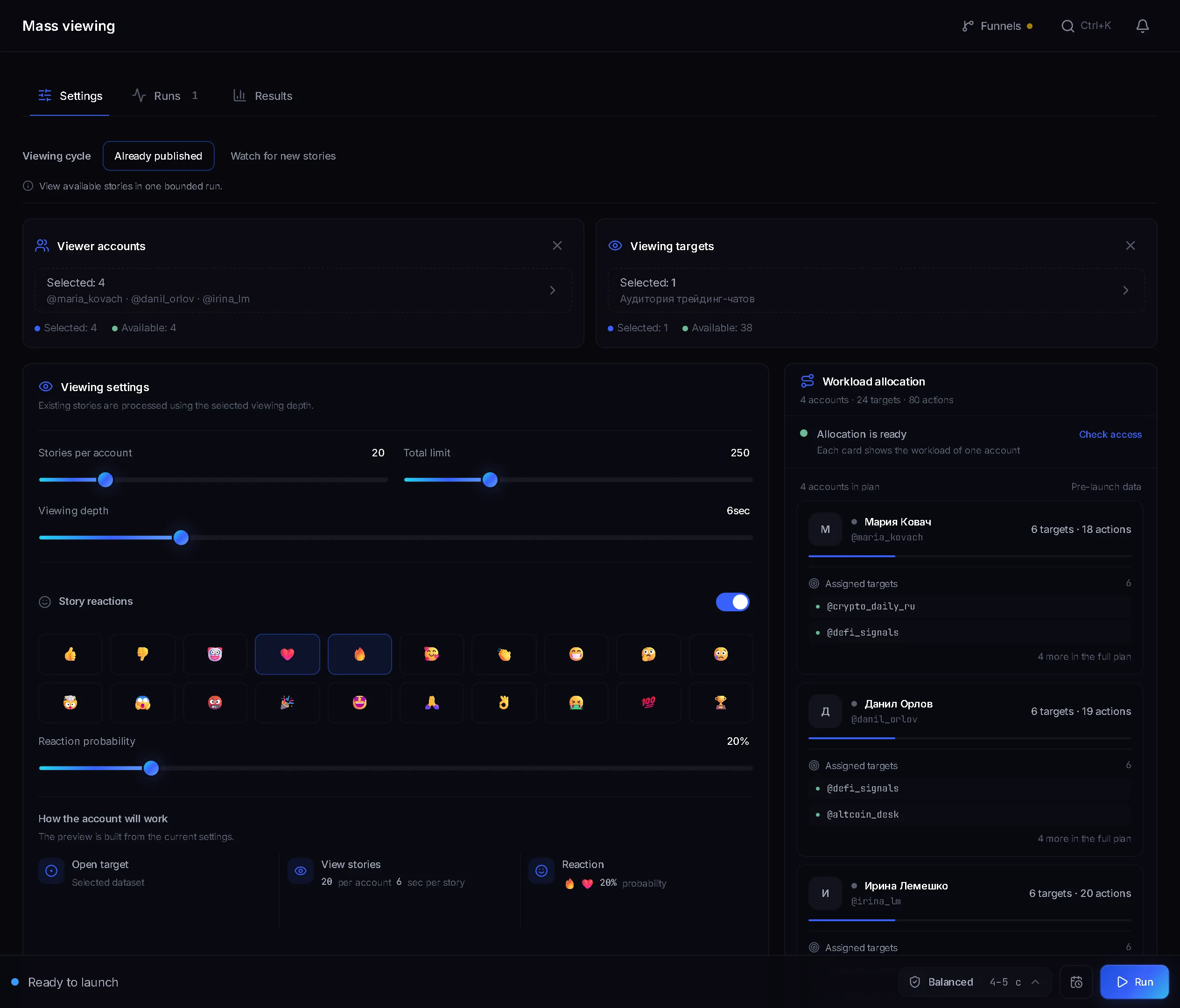
The table gives each setting's default and accepted range, for example Stories per account from 1 to 500.
Only numbers here: the defaults the module ships with, the range each setting accepts, how long one person takes and how to work out the ceiling of a run. What masslooking is, step by step, is covered in a separate guide.
In short
Masslooking in Telegram means viewing the stories of people from your list: the story owner sees who opened it. Telegram publishes no limit on story views, so in TeleTraff the settings set the speed. Defaults: Stories per account 20, Total limit 250, Viewing depth 10 seconds, Balance pause 4–5 seconds. One person with one story takes about 14–15 seconds.
TeleTraff editorial teamUpdated: Checked in the panel
The table gives each setting's default and accepted range, for example Stories per account from 1 to 500.
The pause and the viewing depth set the time per person, and the number of accounts sets the ceiling of a run. Formulas below.
The panel shows views, people who had stories and subscriptions through funnels. It does not output a view-to-subscription conversion.
An account opens the stories of people from a list. In Telegram the author of a story sees who viewed it, and some of those people open the viewer's profile. So the profile carries an offer or a channel link, for example a breakdown of ad funnels or a closed crypto club. In the panel the Masslooking module does this, and the launch order and profile setup are described on the blog. The rest is numbers.
| Setting | Default | Accepted |
|---|---|---|
| Stories per account | 20 | 1 to 500 |
| Total limit | 250 | 1 to 5000 |
| Viewing depth | 10 s | 0 to 30 s |
| People per channel or chat | 200 | 1 to 5000 |
| Do not repeat within (turned on by the Skip recently viewed switch, which is off) | 24 h | 1 to 720 h |
| Watch window (only in the Watch for new stories mode) | 30 min | 1 min to 2 days |
| Check interval (only in the Watch for new stories mode) | 3 s | 1 to 30 s |
| Like probability | 50 % | 5 to 100 % |
| Like limit per account | 0, no limit | 0 to 500 |
| Reaction probability (reactions are off) | 30 % | 5 to 100 % |
| Reaction limit per account | 0, no limit | 0 to 200 |
The ❤ like on stories is on by default and reactions are off. If both are on, for each story the panel first rolls for a reaction, then for a like, and one story gets at most one of the two. A reaction lands in the person's direct messages and its limit is tighter than the like's. The only story number on the Telegram limits page belongs to another module, Reactions to posts: about 60 reactions an hour of one type.
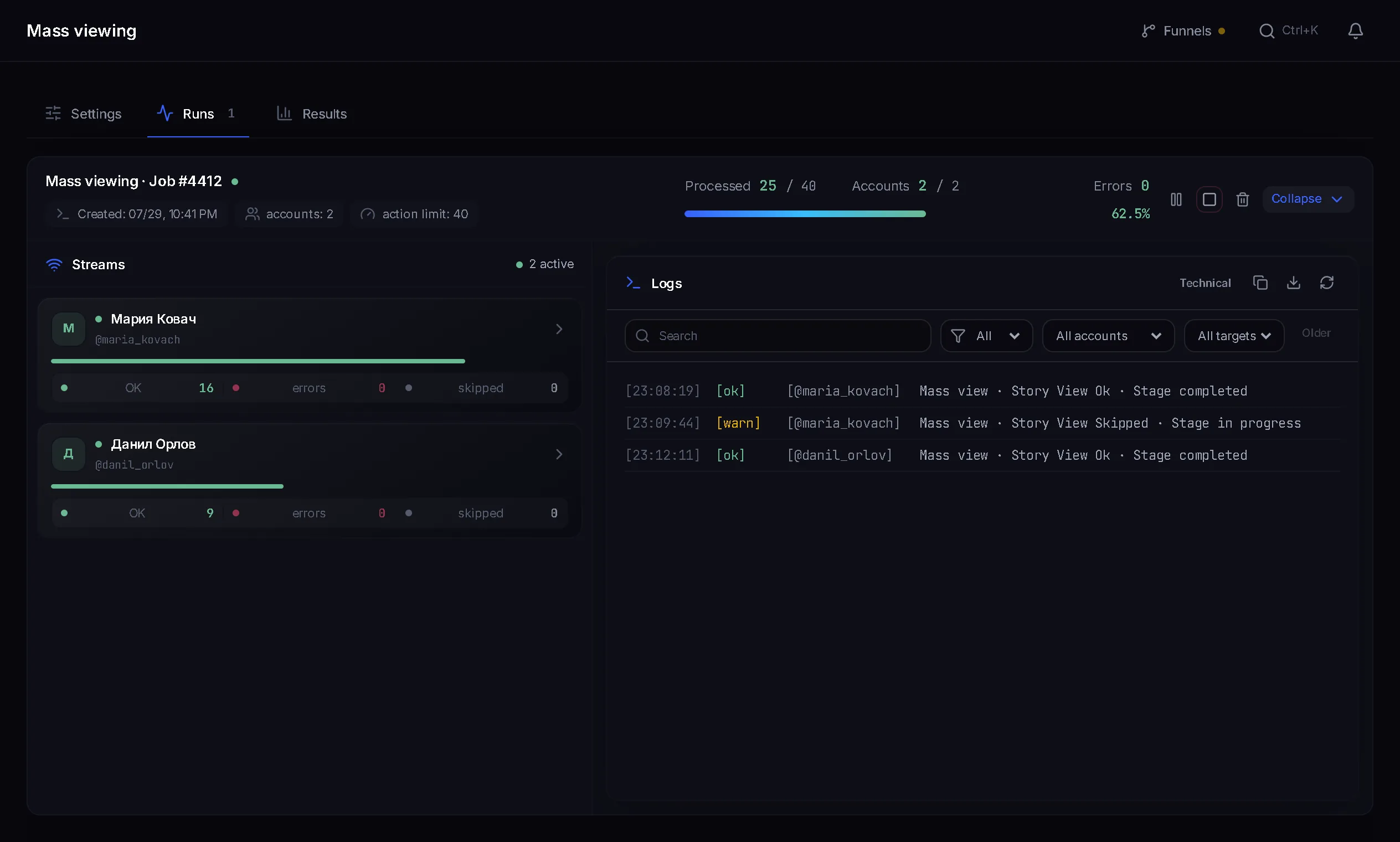
Before each person the account makes a pause, even if that person has no stories. If there are stories, the account opens all the fresh ones and holds each for the Viewing depth, but no longer than the story itself. Time per person with one story is the pause plus the depth. Below is arithmetic from the panel values at a depth of 10 seconds, not a measured speed.
| Protection profile | Pause between views | Seconds per person with one story | People per hour from one account |
|---|---|---|---|
| Fast | 2–3 s | 12–13 | 277–300 |
| Balance | 4–5 s | 14–15 | 240–257 |
| Careful | 8–11 s | 18–21 | 171–200 |
The Auto profile starts at the Balance pace and can slow a single account down, but it never goes faster than Balance. If you set Viewing depth to 0, one pause is all a person costs: at Balance that is 720–900 people an hour. Real speed is lower if people have several stories each or Telegram stops the account.
The limits count stories viewed, not people. The total limit is split between accounts evenly, so a run stops at the smaller of two numbers: the Total limit, or Stories per account multiplied by the number of accounts.
4 × 20 = 80 stories. The run never reaches 250 and stops at 80. One account at Balance watches its 20 stories in about 5 minutes.
12 × 20 = 240 is below 250, and 13 × 20 = 260 is above it. So reaching the total limit of 250 takes 13 accounts.
The account limit stops getting in the way and the run goes up to the Total limit of 250, about 62–63 stories per account.
A stream is one account working in a module at the same time as others. The trial has 3 streams in each module and paid plans have more, so check the current numbers on the pricing page. Each stream adds the speed of one account: three accounts at Balance with one story per person give about 720–771 people an hour.
Terms on this page
Telegram publishes no such number and the panel has no daily limit. There is a limit per run: Stories per account is 20 by default, from 1 to 500. How many runs you do per day is up to you.
By the panel's arithmetic at a depth of 10 seconds and one story per person: 240–257 people at Balance, 277–300 at Fast, 171–200 at Careful. The figure is lower if people have several stories and higher if the depth is smaller.
The Total limit is split between accounts, and each one has its own ceiling, Stories per account. With 4 accounts and 20 stories each, the run hits 80. Raise Stories per account or add accounts.
The account opens a person's stories and moves straight on, so only the pause is spent per person. Accepted values are 0 to 30 seconds, 10 by default. If a story is shorter than the set depth, the account waits for its length.
No, they are optional. The ❤ like is on by default at 50 % probability and reactions are off. A limit of 0 per account means no limit. A reaction arrives in the person's direct messages and its limit is tighter than the like's.
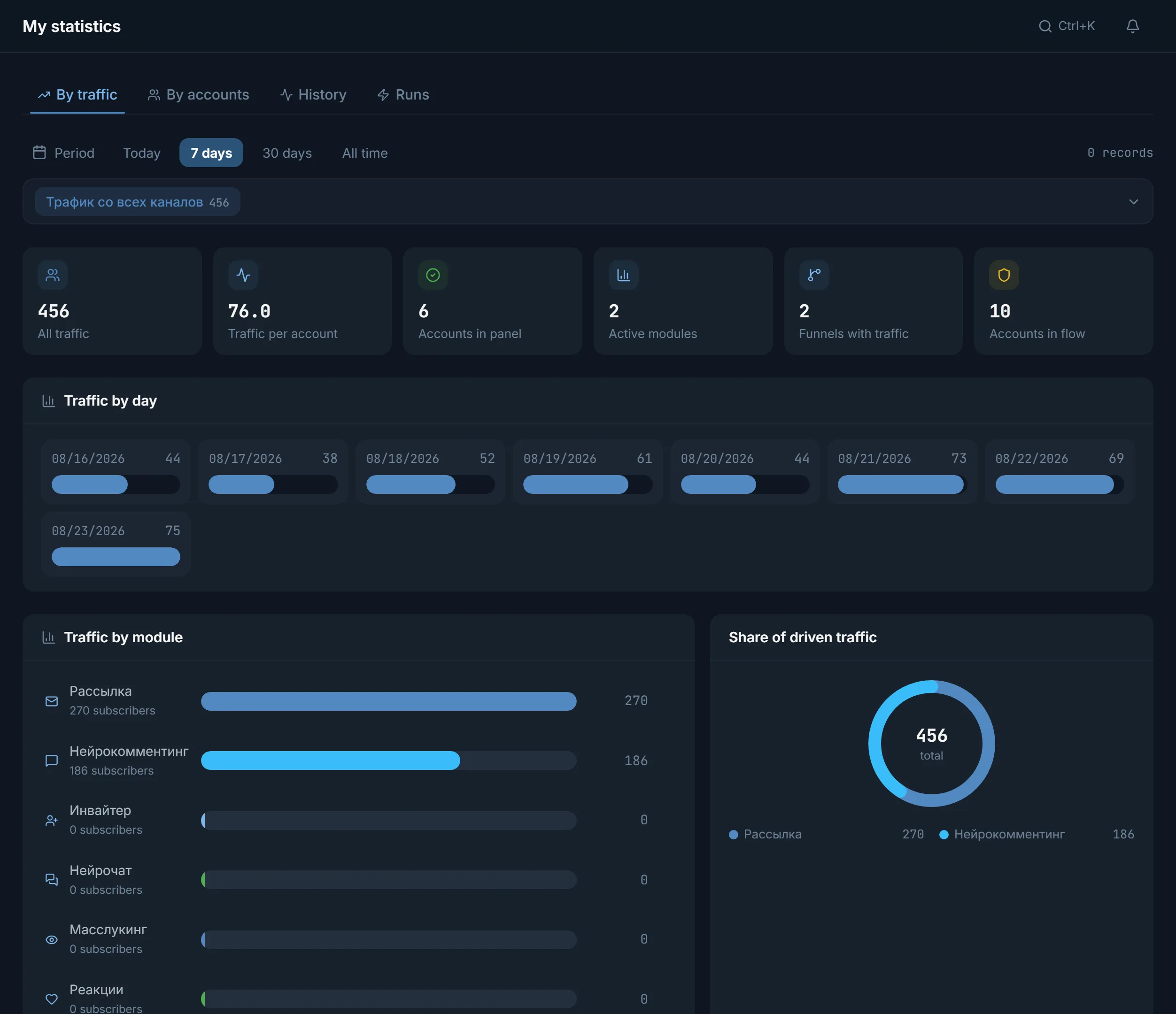
Open My statistics, the Traffic tab, the Masslooking row. Subscribers get there through a funnel tied to the channel. Compare that with the number of people in Viewing history.
Read next
More in this section
Other sections
3 days, no card: every module, 3 threads in each, up to 10 accounts. The clock starts with the first account you add.