AI commenting prompts for Telegram: how to avoid sounding like a bot
What to put in a prompt so AI comments and chat replies in Telegram read like a real person: examples by niche, testing before a run, and where it lives in TeleTraff.
- A good prompt describes a person: role, tone, length and limits
- The panel passes the post and the chat to the model itself, so don't paste them into the instruction
- Preview and a small trial run test the prompt before a big run
To make AI comments and replies in Telegram read like a real person, describe a person in the prompt, not a task: role, tone, length in words, what to react to in the post and what to avoid. In TeleTraff the prompt is an instruction in the AI commenting and Neurochat modules, and you can test it in a preview before any run.
What should a prompt contain so the comment sounds human?
- Role. Who is writing: a trader, a seasoned player, an arbitrage buyer, a course student. Profession and experience set the vocabulary better than any word list.
- Tone. How this person talks: calm, ironic, informal, with the niche's slang. One tone for the whole instruction.
- Length. Say it in words: one or two short sentences. Without it the model writes a paragraph, and real comments are short.
- What to react to. A concrete detail of the post: a figure, a conclusion, a debatable idea, the author's question. Then the comment can't be moved under a different post.
- What to avoid. No generic praise for the author, no opening with “Great post”, no chains of exclamation marks, no retelling the post.
- When to mention your own thing. Never, or only when the post is directly about your topic. A product in every comment gives a bot away fastest.
What does a bad prompt look like next to a good one?
The difference is always the same: the bad one has no person, the good one does. Four pairs from the verticals people work with most:
- Crypto. Bad: “Write comments about crypto, be an expert, promote our channel”. Good: “You are a trader who reads an altcoin channel and has sat in positions yourself. Answer one detail of the post in one or two sentences: agree and add your own observation, or ask a clarifying question. Keep it simple, no hype. Don't write about our channel or signals”.
- Betting and gambling. Bad: “Write positively about betting and invite people to the bot”. Good: “You are a seasoned player who bets on football in the evenings. React to the specific match or odds in the post. Write like in a chat with friends: short, light slang, no caps lock. Don't promise winnings, don't name a bookmaker, don't give a link”.
- Traffic arbitrage. Bad: “You are an arbitrage buyer, write smart comments”. Good: “You are an arbitrage buyer who runs nutra and has burned budgets yourself. If the post is a breakdown, ask about the funnel or the traffic source. If it is news, say in a line how it will hit you. One or two sentences, terms without explanations, like among your own”.
- Info-products. Bad: “Praise the course and invite people to our channel”. Good: “You are someone who recently took a couple of marketing courses. Pick one idea from the post and ask a short personal question. Stay calm, no emoji, no hype. Say nothing about our channel unless the post is about learning”.
Why bad prompts all sound the same
Without a role and limits the model answers in the average voice: polite, long and about everything at once. Different posts get similar comments, and similar comments read like a bot. A specific person gives different answers to different posts.
Where do I get ready-made prompts?
Two places. The TeleTraff site has a page called “Prompts by niche”: each niche has a separate instruction for comments and for chats, with a copy button. Inside the panel the same templates sit on the “Ready-made” tab of the instructions window. Take the one closest to your vertical and rewrite the role and the limits for yourself.
Where do I set the comment prompt in TeleTraff?
- 1
Open the text card
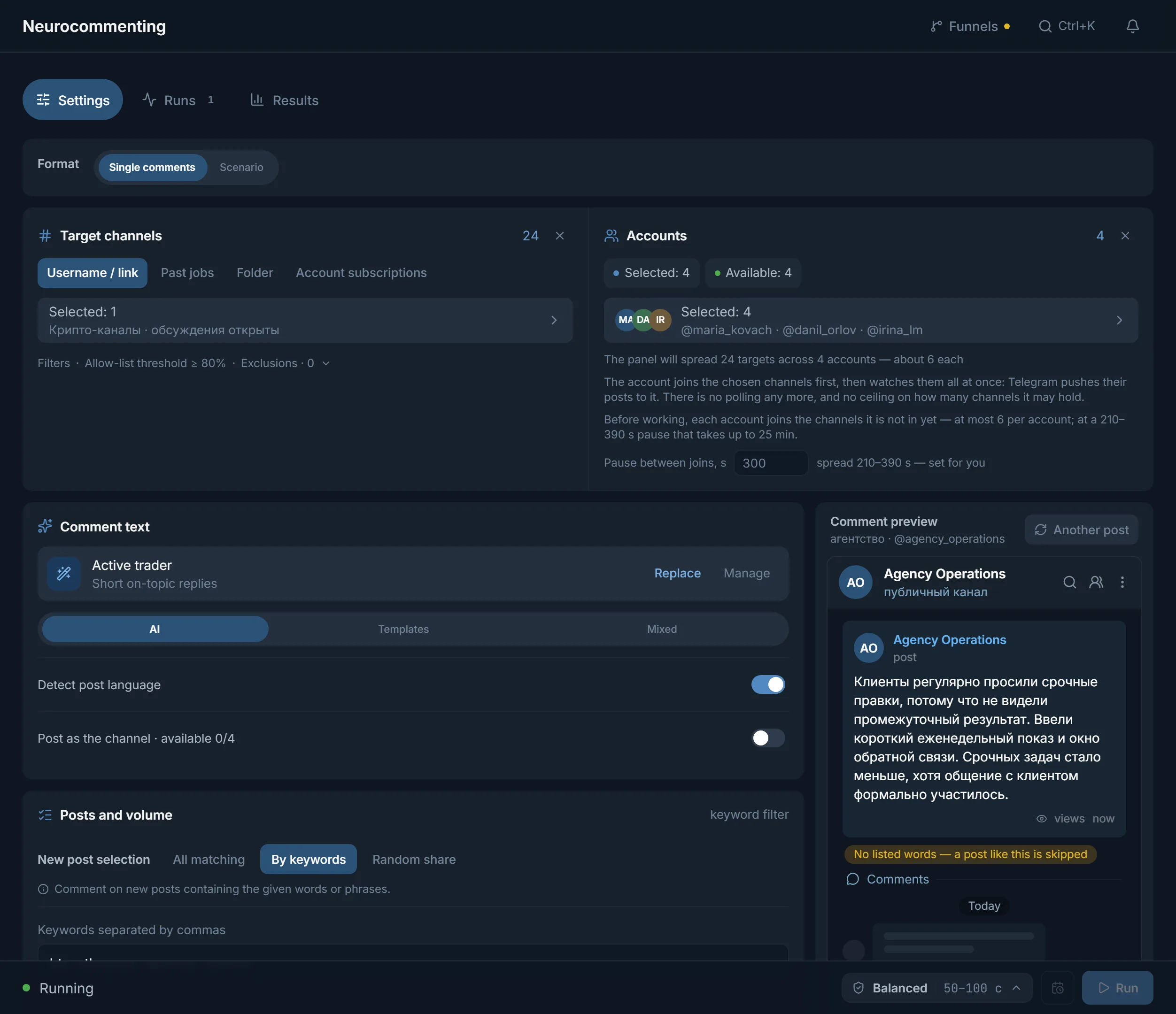
In the AI commenting module find the “Comment text” card.
- 2
Open the instructions
Click “Select instruction” or “Manage”. A window opens with the tabs “Ready-made”, “Mine” and “New”.
- 3
Write or adjust
Take a ready-made one and change it, or create your own on the “New” tab. Next to it, “The model already sees” lists what the panel supplies itself.
- 4
Save and select
Click “Save and select”. Your instruction stays on the “Mine” tab and you can use it in other runs.
In Neurochat the same is done in the “AI instructions” block: write it there or take one “From prompt manager”. The general instruction describes the conversation participant. Each account gets its own persona on top of it in “Account instructions”, and product facts live in “About the product”, so you don't need to retell them in the instruction.
What does the panel do with my prompt?
- Takes it as written. The panel does not rewrite your text: the model gets what the instruction says.
- Passes the post or the conversation separately. Don't paste the post text into the instruction; it is enough to say “answer based on the post”.
- Adds service lines itself. With “Detect post language” on, the comment comes out in the language of the post. You don't need to write “give one comment, no options” either.
- Rejects unusable text. An empty answer, several options, a retelling, a refusal, a leak of the service instruction or a link that is not in your prompt is not published: the panel asks the model again, and if that fails too, it skips the post.
How do I test a prompt before a run?
- 1
Open the preview
On the “Comment text” card click “Comment preview”: the panel shows a comment for a sample post and publishes nothing.
- 2
Change the post
The “Another post” button swaps in the next example. Run several and compare: no identical openings, no extra pathos, no retelling.
- 3
Edit one rule at a time
Change one rule, run again. That way you see what exactly made the difference.
- 4
Do a small trial run
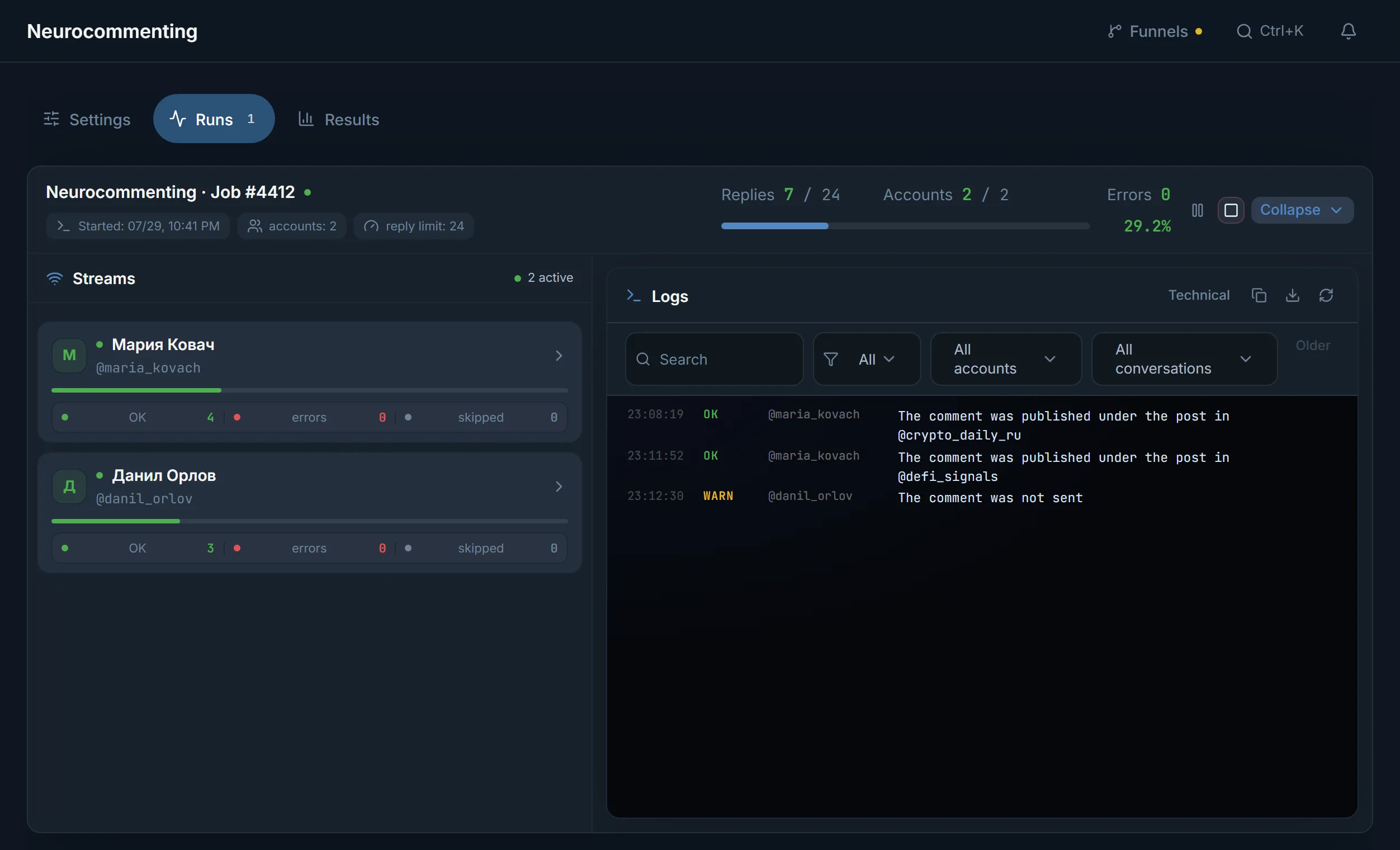
In “Stop condition” choose “By count” and set a small “Comment limit”. Watch the result in “Runs” → “Comments”; the “Skipped” filter shows posts where the text was rejected.
- 5
Check the comments survive
In the run, the “Deletion check:” line shows how many comments are “still there” and how many “removed”. If many are removed, reread the prompt: the tone may stand out from the channel.
Neurochat is tested the same way: “Reply preview” and the “Test reply” button. Paste your own piece of conversation and see what the account answers before the campaign goes into real chats.
FAQ
How long should an AI commenting prompt be?
Short: one paragraph each for role, tone, length, reaction to the post and limits. The hint inside the panel advises against stretching it: in an overlong instruction the model loses rules from the middle.
Do I need to paste the post text into the instruction or ask for one option?
Neither. The panel passes the post text to the model itself and adds the requirement to answer with one comment, no options, on its own.
How do I make the comment match the language of the post?
Turn on “Detect post language”. The panel then adds the post's language to the request itself, so you don't write it in the instruction.
What happens if the AI produces bad text?
The panel checks the answer before publishing. If it is empty, has options, retells the post, refuses or leaks the service instruction, it asks the model again with a stricter requirement. If that fails too, the post is skipped and marked “Skipped”.
Can a comment contain a link?
Only one you wrote into the instruction yourself. Links that are not there are rejected by the panel as invented.
Can I use one prompt for all niches?
You can, but the result will be averaged. It is better to save one instruction per vertical on the “Mine” tab and pick the right one in each run.
Ready to open the panel?
Review the scenario constraints before launch.
Read next

Telegram AI commenting
Configure comments for new posts with selected accounts, sources, and a prompt.

Neurochat: accounts talk in group chats
Accounts sit in topic chats as ordinary members: they reply on topic, keep the conversation going and start new topics by your instructions. After the chat, a Dialogs campaign can handle the DMs.
 Guide
Telegram AI commenting: setup, folders and why accounts should join channels in advance
A step-by-step look at launching AI commenting: how the module picks posts, why accounts need preparing in advance and how folders save join limits.