Dozens of profiles at once
Shared settings are set once for the group. Accounts that need something else get individual settings.
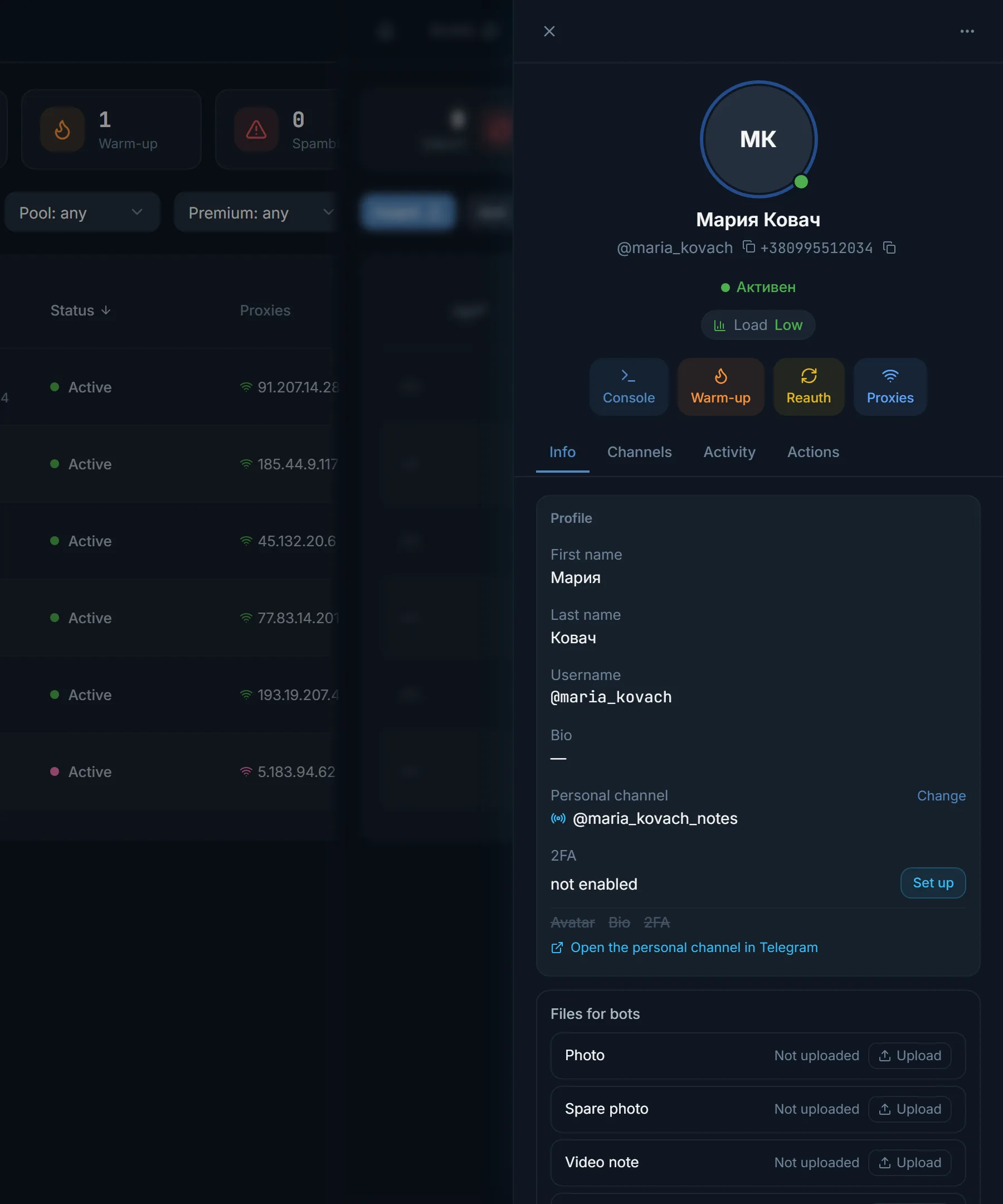
An empty profile is the first thing that gives a farm away: someone comes from a comment and the account has no photo and no bio. In TeleTraff the name, username, bio and avatar are generated by niche and country for the selected accounts at once. First a draft, then a review, then it is applied in Telegram.
In short
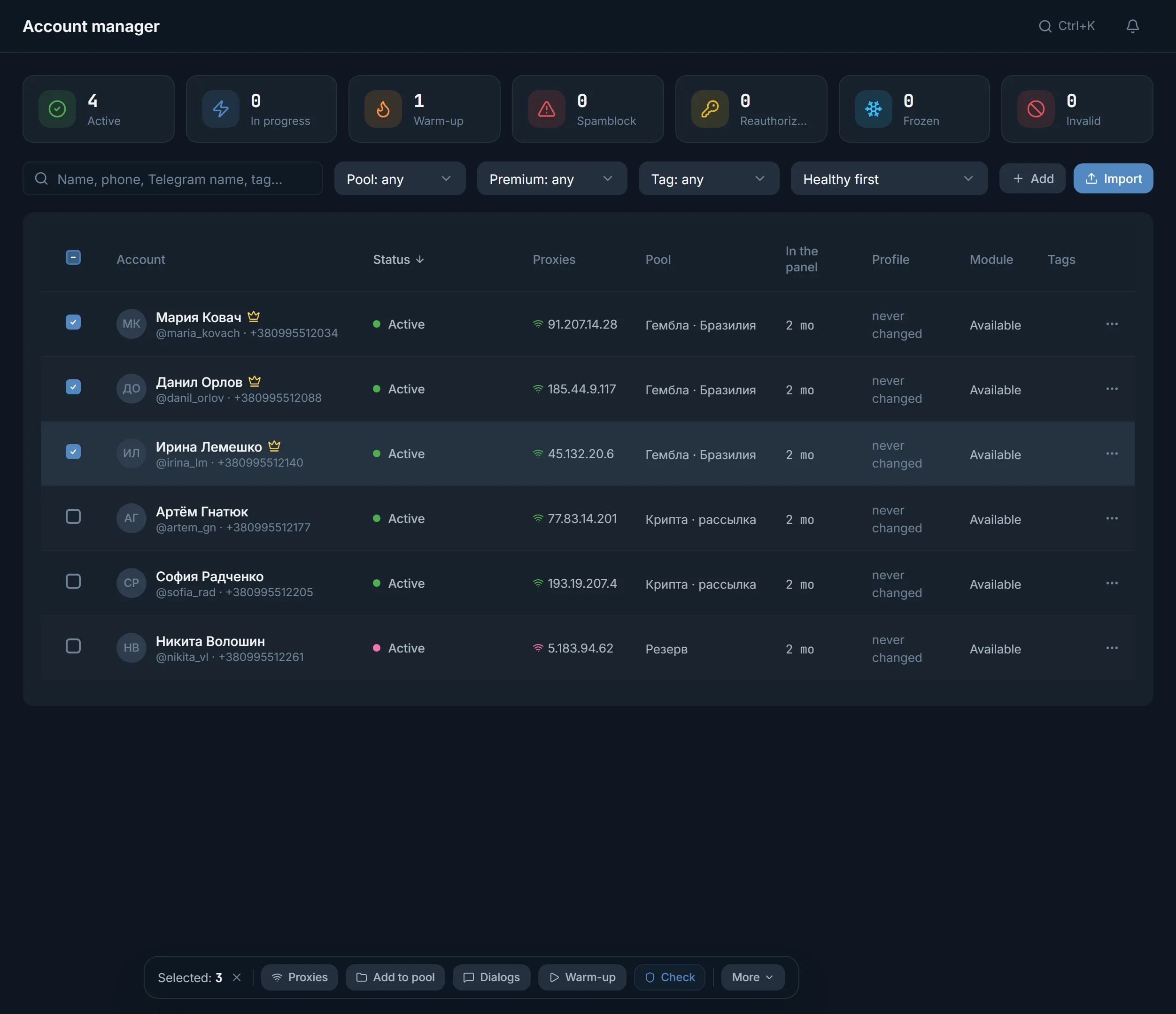
Profile generation in TeleTraff dresses up Telegram accounts for you: first and last name, username, bio and avatar. Select accounts in the manager, open Profile generation, set the topic, gender, country, language and bio style, and press Generate. The panel shows drafts next to the current profile, and they reach Telegram only after Review and apply.
TeleTraff editorial teamUpdated: Checked in the panel
Shared settings are set once for the group. Accounts that need something else get individual settings.
Generation does not touch Telegram. You see the draft next to the current profile and apply only what you have checked.
Protect field guards a manual edit: regeneration never touches it, however many runs there are.
Someone coming from a comment or a chat opens the account's profile first. A name made of digits, no photo, no bio, and they will not make it to your channel. That holds for neurocommenting, neurochat and mailing alike.
Dressing up a hundred profiles by hand takes long, and identical profiles look like a farm. Generation gives different names and bios within one niche.
| Field | How it is filled |
|---|---|
| First and last name | Names from the Name pool go to accounts in turn, and the AI picks the last name by niche. With an empty pool the AI picks the first names too |
| Username | 5 to 32 characters: Latin letters, digits and underscore, starting with a letter |
| Bio | By topic, in a Natural, Short or Professional style, with or without emoji |
| Avatar | The Library with categories, My pack, or Keep current |
| Age and date of birth | 18 to 99 years; Telegram shows the age from the date of birth |
| Profile language | From the prompt or the country, or a chosen language |
In the account manager, tick the accounts and choose Profile generation in the More menu. For a single account, the same item is in the row menu.
Topic, Gender, Country, Profile language, Bio style, Avatar source and Name pool. They apply to every account without its own settings.
Switch an account to Individual and change what you need. Use shared settings undoes it.
The Generate button or Ctrl + Enter. Each account gets a Draft next to its Current profile.
You can correct any field by hand and press Protect field. Regenerate selected refreshes everything else.
Review and apply opens Review changes. After you confirm, the profiles go to Telegram.
The account import window has Profile after import. Country, gender, niche, avatar and bio are generated and applied in batches of 5 accounts. That is how accounts get dressed up right after tdata upload or a purchase in the marketplace.
A sports and tips topic in a natural style. The tips channel is set on the account card, in the Personal channel row.
A crypto and trading topic, a short bio with no promises of returns. The profile language matches the chats the account will talk in.
A professional style, a clear name and a bio about how the account is useful. A person should see at a glance who is writing to them.
Terms on this page
First and last name, username, bio and avatar. Optionally also age and date of birth. All by the topic, gender, country and language you set.
No. First a draft appears next to the current profile. It goes to Telegram only after Review and apply and your confirmation.
Yes, in the Name pool. Names from the pool go to accounts in turn, and the AI picks the last name by niche. If the pool is empty, the AI picks the first names too.
Yes. In Avatar source choose My pack and upload photos; they are spread across the accounts. There is also a library with categories and a Keep current option.
Not if the field is protected. Regeneration never touches a protected field, however many times you run it.
Yes, profile generation is part of the trial: 3 days, up to 10 accounts. Details on the pricing page.
Read next
More in this section
Other sections
3 days, no card: every module, 3 threads in each, up to 10 accounts. The clock starts with the first account you add.