Buy where you work
No downloading an archive from the seller and uploading it again. A bought account lands in the panel with one button.
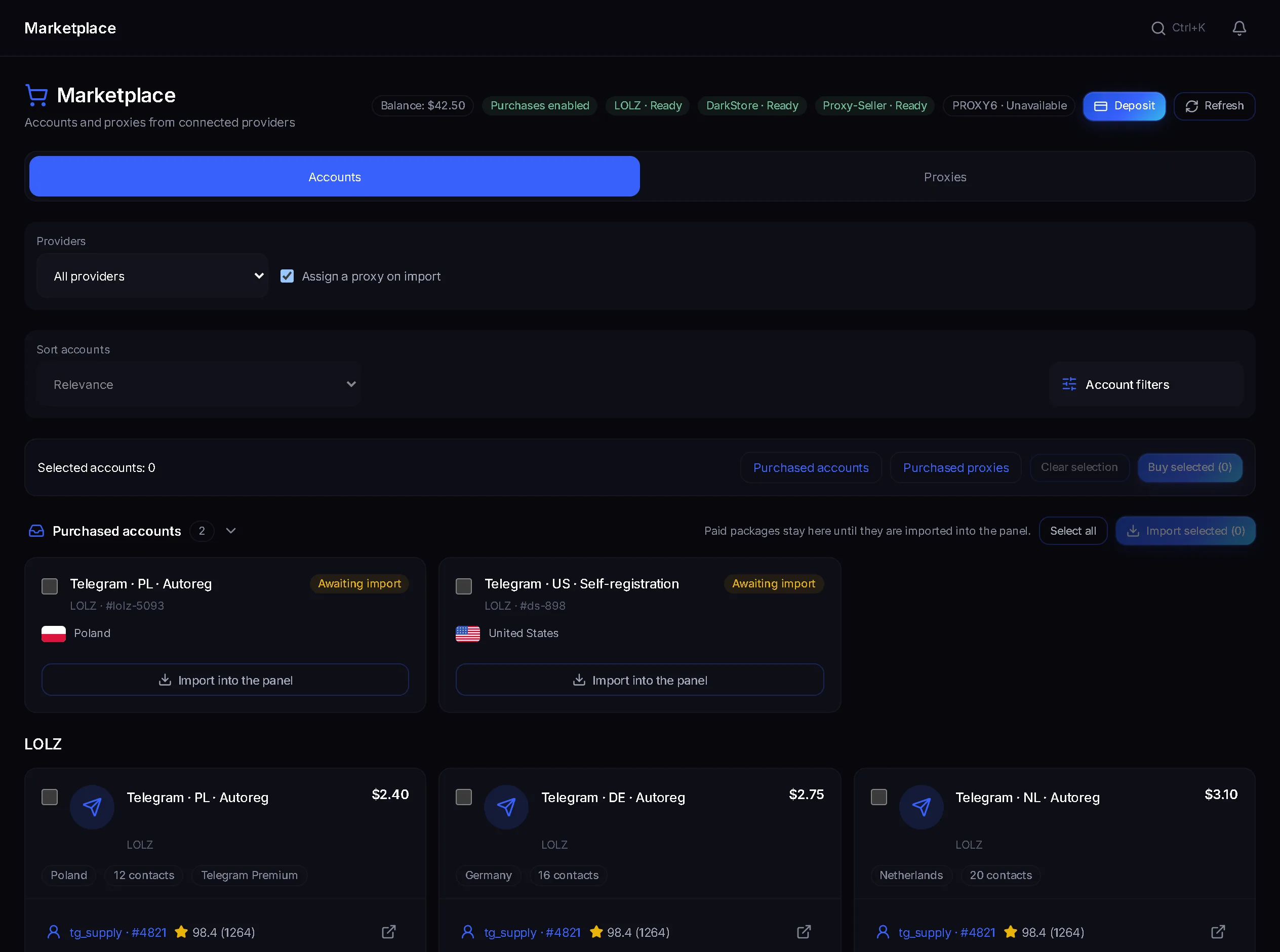
In TeleTraff you buy accounts and proxies where they will work. The marketplace lists lots from connected suppliers with filters by country, spam block and account age, and a bought account lands in the manager with a proxy from the panel.
In short
You can buy Telegram accounts right in the TeleTraff panel: the marketplace collects lots from connected suppliers. Lots filter by country, spam block, account age, password and seller rating, and each lot shows a quality score. Bought accounts wait in Purchases, and Import into the panel moves them into the account manager with a proxy. Proxies for the right country are bought there too.
TeleTraff editorial teamUpdated: Checked in the panel
No downloading an archive from the seller and uploading it again. A bought account lands in the panel with one button.
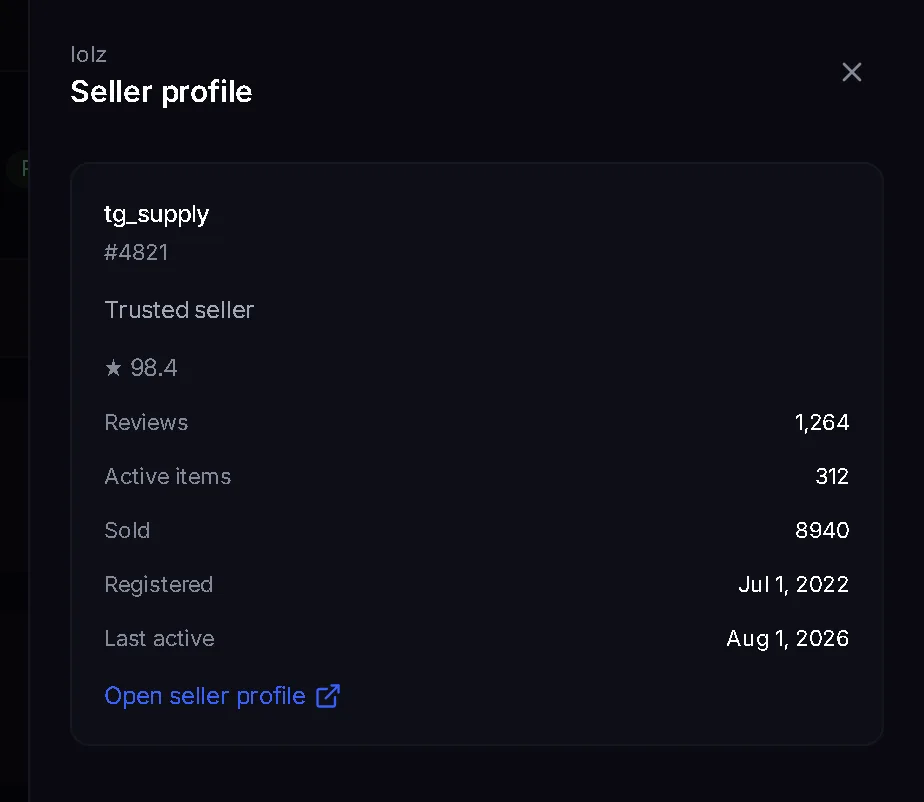
A lot has a quality score from control purchases; the seller has reviews, a sales count and a registration date.
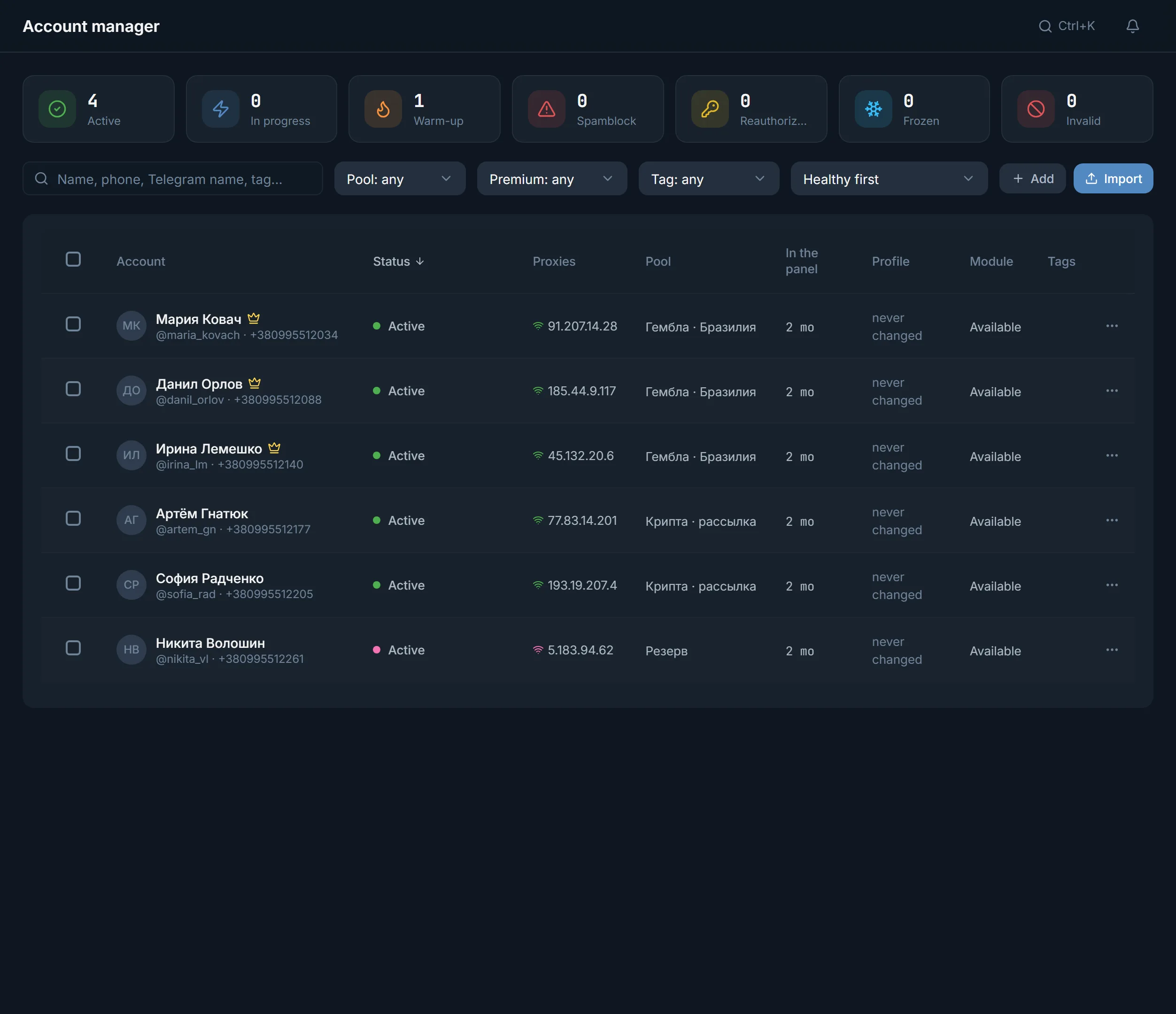
Accounts are imported with a proxy from the panel. Without a free proxy the import does not start, and the purchase stays saved.
Working accounts are sold on exchanges and by individual sellers, usually as tdata or a session. The TeleTraff marketplace shows lots from connected suppliers right in the panel. You pay from the marketplace balance and top it up with the Deposit button.
If you buy elsewhere, the archive goes in through tdata upload, and you can check the batch with the free checker first. How to choose accounts and proxies is covered in where to get accounts and proxies.
In the account manager, press Buy accounts. At the top are the Catalog, Favorites and Purchases tabs and the Accounts and Proxies switch.
In Account filters set the price, country, spam block, minimum account age, password, email, Telegram Premium and seller rating.
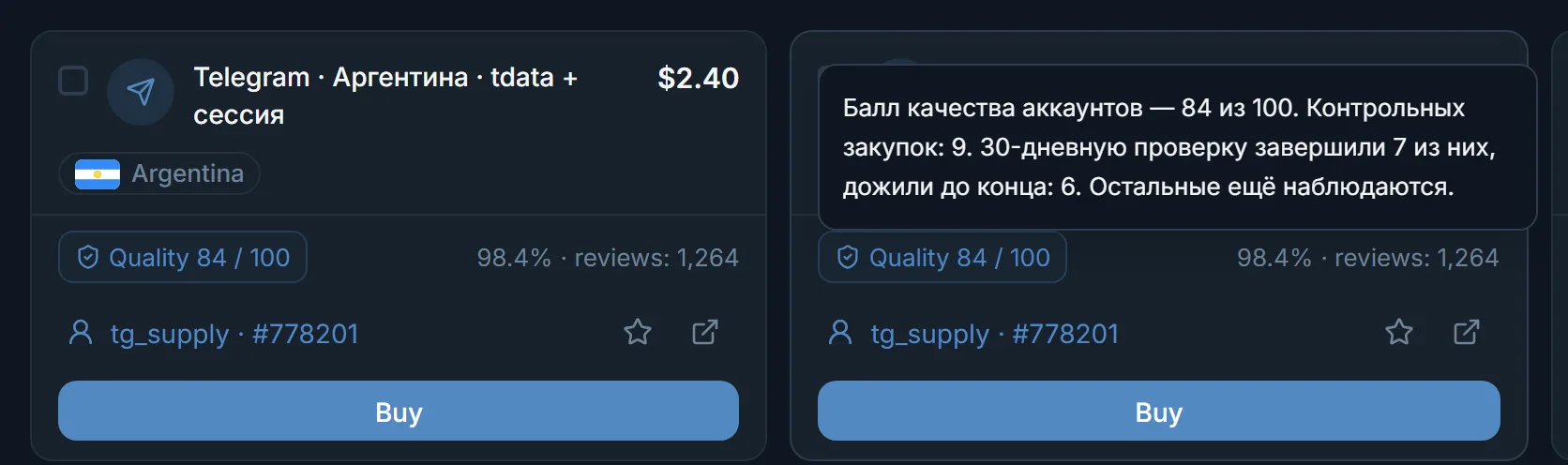
Each lot shows Quality from 0 to 100. The Highest quality first sort puts the best-scored lots on top.
Seller profile shows reviews, active items, how many were sold, the registration date and last activity. You can add a seller to favorites or hide them.
Tick the lots and press Buy selected. The panel first requests the live price of every lot, and the money is charged after one confirmation.
In Purchases, press Import into the panel. The accounts get proxies from the panel. Here you can also put them into a pool, save a 2FA password and start profile generation.
| Filter | What it cuts out |
|---|---|
| Country | Lots from a geo you do not work with |
| No spam block, Allow GEO spam block | Restricted accounts; the second lets a geo spam block through |
| Minimum account age (days) | Freshly created accounts |
| Account password, Linked email | Lots with or without the seller's password or email |
| Telegram Premium | Accounts with or without the subscription |
| Minimum seller rating, %, Minimum seller reviews | Sellers with no history or bad reviews |
A good filter set is kept with Save search and waits in the Favorites tab. Which geo to take and which to avoid is covered in the article on warm-up after purchase.
On the Proxies tab you choose the type (IPv4, IPv6, mobile, ISP, residential, MTProto), the country and the period. The panel shows each supplier's price and marks the best one. A bought proxy lands in the panel at once, needs no import and switches on within 5 minutes.
Proxies are extended with Renew or with Auto-renew switched on. When the period ends the IP goes back to the supplier. With MTProto some captchas and the spam block appeal will not work; they need SOCKS5 or HTTP. More on the SOCKS5 proxies for accounts page.
Terms on this page
Yes. The account manager has a Buy accounts button that opens the marketplace with lots from connected suppliers. You pay from the marketplace balance.
Accounts are imported with a proxy from the panel. If there are no free ones, the import does not start: buy proxies on the Proxies tab or add your own in the proxy center.
It is the seller's score from 0 to 100 based on control purchases: the marketplace buys accounts from them and checks how many live 30 days. A single lot may differ.
The format is shown on the lot: tdata or a session. The panel takes both and checks every account in Telegram during import.
The money returns to the marketplace balance. If the import created no accounts, the package stays in Purchases, and you can repeat the import without paying again.
Yes, but the trial holds up to 10 accounts in the panel. A purchase over that does not go through and no money is charged. Paid plans have no account limit.
Read next
More in this section
Other sections
3 days, no card: every module, 3 threads in each, up to 10 accounts. The clock starts with the first account you add.