How to scrape a Telegram audience: members, authors, commenters
How to collect an audience from Telegram chats and channels: what the parser can see, how to keep only people who post, and where to send the dataset.
- What Telegram gives the parser in a group, a private chat and a channel
- «Only people who wrote in the chat» keeps the ones posting now
- The run summary shows where the volume went
To scrape an audience in Telegram, you need chats and channels from your niche and accounts that collect people from them: members, message authors and commenters. In TeleTraff this is the «Members» parser in the parsers module. It works through your accounts, skips bots and empty profiles, and saves the result as a dataset you can send straight to inviting or mailing.
What can you scrape in Telegram, and what can't you?
The parser sees what your account sees. What a source gives depends on its type:
- Open group. The parser reads the member list. If Telegram asks the account to join, it joins on its own.
- Group with a hidden member list. In our experience, Telegram shows outsiders only the admins in that list. People are then collected from message authors.
- Channel. Telegram usually does not hand out the subscribers of someone else's channel. The parser then collects commenters from the channel's discussion group.
- Private chat behind an invite link. The link works as a source. If it has expired or been revoked, the run summary says it has to be replaced.
- Silent members of a hidden chat. They never posted and the list is closed, so the parser has no way to see them.
What a group, a channel and a comment chat each give you is covered on the page about parsing chats and groups.
How do you scrape chat members, step by step?
- 1
Add sources
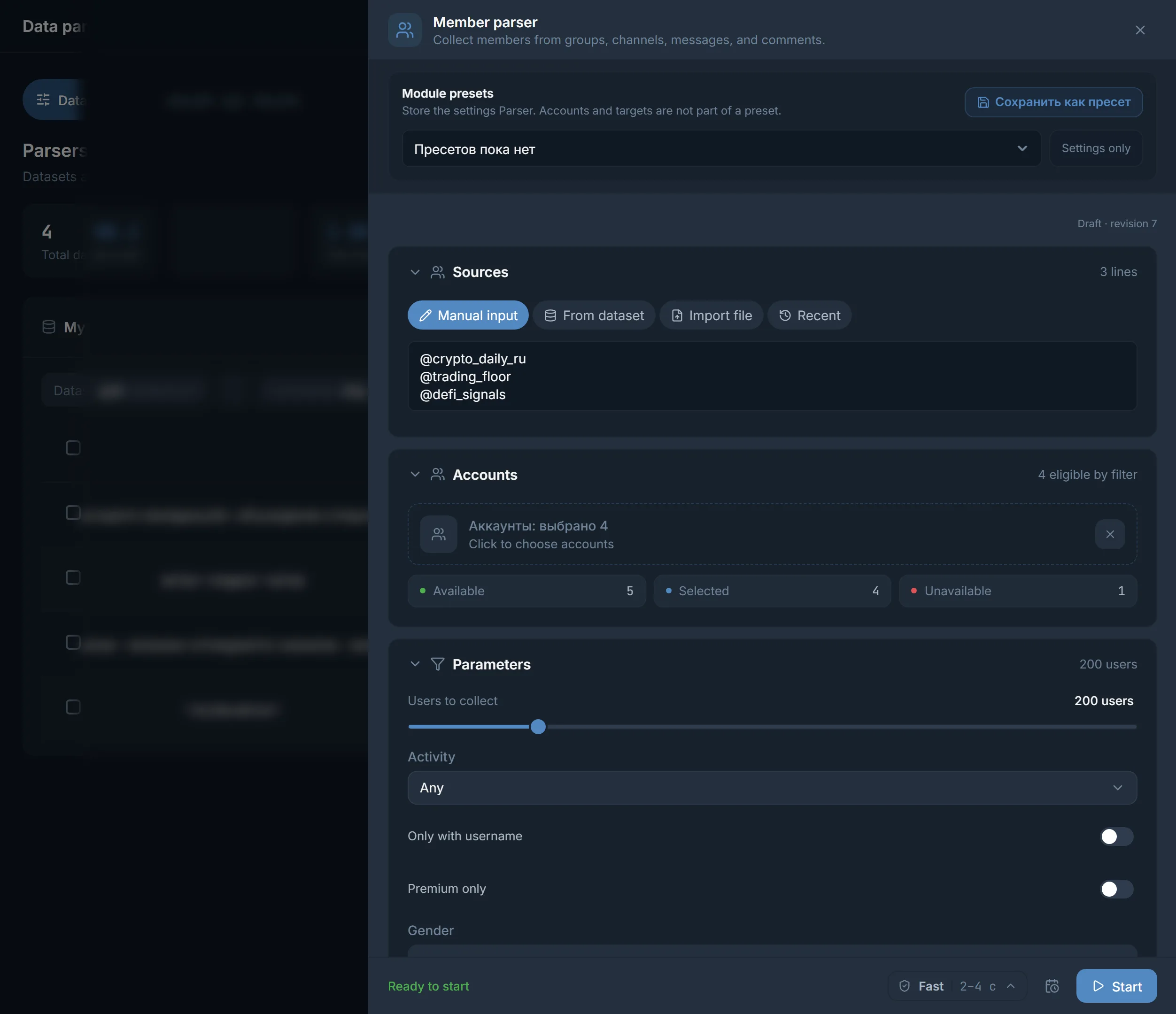
Open the «Members» parser in the parsers module. Paste chat and channel links into the «Manual input» tab, pick a saved dataset of chats or channels in «From dataset», upload a list in «Import file», or choose a source from «Recent».
- 2
Choose accounts
Click «Choose accounts». The parser uses them to read lists, scroll history and join chats when Telegram requires it.
- 3
Set the volume
«Users to collect» is 200 by default. «Stop after» puts a time limit on the run.
- 4
Turn on filters
Activity, username, photo, Premium, gender. Each one is covered below.
- 5
Run it and check the summary
The parser reads the member list first. If too few people pass the filters, it adds channel commenters, then message authors.
How do you collect only active members?
Turn on «Only people who wrote in the chat» and pick a window: «Within a day», «Within 3 days», «Within a week» or «Within a month». In this mode the member list is not read. The parser scrolls the chat history from newest to oldest until the start of the window, up to 20,000 messages, and keeps everyone who posted. In a channel, the people who wrote are the ones commenting on posts.
An info-product example: alumni chats of marketing courses with the «Within 3 days» window. The dataset comes out smaller than the full member list, but without people who joined a year ago and forgot about the chat.
How do you scrape a channel's commenters?
- 1
Find channels with discussions
Run the «Channels» parser with «Only with open comments» and «Min. comments per post». For crypto that means signal and market-analysis channels; for betting, tipster channels.
- 2
Feed the channel dataset into «Members»
Select it in the «From dataset» tab. From channels, the parser collects the people who write in the comments.
Which filters remove empty profiles?
- «Last seen»: what Telegram shows under the name. Options are «Recently — within 3 days», «This week — within 7 days», «This month — within 30 days». People «last seen a long time ago» or who hide it are left out.
- «Only with username»: keeps people who have an @username.
- «Photo only» and «Premium only»: narrow the dataset to filled-in profiles and Telegram Premium subscribers.
- «Gender»: guessed from the name. If the name does not tell, the person is left out.
- «Collect admins» is off by default, so the chat's creator, admins and moderators stay out of the dataset. Bots are skipped.
- «Exclude known records»: skips everything you have already collected, or the datasets you pick.
Why did the dataset come out smaller than you asked for?
After the run, the parser writes a summary: «Collection finished: saved … of …». The same line shows how many people Telegram returned, how many remained after filters and how many it fell short by. «Main reasons» for the drop-off follow, and if some sources could not be opened, the summary says how many.
If you got too few people
Telegram returned plenty but few passed the filters: loosen the filters or widen the activity window. Telegram returned few: add more sources. A finished dataset in «My datasets» has «Collect more».
Where do you find an audience for your vertical?
- Gambling: chats around slots and streams, commenters of channels with casino reviews and bonuses.
- Betting: tipster and prediction chats, discussions under matches.
- Crypto: trading chats, project and exchange chats, commenters of signal channels. Crypto mixes languages, so turn on «Filter by language» when searching for channels and chats.
- Info-products: student and alumni chats of courses, commenters of niche bloggers.
- Services: city and neighbourhood chats, professional communities. Here geo matters more than volume.
Where do you send the collected audience?
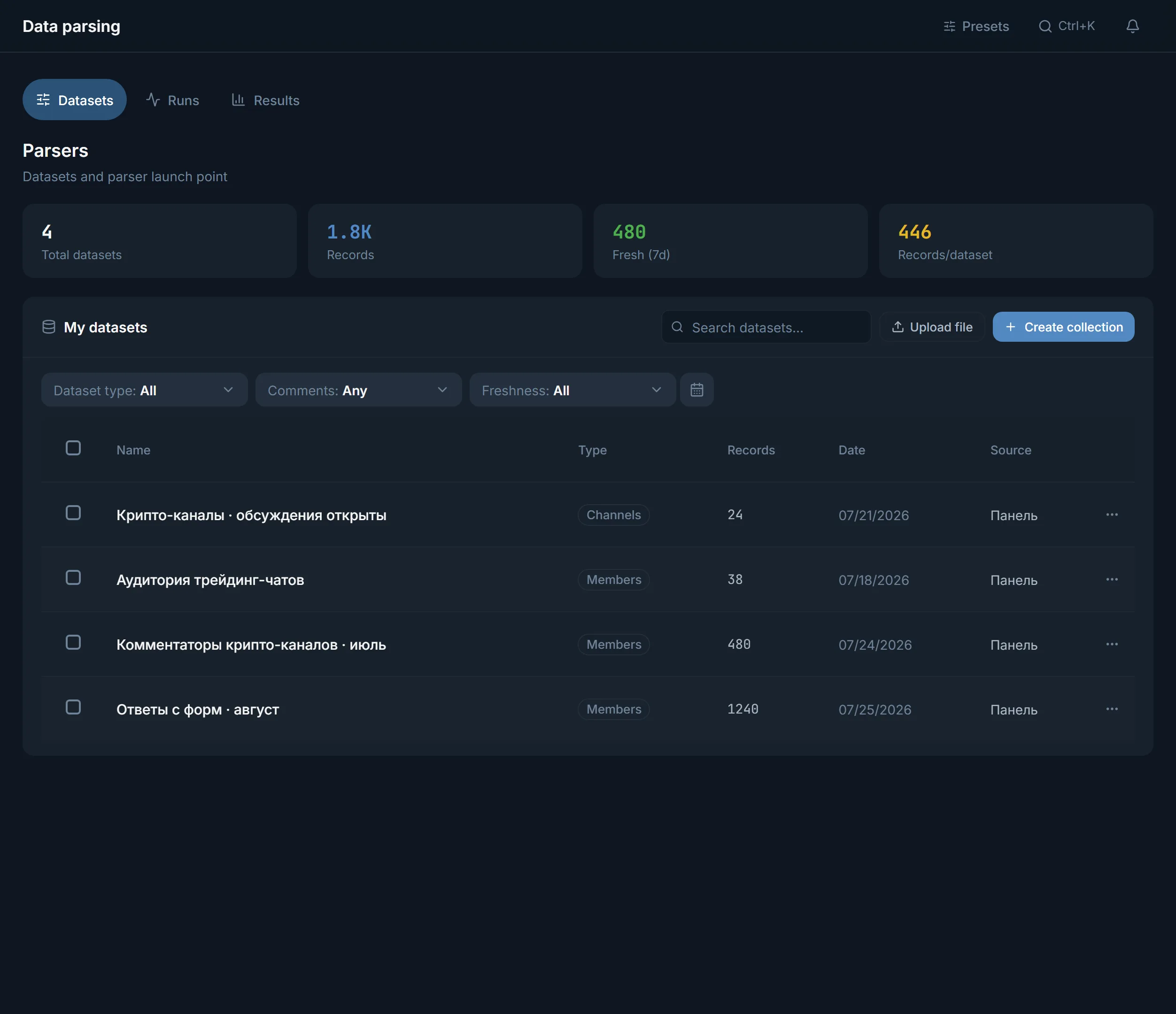
The finished dataset sits in the «My datasets» tab. Open it, click «Use», then pick a module: the panel opens that module's page, and there you select this dataset in the source field. People datasets go to inviting, direct-message mailing and mass looking. If datasets overlap, select them and click «Merge into one» or «Remove duplicates». For work outside the panel, there is export to CSV, JSON and TXT. Which fields each person has and which filters work is shown on the page about the members scraper.
FAQ
Can you scrape members of a private chat?
Yes, if you have a working invite link: the panel accepts it as a source, and the account joins if Telegram requires it. If the link has expired or been revoked, the run summary asks you to replace it. If the chat hides its member list, people are collected from message authors.
Can you scrape a channel's subscribers?
The parser tries the subscriber list first. In our experience, Telegram does not hand it out for someone else's channel, and the parser then collects commenters. So the channel needs open comments.
Why did the parser collect fewer people than I set?
Either the source gave few people or the filters dropped some. The run summary shows both numbers and the main reasons for the drop-off. Loosen the filters, add sources or click «Collect more» on the dataset.
How do you collect only people who post in a chat?
Turn on «Only people who wrote in the chat» and pick a window, for example «Within 3 days». The parser looks through up to 20,000 recent messages and keeps everyone who posted in that time.
Will admins and bots end up in the dataset?
Not by default. The parser skips bots, and the chat's creator, admins and moderators stay out while «Collect admins» is off.
Can you collect people from several chats into one dataset?
Yes. Add all the chats as sources of one run and the people land in one dataset. For datasets you already have, select them in «My datasets» and click «Merge into one»; «Remove duplicates» clears the repeats.
Ready to open the panel?
Review the scenario constraints before launch.
Read next

Telegram parsers
Build datasets from Telegram: chat and channel members, channels and chats found by keyword, contacts from messages. A ready dataset goes straight to other modules.

Inviter: invites into a chat, a channel or your own channel network
Direct invites or invites via admin promotion, rights from your bot or main account only while the run works, a chat passport, dataset memory between runs and a channel network for large datasets.
 Guide
Telegram inviting: how to prepare the chat, where to start and how not to burn your accounts
How to prepare the chat for inviting, how to ramp the volume up week by week, which method to pick, why you need your own rights bot, a channel network instead of one channel, and what to do about people who closed invitations.