How to promote a Telegram channel and get subscribers
How to grow a Telegram channel: paid posts, Telegram Ads, cross-promo, comments, inviting and reactions. Pros, cons, prices and where TeleTraff helps.
- Paid and free methods side by side
- Comments, inviting and reactions bring people through the profile
- Launch order and comparing the price per subscriber
Promoting a Telegram channel means bringing people over from other channels, chats and discussions: paid, through sponsored posts and Telegram Ads, or with your own accounts, through comments, inviting and reactions. The fastest way to the first subscribers is a few test posts plus your accounts working in channels of your niche, then comparing the price per subscriber. In TeleTraff the account work is done by AI commenting and the neighbouring modules. Each method is covered below.
What are the ways to promote a Telegram channel
In our experience, Telegram has little organic reach. Search finds a channel mostly by its name, and Telegram suggests similar channels to people who already follow neighbouring ones. So growing a Telegram channel nearly always means bringing people in from outside.
- Paid: sponsored posts in other channels, Telegram Ads, ads with bloggers on other platforms.
- Nearly free: cross-promo, comments, inviting, reactions and story views, messages in chats. The money goes on accounts, proxies and software, plus your time.
Before you start
A person lands in the channel, scrolls the feed and decides in a few seconds. If there are hardly any posts, the traffic is wasted. Fill the channel first: breakdowns of offers and funnels for media buying, reviews and signals for crypto, free lessons for an info product.
What a sponsored post is and how to buy one
A sponsored post (in the Russian-speaking market, a “posev”) is an ad for your channel published in someone else's channel. It is usually priced per thousand views, and the price depends on the niche: entertainment and news are cheaper, crypto, finance and gambling cost more. The first posts are bought as a test.
- Pro: a live audience and fast results, no accounts or proxies needed.
- Con: some sellers have inflated views, and the price per subscriber climbs as you repeat posts in the same niche.
- How to lower the risk: check the channel's stats in an analytics service, buy one trial post and give every post its own invite link.
Is Telegram Ads a good fit
Telegram Ads is Telegram's official advertising: short sponsored messages inside public channels. The entry threshold is higher than for a one-off sponsored post. Moderation is strict: it usually turns down gambling and most crypto.
- Pro: an official tool, your accounts are not at risk, impressions and clicks in one dashboard.
- Con: short text, slow moderation, prices climb fast in popular topics.
How to grow a Telegram channel for free
With no budget, cross-promo and comments from your own account still work. In cross-promo two channels of similar size and topic post about each other. Partners are found in admin chats and channel directories. At zero you have nothing to offer: cross-promo starts working once the channel has a real audience.
How to get subscribers through comments
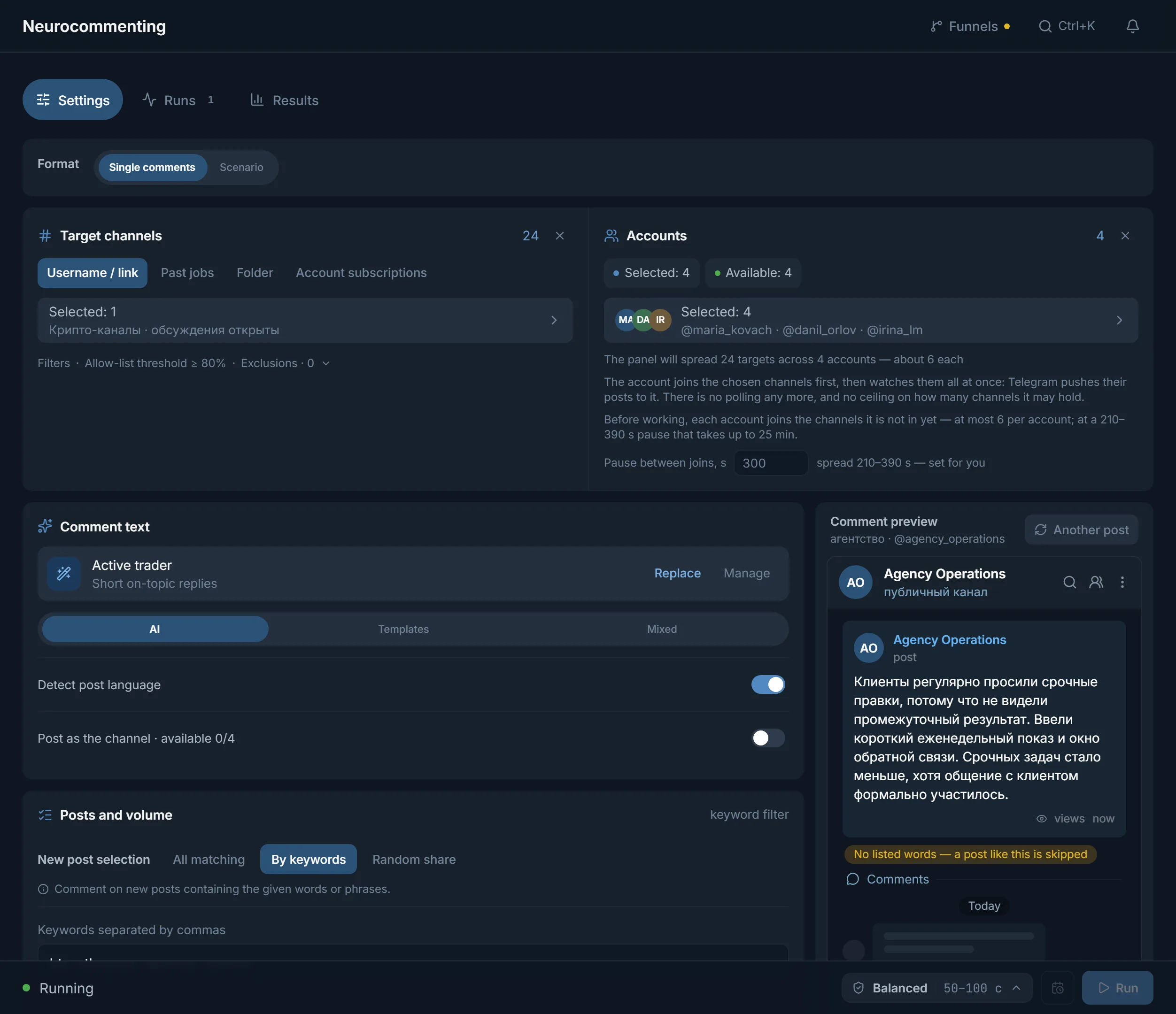
Under the posts of big channels there is a live discussion. An on-topic comment from an account with an avatar and a channel link in its bio brings some of the readers over to you. AI commenting does the same across many: the accounts join channels in your niche, and AI writes a comment that fits the post.
- “Target channels”: your own list (“Username / link”), “Past run”, a “Folder” via a t.me/addlist link, or “Account subscriptions”.
- Post selection: “All matching”, “By keywords” or “Random share”.
- Text: AI, “Templates” or “Mixed”.
- Volume is held by “Comment limit”, “Per account” and “Per hour, per account”.
- The default pause between channel joins is 210 to 390 seconds. In one run an account makes no more than 30 joins, and a channel with a discussion group counts as two.
Pro: the person already reads a channel on your topic. Con: admins clean out promotional comments, and channels with discussions turned off cannot be commented on. Keep the link in the profile, not in the comment.
How to get subscribers through inviting
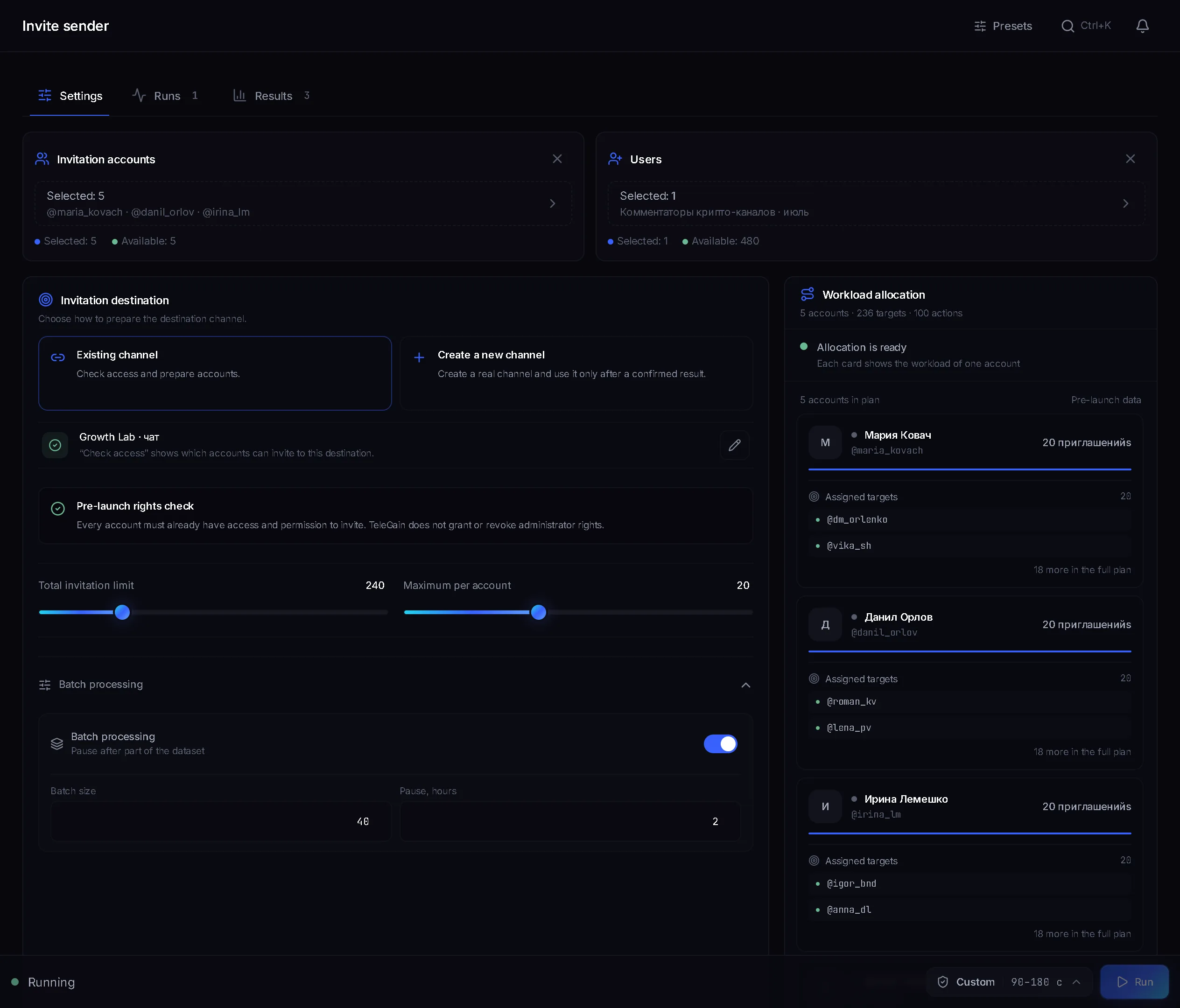
Inviting adds people from a dataset straight into your channel or chat. The dataset is collected with parsers from chats on your topic. Only part of it reaches the channel: many people have invitations closed in their privacy settings.
In our experience, Telegram lets only the first 200 subscribers into a channel by adding them. For a large dataset the inviter has a “Channel network” mode:
- Each account creates its own channels from your template and becomes their owner.
- “Into one channel” sets how many people to invite into each channel, up to 200.
- A “Pinned post” in every channel leads people to where you earn, for example your main channel.
- Each person lands in only one channel of the network.
These people were added without deciding to join, so the pinned post has to explain right away why it is worth staying: signals, offer breakdowns, a free lesson.
Reactions and story views: promotion without text
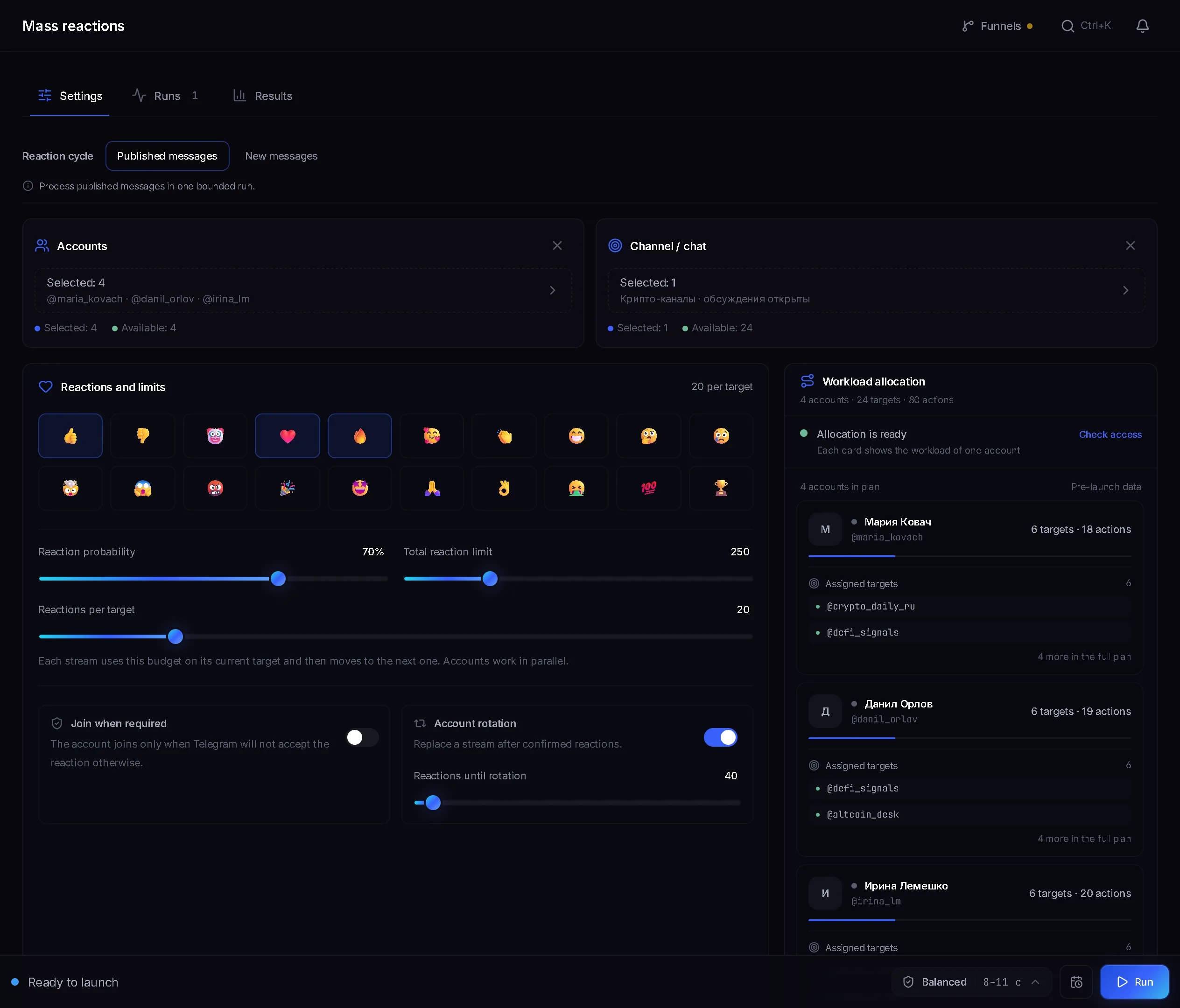
Mass reactions go on people's comments in discussion groups and on messages in chats. The author sees the reaction in their notifications and may open the profile. The module skips channel posts, bot messages and your own messages. Masslooking views the stories of people from your dataset, and the story owner sees your account among the viewers.
- “Reaction cycle”: “Published messages” or “New messages”.
- “Reaction probability”: the share of matching messages the account reacts to.
- “Total reaction limit” and “Reactions per target” cap the volume.
- “Account rotation” spreads the work across accounts.
Pro: a reaction does not look like an ad. Con: the click only goes through the profile, so without a finished profile with a channel link the work is wasted.
Chat broadcast and DMs
Chat broadcast posts in groups in rounds and can “Repost”: a channel post is forwarded whole, with the source header. Mailing writes to people from your dataset in DMs, holds up to five variants of the first message and by default skips people you already wrote to. In our experience, this is the riskiest way to promote a channel: spam complaints get accounts restricted fast.
How much Telegram channel promotion costs
- Sponsored posts: you pay for views, and the price depends on the niche. Start with trial posts and count the price per subscriber.
- Telegram Ads: a higher entry threshold than sponsored posts, plus time for moderation.
- Cross-promo: no money, you pay with the time spent finding partners.
- TeleTraff modules: Starter is $24 per 30 days with 10 streams per module, Pro is $59 with 50 streams, Ultimate is $117 with 100 streams. The free trial runs 3 days: up to 10 accounts and 3 streams. Accounts and proxies are bought separately.
A stream is an account working in a module right now. Streams are counted per module: on Starter, 10 accounts can comment while another 10 leave reactions.
How to get your first subscribers: step by step
- 1
Fill the channel
Publish on-topic posts before you bring people in: offer breakdowns for media buying, reviews for crypto, lessons for an info product.
- 2
Set up the account profiles
Name, avatar and a channel link in the “Bio”. All of it is edited in the account card in the account manager.
- 3
Warm the accounts up
Do not put fresh accounts straight to work: warmup comes first.
- 4
Run a test
A couple of trial sponsored posts, each with its own invite link. In parallel, AI commenting or reactions in channels of your niche.
- 5
Compare the price per subscriber
The “Traffic” tab in statistics shows how many people came through each module, and “Funnel comparison” puts the funnels side by side. Count sponsored posts by their own links. Keep the method where a subscriber costs less.
Where the panel will not help
- Sponsored posts and Telegram Ads. Buying ads happens outside the panel.
- Fake subscribers. The panel does not sell bot subscribers: the modules bring people through your accounts' profiles.
- Channels with discussions turned off. AI commenting will not work there, you need another source.
FAQ
How do I get subscribers to a Telegram channel from zero?
Fill the channel with posts, set up the account profiles with a link to the channel and warm the accounts up. Then run trial sponsored posts and, in parallel, comments or reactions in channels of your niche. Then keep the method with the lowest price per subscriber.
How much does growing a Telegram channel with TeleTraff cost?
From $24 per 30 days on Starter: 10 streams in each module. Pro is $59, Ultimate $117. Accounts and proxies are bought separately.
Where does AI commenting get its channels?
From your list of usernames and links, from a past run, from a folder via a t.me/addlist link, or from the accounts' own subscriptions. Commenting only works where the channel has discussions open.
Why can no more than 200 people be invited into a channel?
By adding, Telegram lets only the first 200 subscribers into a channel. For a large dataset the inviter has a “Channel network”: the accounts create their own channels, fill each one with up to 200 people, and a pinned post leads people onward.
How do I see which method brought the subscribers?
The “Traffic” tab in statistics shows how many people came through mailing, masslooking, AI commenting, neurochat and reactions, and “Funnel comparison” puts them side by side. For sponsored posts, create a separate invite link for each post.
Can I buy sponsored posts or Telegram Ads through the panel?
No, buying ads happens outside the panel. TeleTraff modules work through your accounts: they comment, invite, react and view stories.
Ready to open the panel?
Review the scenario constraints before launch.
Read next

Telegram AI commenting
Configure comments for new posts with selected accounts, sources, and a prompt.

Inviter: invites into a chat, a channel or your own channel network
Direct invites or invites via admin promotion, rights from your bot or main account only while the run works, a chat passport, dataset memory between runs and a channel network for large datasets.
 Guide
Telegram AI commenting: setup, folders and why accounts should join channels in advance
A step-by-step look at launching AI commenting: how the module picks posts, why accounts need preparing in advance and how folders save join limits.