An on-topic audience
The open base sorts channels and chats by topic and country. Crypto, economics and tech each have their own sections.
The crypto audience in Telegram reads analytics and news channels and argues in chats. A project gets noticed where people talk about it: in comments, in chats and in direct messages. Below is the order in which TeleTraff builds that work from your own accounts.
In short
Promoting a crypto project in Telegram rests on presence in crypto channels and chats and on your own community. Accounts comment on posts, join discussions, invite people into the project chat and answer questions in direct messages. In TeleTraff that means neurocommenting, neurochat, the inviter, masslooking, mailing and Dialogs, on top of the open channel base and the parsers.
TeleTraff editorial teamUpdated: Checked in the panel
The open base sorts channels and chats by topic and country. Crypto, economics and tech each have their own sections.
Neurocommenting writes under new posts and neurochat keeps the talk going in chats. Accounts work on a schedule, so nothing has to be typed by hand.
Dialogs in Everyone who writes mode answers whoever messages an account. Links to the site, the docs or the project chat sit in cards the AI hands out by name.
A new token, exchange, wallet or trader tool usually grows on conversations, not ads. People hear about a project in comments under analytics, in trader chats and from those already in the community.
So the panel has three jobs here: be where crypto is discussed, bring people into the project's channel or chat, and not lose those who came with a question. The bigger picture is on the Telegram promotion page.
Import accounts into the account manager; the proxy is assigned in the import window. Create a separate pool for the project.
A fresh account goes through auto warm-up first. Crypto chats spot newcomers with no history fast.
Take crypto channels and chats from the open base: each shows whether comments are open and whether you can write in the chat. A parser collects chat members.
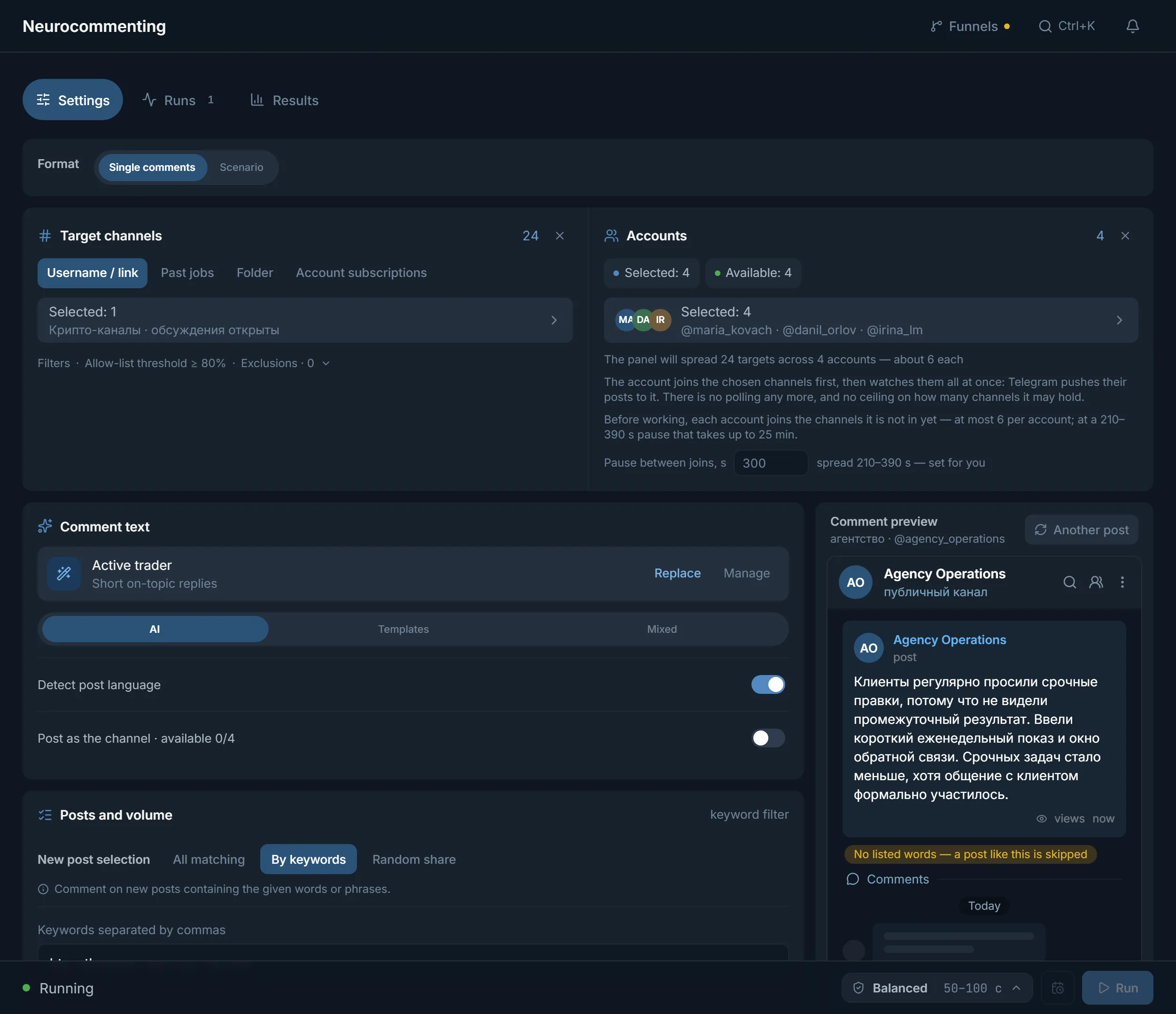
Neurocommenting writes under new posts following the post's meaning. In the What to write field, describe the project plainly, without promising returns.
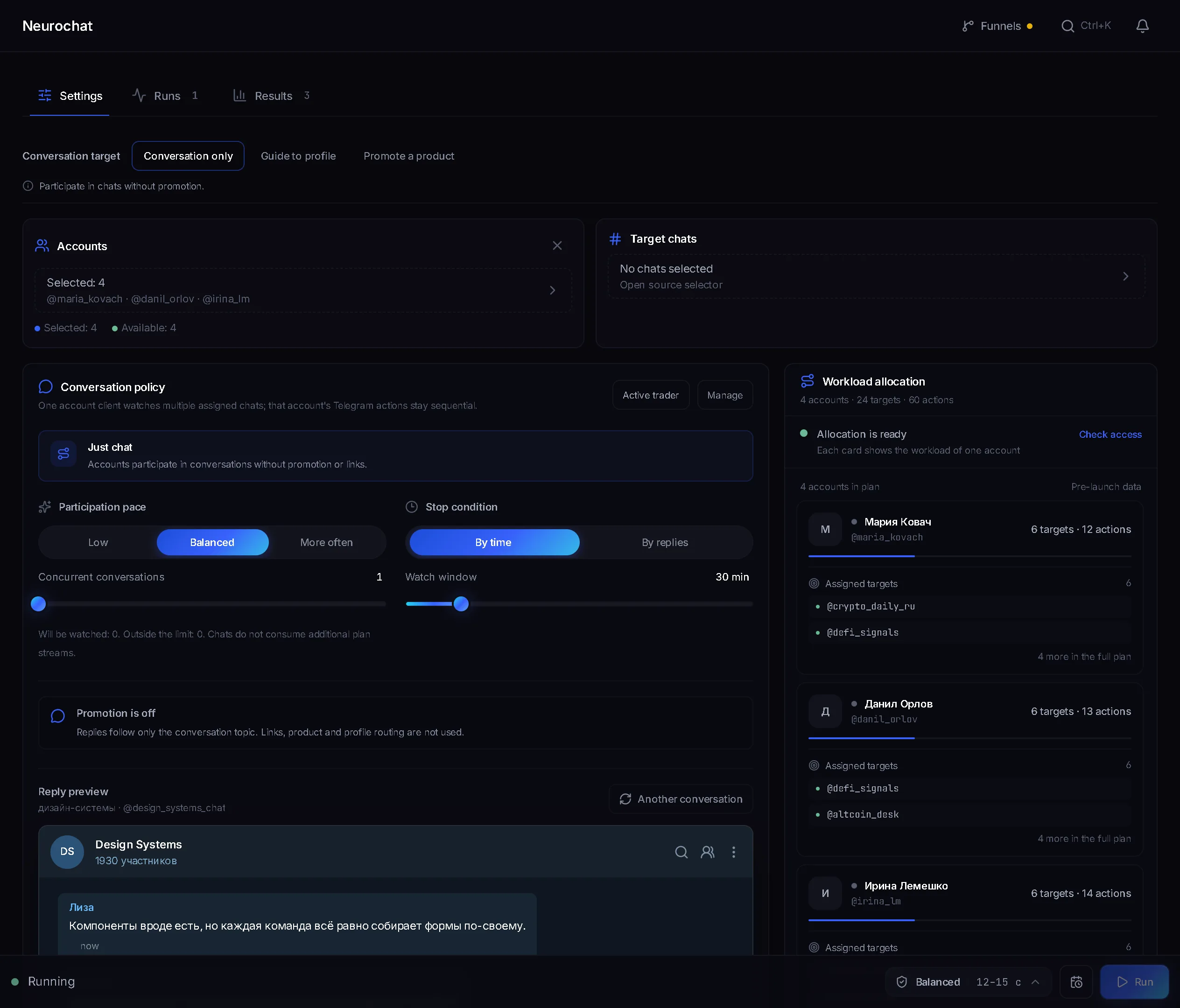
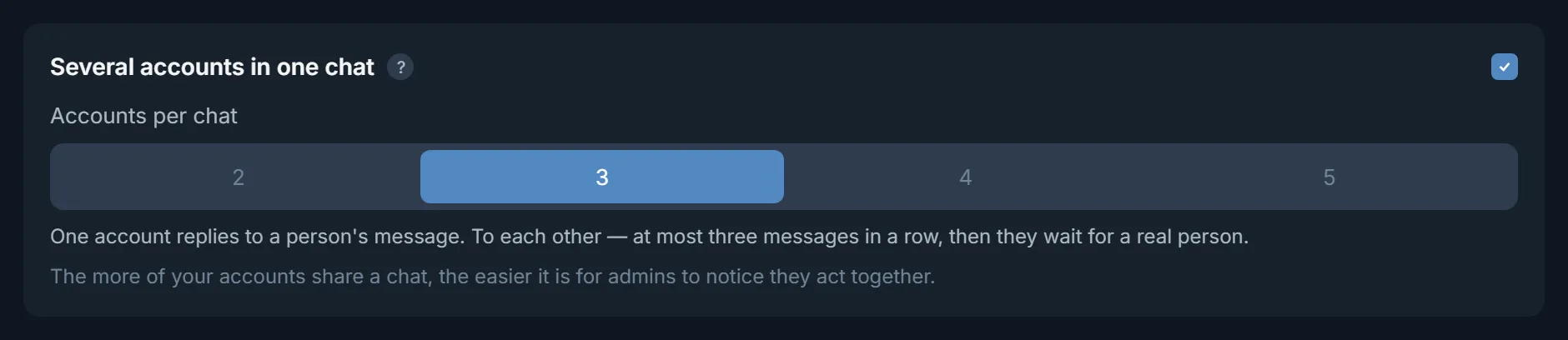
Neurochat keeps accounts in trader chats as ordinary members. With Several accounts in one chat switched on, only one of them replies to a person's message.
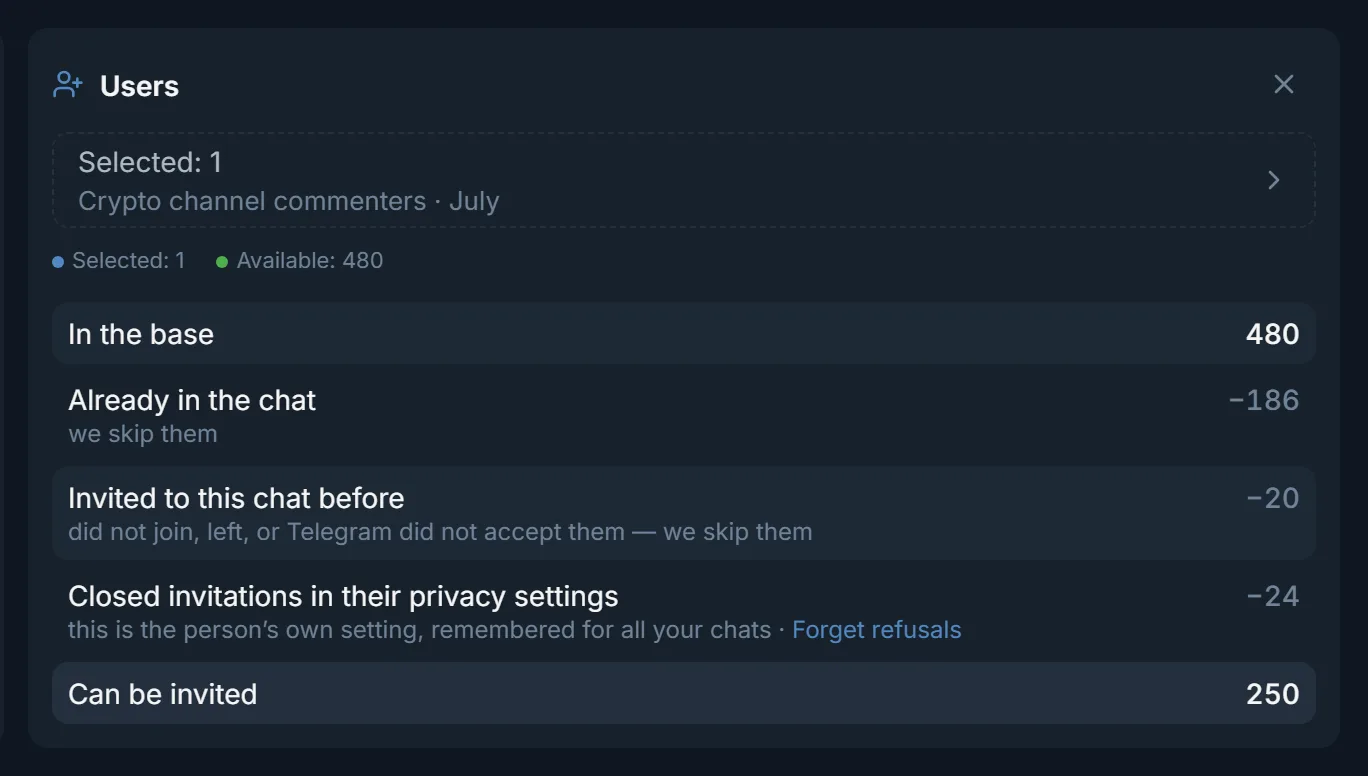
The inviter brings people from a collected list into the project chat. Dialogs answers questions in direct messages.
| Project task | Module | What it does |
|---|---|---|
| Find where crypto is discussed | Open base, parsers | Channels and chats by topic and country, chat members |
| Be visible in channels | Neurocommenting | Comments under new posts that follow the post's meaning |
| Join the discussions | Neurochat | Replies in chats on the topic of the talk, one reply per person's message |
| Touch without a message | Masslooking | Views of the audience's stories; the author sees who watched |
| Build a community | Inviter | Invites from a list into the project's chat or channel |
| Answer questions | Dialogs | AI replies in direct messages, cards with links, Take over |
The AI brief should be in the language of the placement. A ready crypto brief is in the niche prompts.
A pool for the project, 10–20 accounts with filled-in profiles and a link to the project channel. A week of warm-up while channels and chats are collected from the base.
Neurocommenting on analytics channels, neurochat in two or three trader chats. The tasks sit in Automation, so the browser can be closed.
The inviter brings people from the collected list into the project chat. Dialogs answers questions in direct messages, with the docs link in a card.
Terms on this page
Yes, if the promotion goes through your own accounts: comments, chats, invites and direct messages. The panel covers finding placements, presence and replies. The product, site and tokenomics stay with you.
Yes, that is organic promotion: accounts write under posts and in chats, and people come to the channel on their own. The panel does not buy ads in channels.
The open base holds about 2.8 million public channels and chats by topic and country. Each shows subscribers, whether comments are open and whether you can write in the chat. A ready list goes to a module with the «Use» button.
Neurochat has a Several accounts in one chat block with an Accounts per chat field. One of your accounts replies to a person's message, not all of them at once.
Run Dialogs on the same accounts in Everyone who writes mode. The AI replies by itself and takes links and files from cards by name. You can take over any conversation with the Take over button.
The trial is free for 3 days: every module, 3 threads, up to 10 accounts. Paid plans start at $24 for 30 days. Details on the pricing page.
Ready lists of channels and chats by topic: how many a section holds, how active they are and the top 20 by subscribers.
Read next
More in this section
Other sections
3 days, no card: every module, 3 threads in each, up to 10 accounts. The clock starts with the first account you add.