Clients never mix
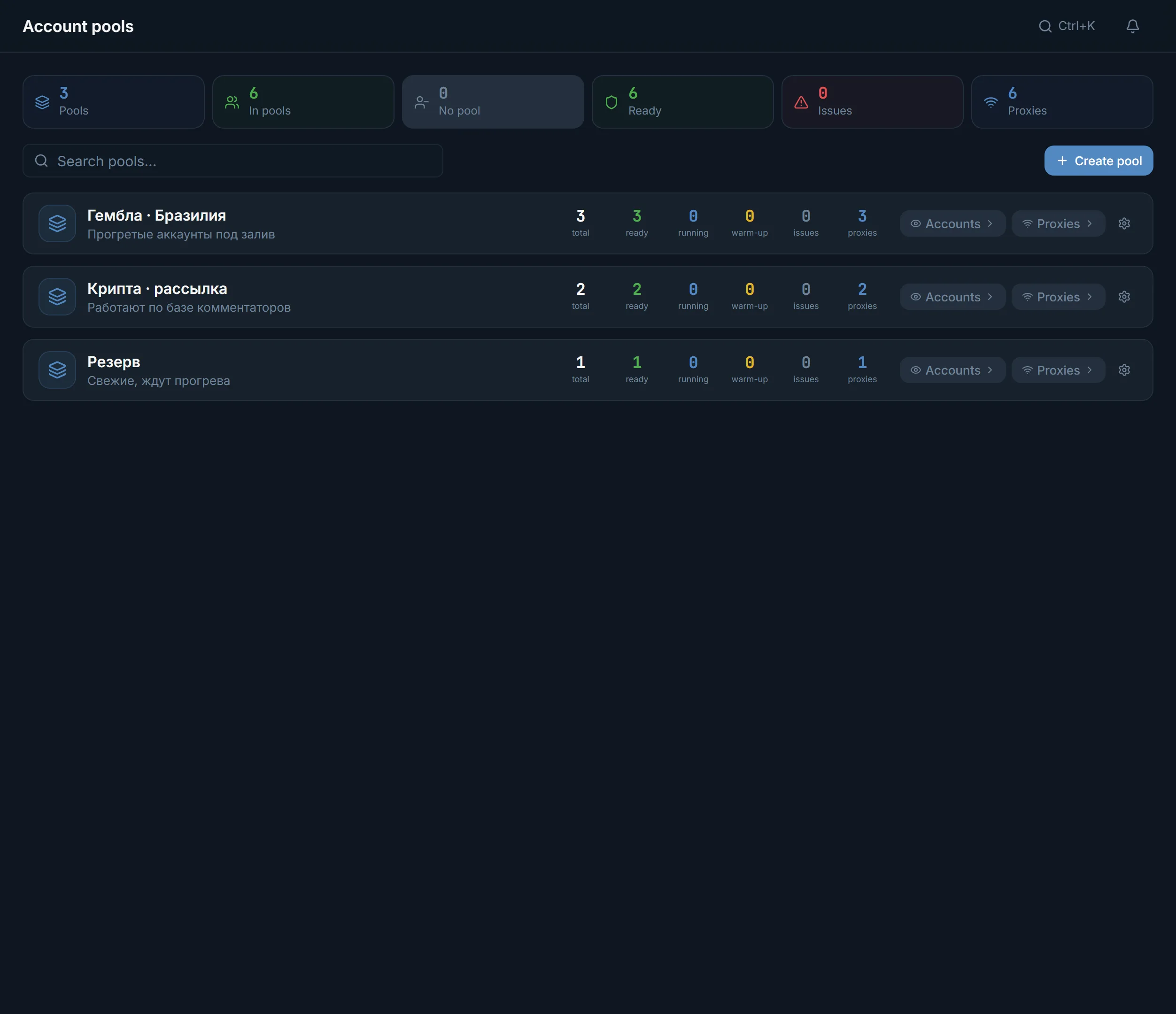
Each pool has its own accounts and its own proxies. One proxy cannot sit in two pools, and in the account picker a click on a pool selects its free accounts.
An agency runs many projects at once: every client has its own accounts, proxies, topic and schedule. In TeleTraff projects are split into pools, tasks go on a schedule, and you pay for threads per module, not per client.
In short
A Telegram promotion agency needs a way to keep client projects apart without paying for each client separately. In TeleTraff each client gets a pool with its own accounts and proxies, client tasks run on a schedule in Automation, and the plan counts threads in each module. The modules are the same for every client: neurocommenting, mailing, inviter, neurochat, parsers and the rest.
TeleTraff editorial teamUpdated: Checked in the panel
Each pool has its own accounts and its own proxies. One proxy cannot sit in two pools, and in the account picker a click on a pool selects its free accounts.
The plan counts how many accounts work in a module at once. A fifth client costs nothing while you have threads to spare.
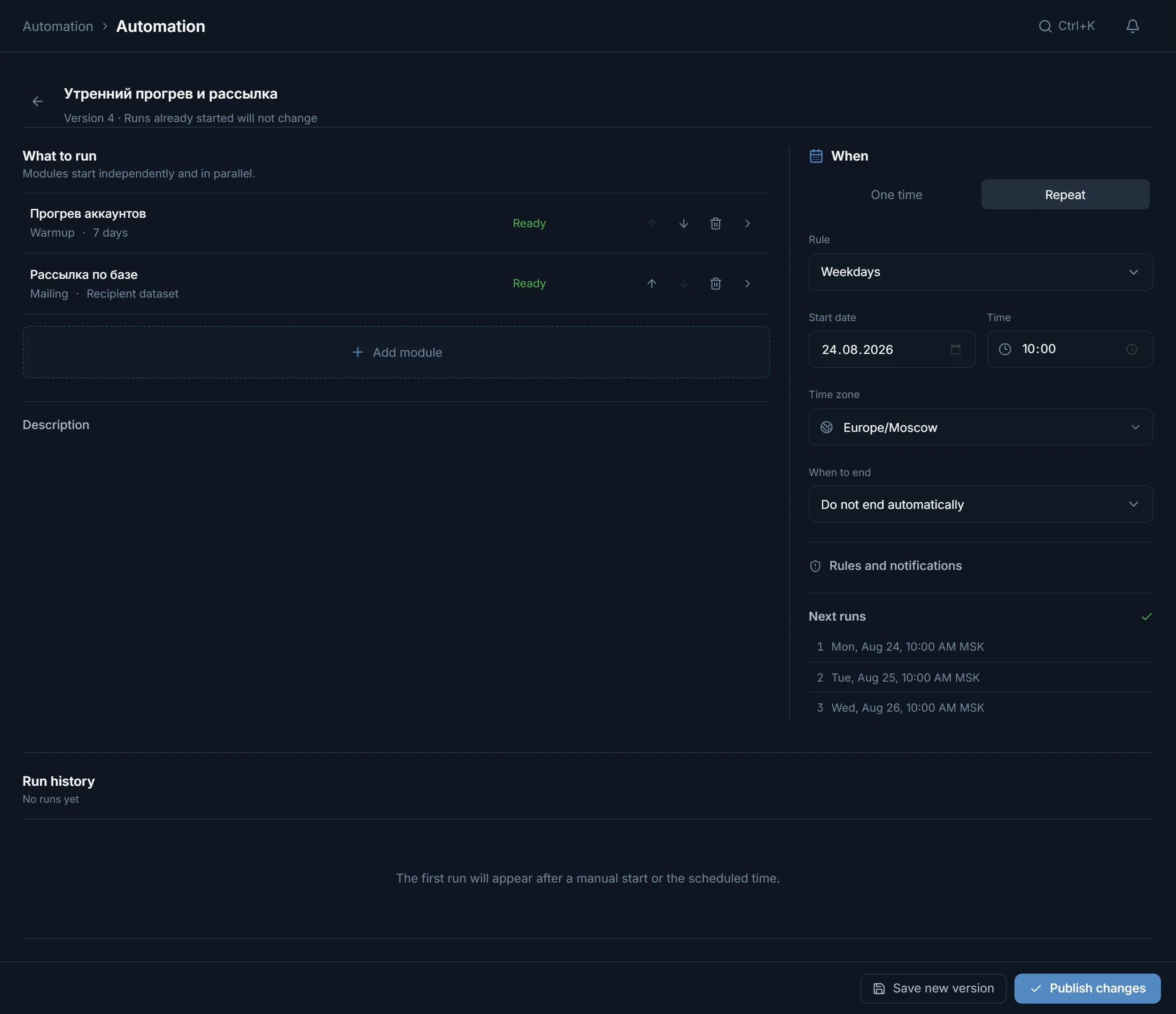
Schedules in Automation start tasks on the server. You can close the browser; the run history is kept.
An agency runs projects from different niches at once: crypto, betting, info products, services. Each needs its own accounts, its own proxies and its own schedule. If everything sits in one heap, one day client A's account ends up in client B's task.
So an agency needs three things from the panel: keep projects apart, run work on a schedule and show the client what was done. The modules are the same for everyone; they are listed on the panel features page.
Name the pool after the client and the topic, for example «Client A · crypto». The pool shows how many accounts there are in total, ready, working, warming up and in trouble. Details in the account pools guide.
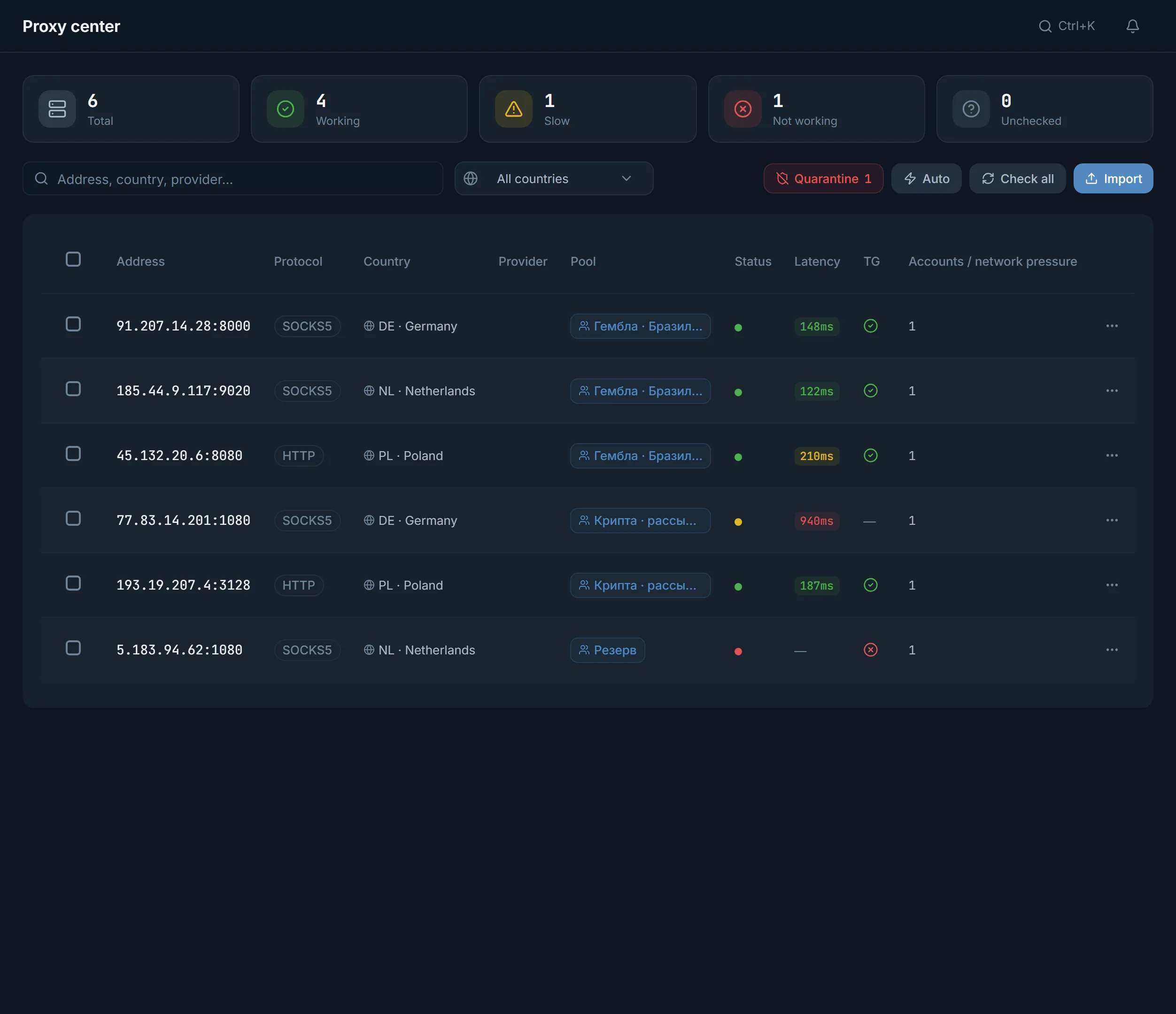
The pool menu has Assign proxy: the selected proxies are handed out to the pool's accounts in turn. One proxy cannot be in two pools at once.
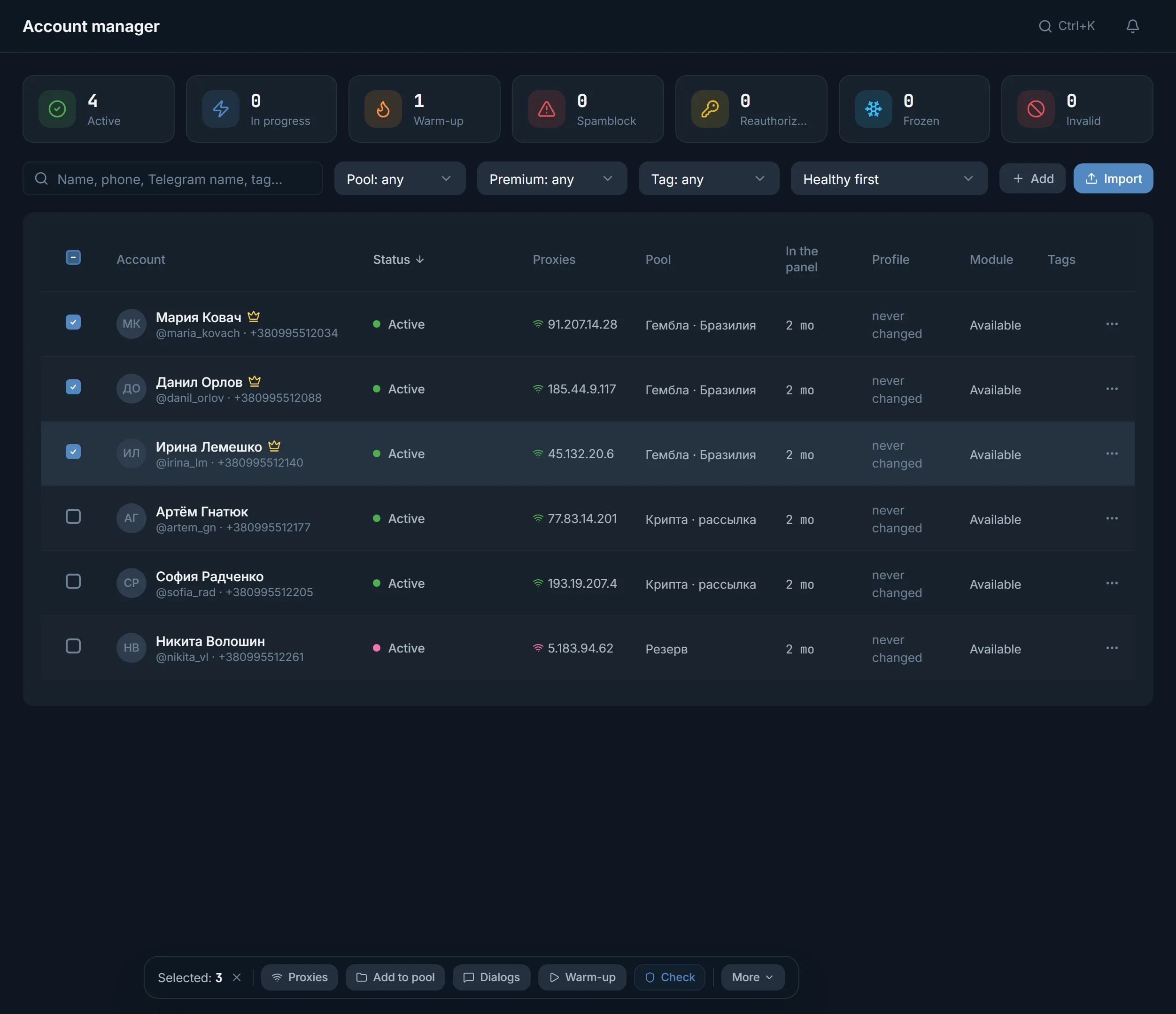
Tags help you search and filter. The role says what the account is reserved for: a module offers only accounts with its role, and Reserve is never taken anywhere.
In the account picker, open the Pools tab and choose the client's pool: its free accounts get selected. Take the client's placements from the open base or collect them with a parser.
In Automation each schedule has its own steps and its own launch order. Upcoming runs are shown on the right.
What a run did is shown in the module itself, and the run log downloads with the Download log button. The overall picture is on the Runs tab in statistics.
| Agency task | Where in the panel | How it helps |
|---|---|---|
| Keep clients apart | Account pools | Own accounts and proxies per client, ready and problem counters |
| Never mix up accounts | Tags and account role | A module offers only accounts with its role and leaves Reserve alone |
| Keep proxies in order | Proxy center | Checks through Telegram, Quarantine, the pool or No pool for each proxy |
| Top up accounts | Marketplace | Buy accounts and proxies inside the panel, import straight with a proxy |
| Run on a schedule | Automation | A schedule built from steps, a time zone, Run history |
| Report | Modules, statistics | Run results, Download log, the Runs and Traffic tabs |
The pool names here are examples; you set your own.
The «Betting · Brazil» pool: its own accounts and proxies for the right geo. Neurocommenting writes under posts in sports channels, and once a week the schedule runs mailing to a collected list.
The «Crypto · chat» pool: accounts talk in chats through neurochat, and the inviter brings people from a list into the client's chat. The proxies are its own and never overlap with betting.
No module takes accounts with the Reserve role. When a client loses an account, the replacement comes from here and moves into that client's pool.
A thread is one account busy with a task in a module right now. Threads are counted in each module separately and are shared by every client in the panel.
Example: three clients, each running neurocommenting on 15 accounts at once. That takes 45 threads in neurocommenting, which fits Pro with its 50 threads. Mailing for the same clients is counted separately and never touches the neurocommenting threads.
For 30 days: Starter with 10 threads costs $24, Pro with 50 threads $59, Ultimate with 100 threads $117. A paid plan does not limit how many accounts sit in the panel. Details on the pricing page.
Terms on this page
Yes. Create a pool per client; each pool has its own accounts and proxies. In the account picker, a click on a pool selects its free accounts.
No. The plan counts threads, that is, accounts busy in a module at the same time. A paid plan does not limit how many clients and accounts sit in the panel.
There are no separate staff seats or client cabinets: there is one workspace and one login to it. If you need a different setup, write to support.
Keep them in separate pools and give them a role. A module offers only accounts with its role, and no module takes accounts with the Reserve role.
Yes. The server runs the tasks. A schedule in Automation starts them by itself, and the outcome of every run is in Run history.
Every module has run results, and the run log downloads as a file. With a funnel connected, the Traffic tab in statistics shows how many people came.
Ready lists of channels and chats by topic: how many a section holds, how active they are and the top 20 by subscribers.
Read next
More in this section
Other sections
3 days, no card: every module, 3 threads in each, up to 10 accounts. The clock starts with the first account you add.