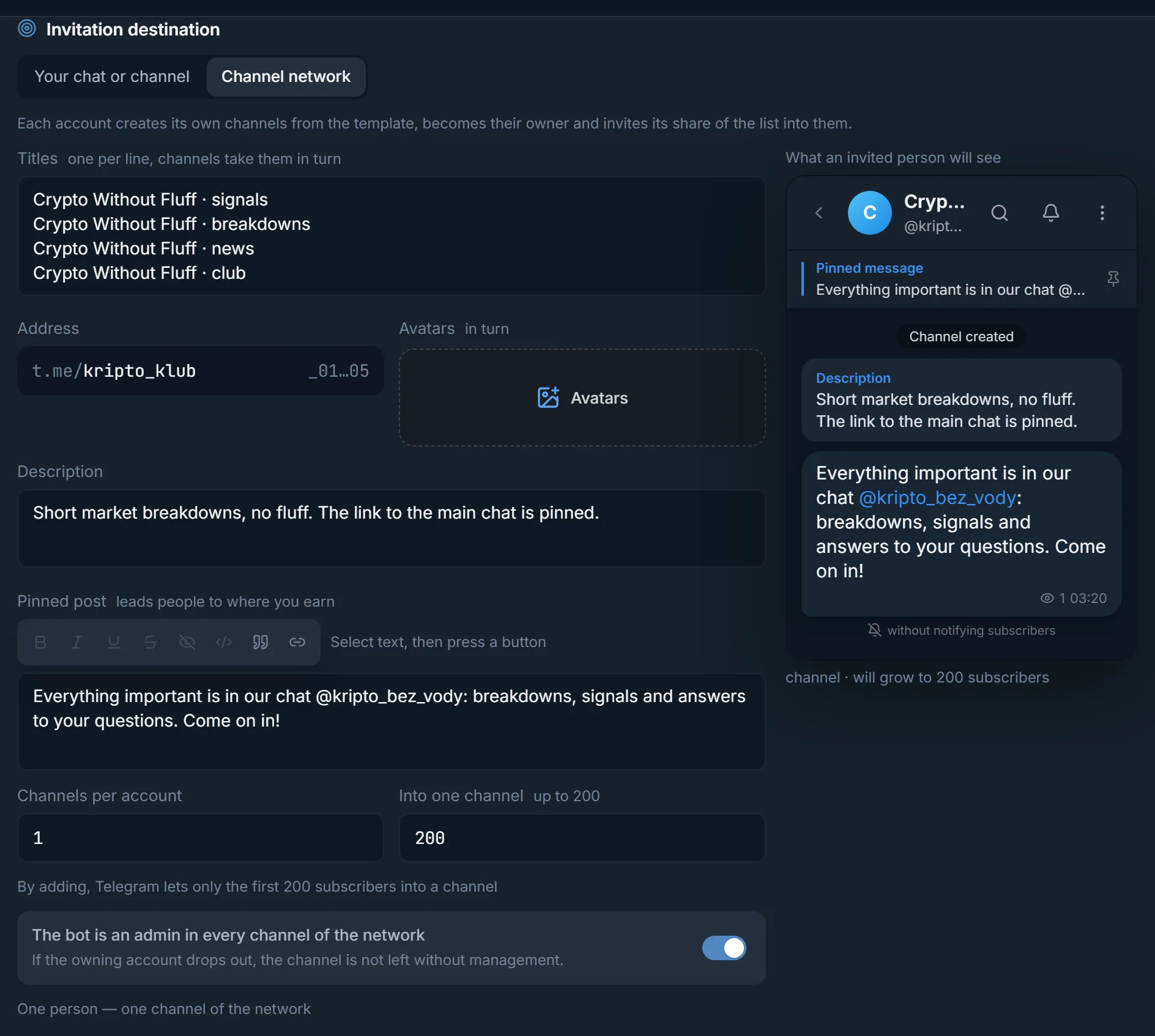
The channel cap is visible upfront
In the Channel network mode the Into one channel field is set up to 200, and the preview says the channel will grow to up to 200 subscribers.
Telegram lets only the first 200 subscribers into a channel by adding, and that number counts for the whole channel over its lifetime. The per-account daily limit in the panel is a separate setting. Below are all the numbers in one place, the rights a channel needs and an accounts-per-day calculation.
In short
Inviting to a Telegram channel is limited by a Telegram rule: by adding, it lets only the first 200 subscribers into a channel, and further people join through a link. You set the daily number yourself: in the Inviter the Per account per day field takes 1 to 500 and is empty by default.
TeleTraff editorial teamUpdated: Checked in the panel
In the Channel network mode the Into one channel field is set up to 200, and the preview says the channel will grow to up to 200 subscribers.
An account creates the channel itself and invites as its owner. You do not have to grant it the Add members right.
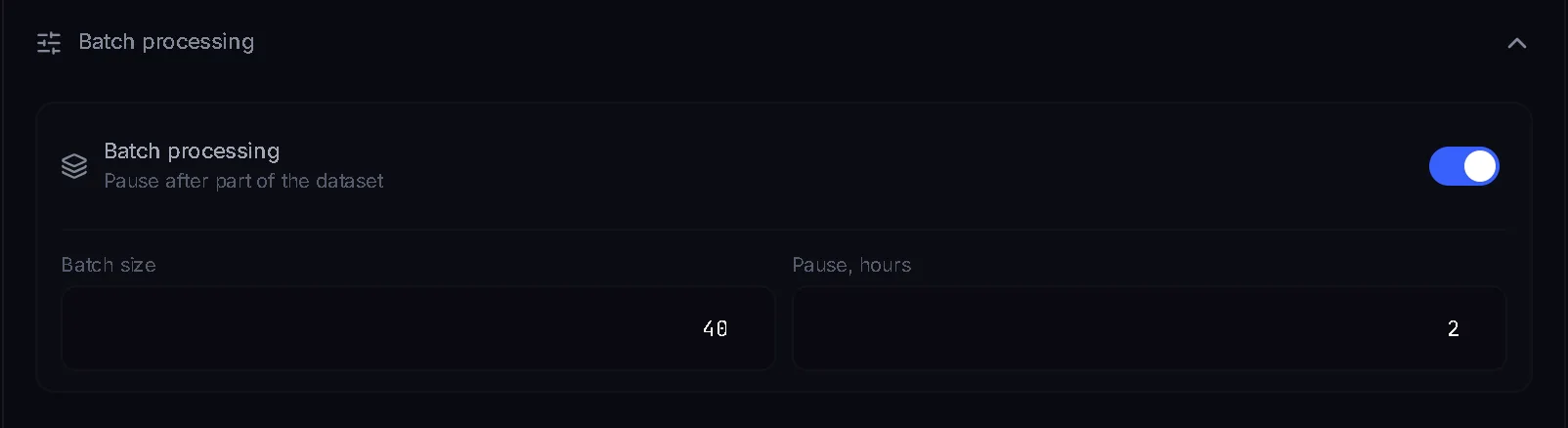
Per account per day counts every run within a day, and Batch processing pauses an account after part of the base.
The query how many subscribers you can add to a channel per day mixes several different limits. They live in different places, and half of them are not about a day at all.
| Number | What it limits | Where it comes from |
|---|---|---|
| 200 | Subscribers you can add to a channel directly, over its lifetime | A Telegram rule; the panel shows it in the Into one channel field |
| up to 200,000 | Members in a group | Telegram limits on the limits page |
| up to 500, up to 1000 with Premium | Channels and supergroups one account can belong to | Telegram limits on the limits page |
| 1–500 | Invites from one account per day; the field is empty by default | The Per account per day field in the Inviter |
| 20, up to 50 | Invites from one account in a single run | The Per account per run field |
| 200, up to 1000 | Invites in a single run across all accounts | The Total invitation limit field |
Telegram sets the first three rows, you set the last three. The general Telegram picture is on the limits page, and inviting itself is explained in what inviting is.
| What | Group | Channel |
|---|---|---|
| How many people you can add directly | A group holds up to 200,000 members | Only the first 200 subscribers are let in by adding, the rest join through a link |
| Who can add | Any member, if the chat allows it; otherwise a right is needed | Members do not add people, so accounts always need the Add members right |
| Per-account daily limit | You set it, from 1 to 500 | The same: you set it, from 1 to 500 |
| When the cap is reached | You hit the account daily limit and people's privacy settings | The panel stops direct adding and says Telegram lets only the first 200 in |
The Inviter has no separate mode for a channel: you paste the channel address into the Invitation destination block, and the Chat passport shows its type. There is one exception, the Channel network destination, which works with channels only. The work itself is done by the Inviter module.
The daily ceiling equals the number of accounts times one account's daily number. What to take as that number depends on the age and warm-up of the account. The limits page collects the practice of open sources: 10–20 invites a day for a new account and 50–150 for a warmed one. That is not a Telegram rule and not a panel setting.
| Accounts | New, 10–20 a day | Warmed, 50–150 a day | Field maximum, 500 a day |
|---|---|---|---|
| 1 | 10–20 | 50–150 | 500 |
| 5 | 50–100 | 250–750 | 2,500 |
| 10 | 100–200 | 500–1,500 | 5,000 |
| 20 | 200–400 | 1,000–3,000 | 10,000 |
The 500 in the last column is the upper bound of the field in the panel and is not a recommendation. For one channel the whole table works only up to 200: twenty accounts inviting into one channel directly produce the same 200 subscribers, not 20 times 200. For the numbers in the table to be reachable you need several channels. For groups the table reads as it stands. A week-by-week ramp-up plan is in the inviting guide.
In the Inviter pick the Channel network destination: each account creates its own channels from a template and becomes their owner.
The fields Titles (one per line), Address, Avatars, Description and Pinned post. Channels take titles and avatars in turn.
Channels per account and Into one channel: the second is set up to 200. An account with five channels of 200 covers 1,000 people.
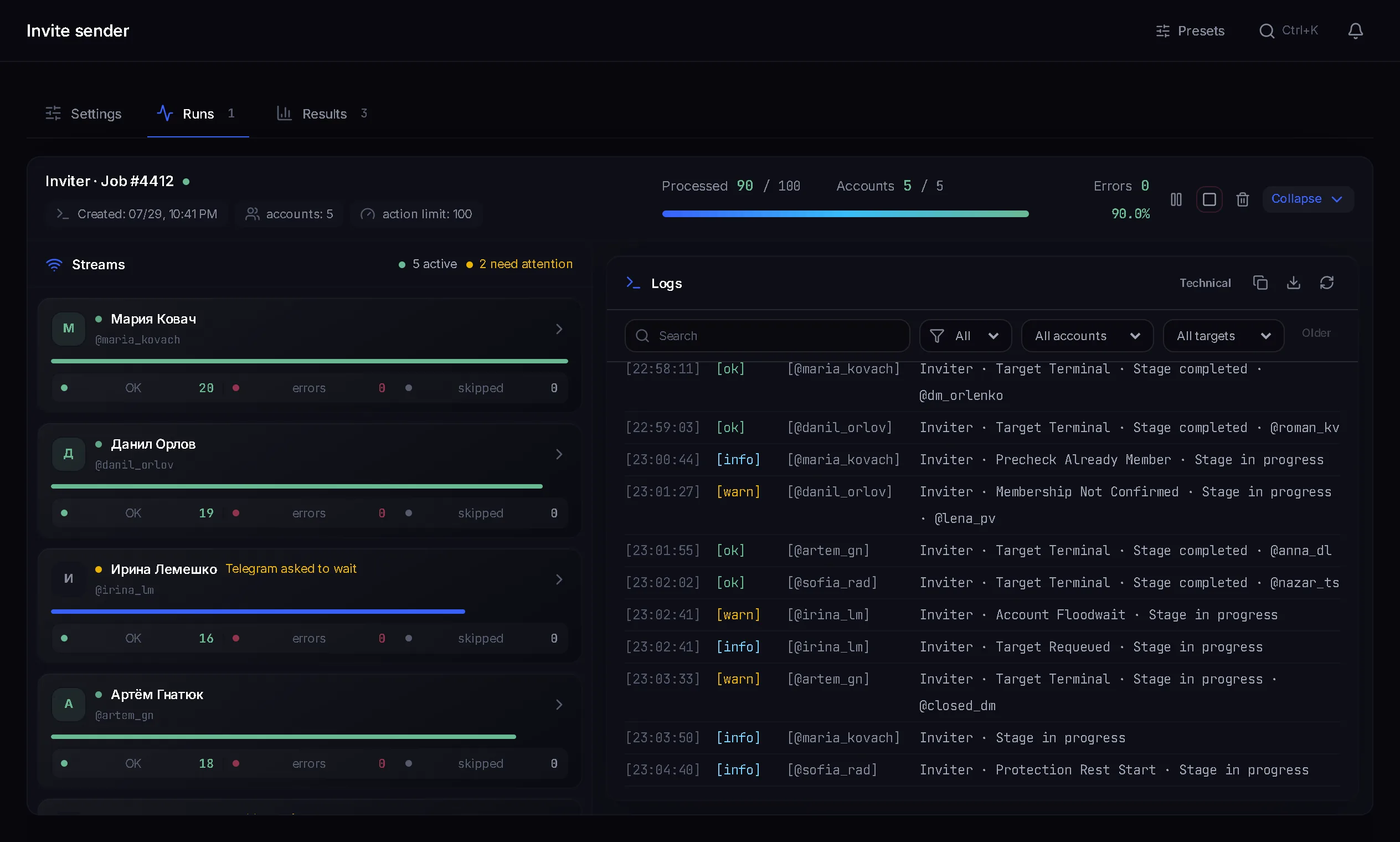
A job that creates the channels runs first. Invites start on their own once the channels are ready. Missing channels are added by the Top up the network button.
The One person — one channel of the network toggle stops the same person being invited to several channels. The toggle that makes the bot an admin in every channel of the network keeps control of a channel with the bot if the owning account drops out. How many to invite per run is decided here by the channel capacity: the Into one channel number minus those already invited.
Counts every run of the account within a day on its own clock. An empty field means No limit, and you can set 1 to 500. The counter includes Telegram refusals, not only successful adds.
Off by default. When on, it makes each account do part of the base and then pause. By default the batch size is 250 and the pause is 12 hours; the size starts at 1, the pause runs from 1 to 24 hours.
Balanced: a 75–150 second pause between invites. Fast: 30–60. Careful: 150–300.
Terms on this page
Telegram publishes no daily number. The channel has a rule instead: by adding, it lets only the first 200 subscribers in. In the panel you set the daily number yourself: Per account per day from 1 to 500, empty by default.
Direct adding stops and the panel says so. After that people join through a link, and the channel's total subscriber count is not limited. Premium does not raise the direct-add limit.
Not directly into a single channel. The panel has the Channel network for it: each account creates several channels from a template and invites up to 200 people into each.
For an ordinary channel, yes: accounts need the Add members right, which a bot or the main account grants for the run. In the Channel network no rights are needed, because the owner invites directly.
It depends on one account's daily number and on the channels. For one channel, 200 is the ceiling at any number of accounts. For a network of five channels of 200 you need at least one account, and you work out the number of days from the table above.
Multiply the number of accounts by one account's daily number. Practice puts it at 10–20 for new accounts and 50–150 for warmed ones, and the upper bound of the Per account per day field in the panel is 500.
Read next
More in this section
Other sections
3 days, no card: every module, 3 threads in each, up to 10 accounts. The clock starts with the first account you add.